13
Watching TV
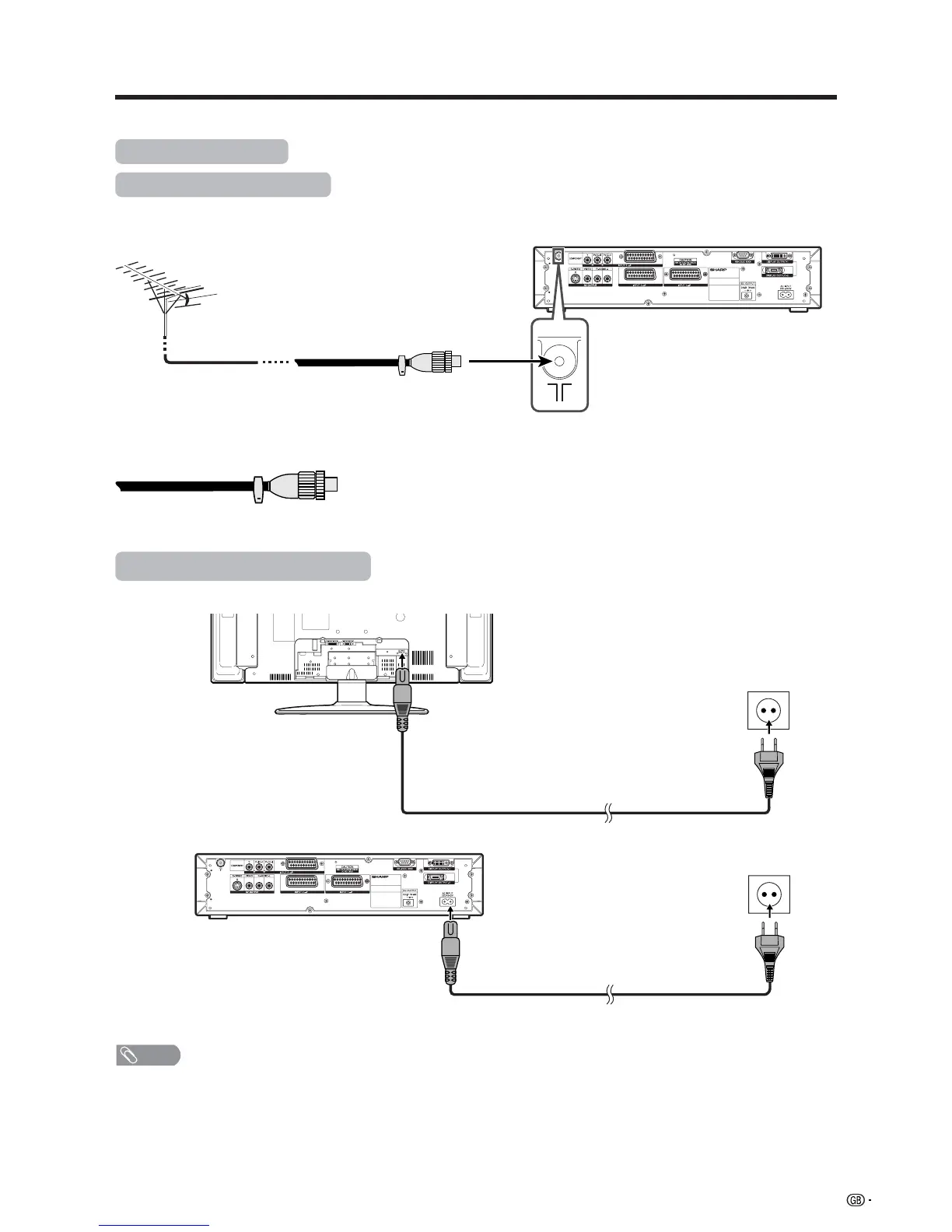
Standard DIN45325 plug (IEC169-2)
75-ohm coaxial cable (round cable)
(commercially available)
Simple operations for watching a TV programme
Basic connection
Connecting to an antenna
To enjoy a clearer picture, use an outdoor antenna. The following is a brief explanation of the types of connections
that are used for coaxial cable.
Antenna cables–commercially available
If your outdoor antenna uses a 75-ohm coaxial cable with a standard DIN45325
plug (IEC 169-2), plug it into the ANTENNA INPUT terminal at the rear of the
AVC System.
Connecting to the power outlet
Display (rear view)
AVC System (rear view)
NOTE
• Always turn off the main power of Display and AVC System when connecting the AC cords.
• Disconnect the AC cords from the AC outlet, Display and AVC System if the System will not be used for a long period of
time.
Product shape varies
in some countries.
Product shape varies
in some countries.














 To Next Page