47
Useful adjustment settings
1
2
Image position (for TV/AV input mode)
For adjusting a picture’s horizontal and vertical
position.
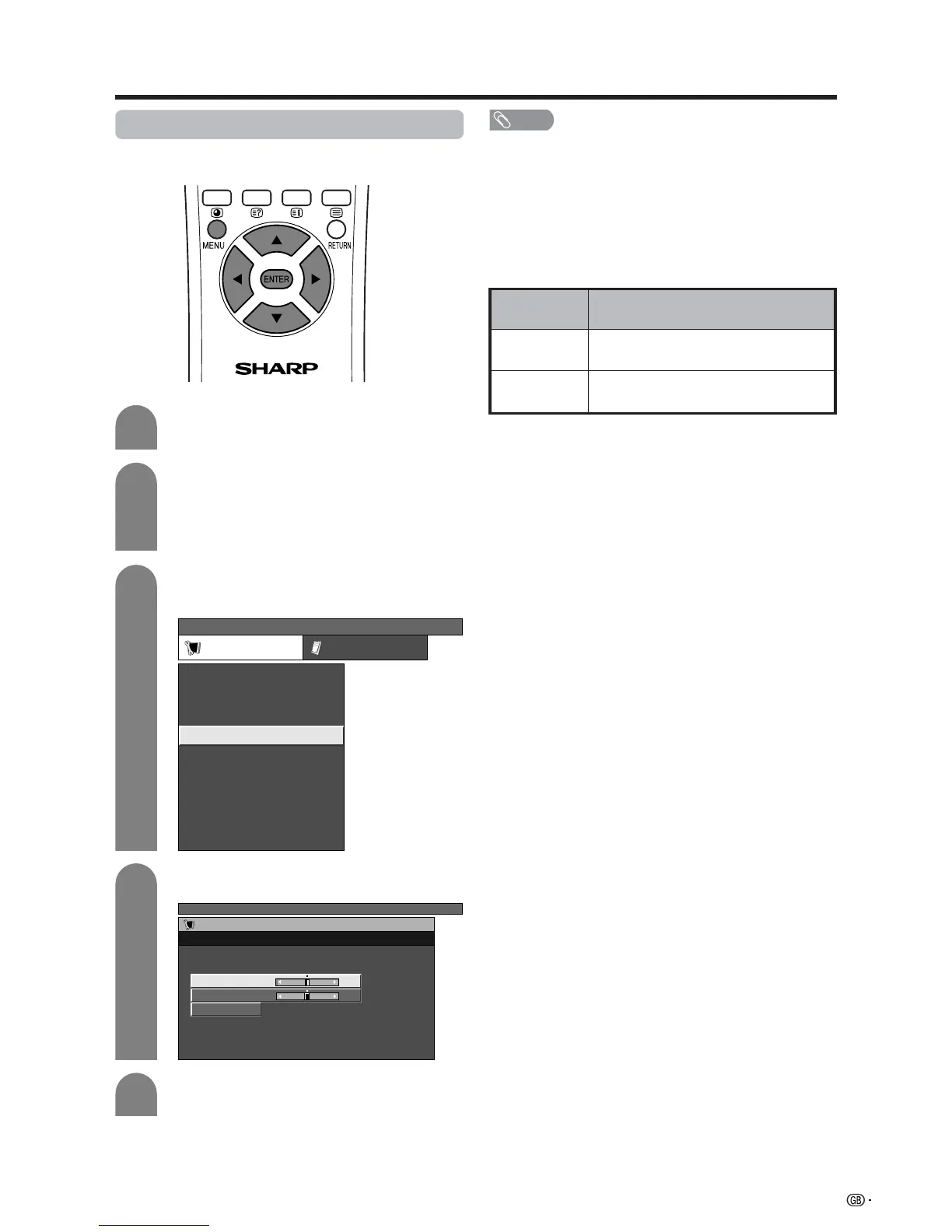
Press MENU and the TV MENU screen
displays.
Press c/d to select “Setup”.
• If password is already set, you are asked to
enter it. Follow the same steps as explained in
“Auto installation”. (See steps 2 and 3 on page
22.)
Description
Centres the image by moving it to the left or
right.
Centres the image by moving it up or down.
Selected item
H-Pos.
V-Pos.
4
5
3
Press a/b to select “Position”, and then
press ENTER.
Press a/b to select “H-Pos.” or “V-Pos.”.
TV MENU
Setup Option
Child Lock
Auto Installation
Programme Setup
Position
WSS
4:3 Mode [Normal]
[Off]
[Mode1]Full Mode
[English]
[Normal]
Language
Rotate
TV MENU
Setup
Position
Reset
H-Pos. [0] –10 +10
V-Pos. [0] –30
+30
Press c/d to adjust the item to your desired
position.
NOTE
• For resetting all adjustment items to the factory preset
values, press a/b to select “Reset”, and then press
ENTER.
• Adjustments are stored separately according to input
source.
• You can easily move the image position as shown on page
48, but when the power is switched off the image will return
to the previously memorised position.
• This function is available for AV input mode and TV tuner
mode.














 To Next Page