24
Basic adjustment settings
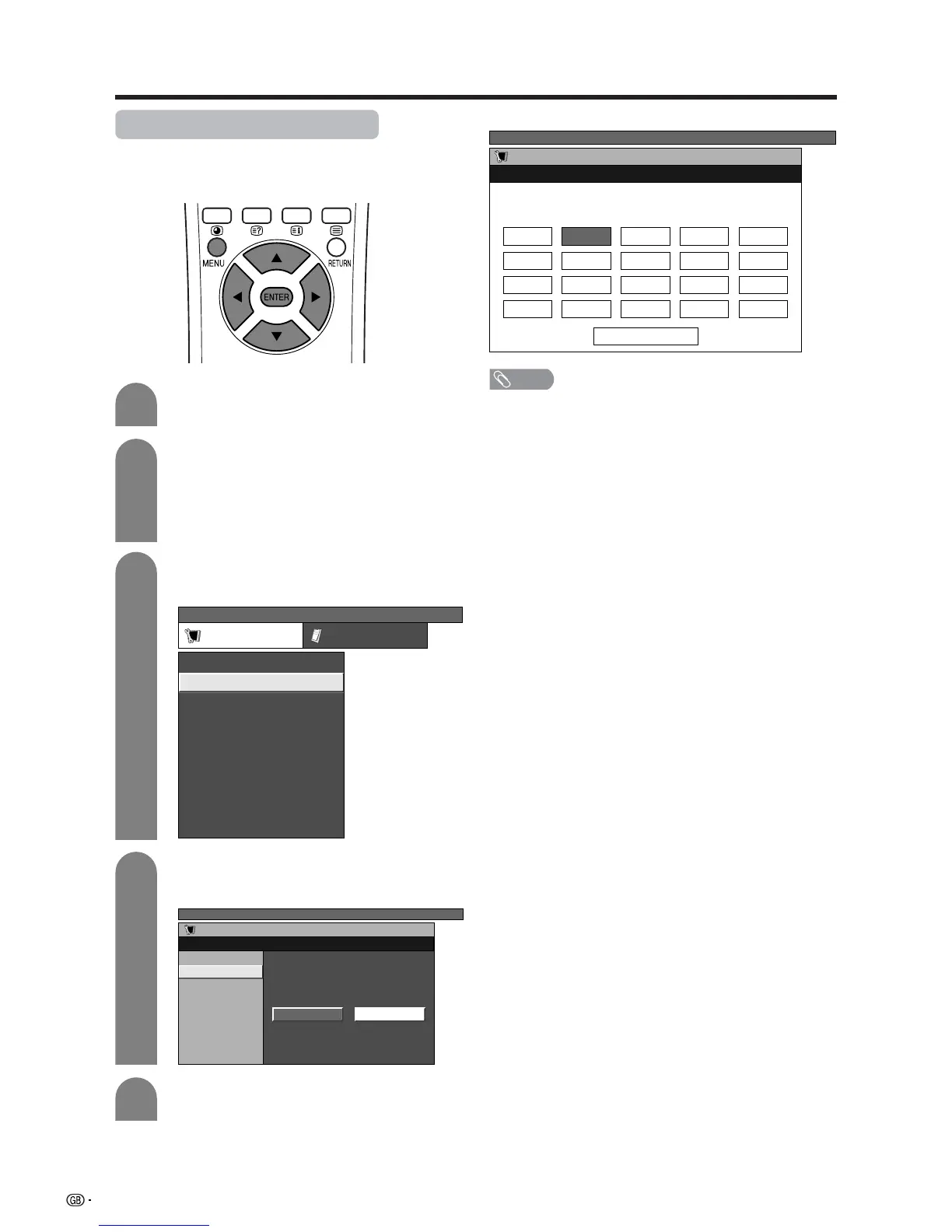
Manual setting for each channel
You can set some channel items manually. They are
Fine (TV frequency), Colour sys., Sound sys., Label
(Network name), Skip, Decoder and Lock (Child Lock).
Press a/b to select “Manual Adjust”, and
then press ENTER.
TV MENU
Setup
Programme Setup “Manual”
Next
01 SAT.1 02 PR07 03 KABEL
Programme Setup “Manual” menu
NOTE
• When you exit Programme Setup “Manual” menu, preset
download automatically runs if you change information
on that menu.
Press MENU and the TV MENU screen
displays.
Press c/d to select “Setup”.
• If password is already set, you are asked to
enter it. Follow the same steps as explained in
“Auto installation”. (See steps 2 and 3 on page
22.)
Press a/b to select “Programme Setup”,
and then press ENTER.
Press c/d to select “Yes”, and then press
ENTER.
You can select one of the following settings.
1 Fine (See page 25.)
2 Colour system (See page 26.)
3 Sound system (See page 26.)
4 Label (See page 26.)
5 Skip (See page 27.)
6 Decoder (See page 27.)
7 Lock (See page 27.)
TV MENU
Setup Option
Child Lock
Auto Installation
Programme Setup
Position
WSS
4:3 Mode [Normal]
[Off]
[Mode1]Full Mode
[English]
[Normal]
Language
Rotate
TV MENU
Setup
Programme Setup
Auto Search
Manual Adjust
Sort
Yes No
4
1
2
3
5














 To Next Page