50
Useful adjustment settings
Input signal source
Input selection
Can use for selecting the input source.
Press MENU and the TV MENU screen
displays.
1
2
4
3
Press c/d to select “Option”.
• Option menu displays.
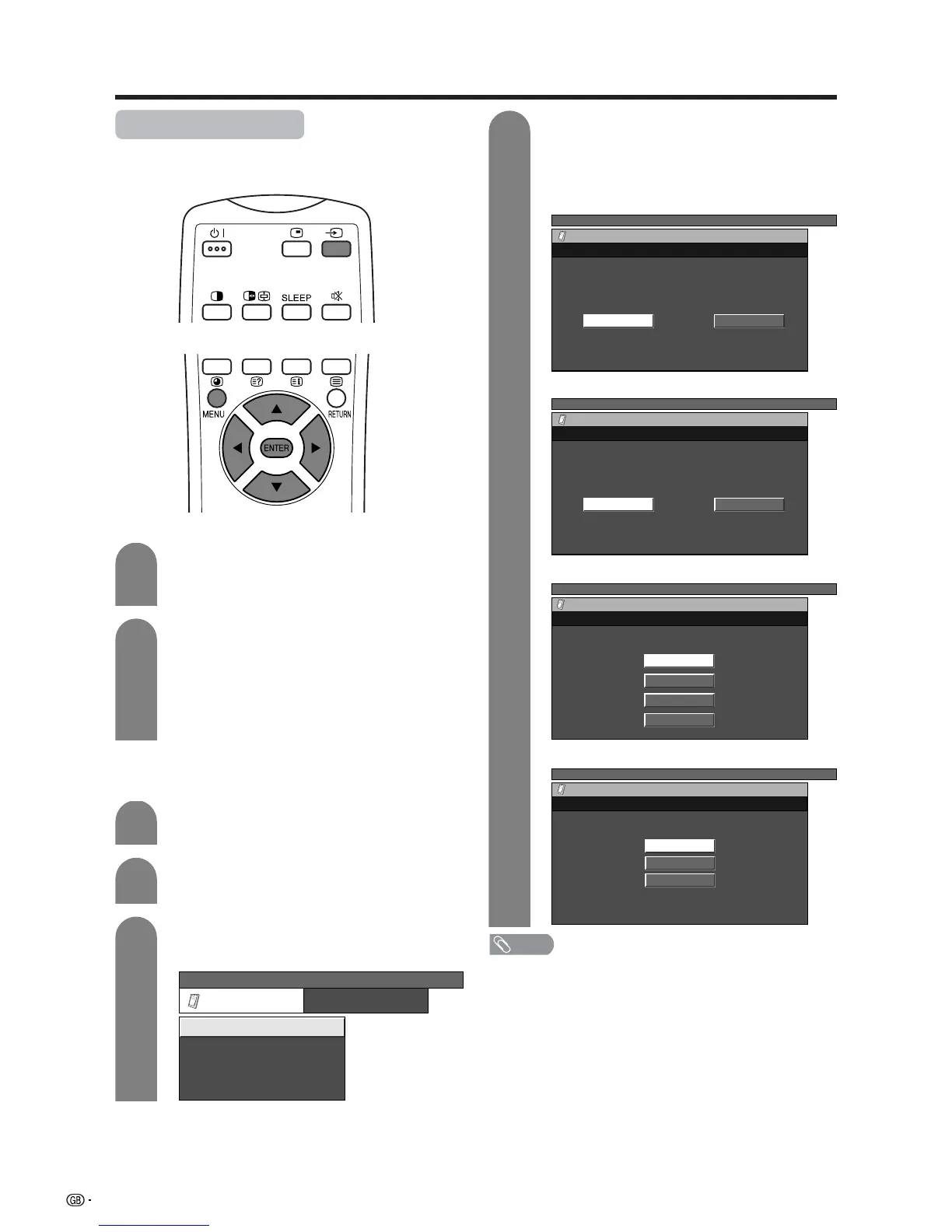
Press a/b to select “Input Select”, and then
press ENTER.
Press a/b/c/d to select a signal type you
want to set, and then press ENTER.
• If the selected signal type is incorrect, an image
does not display or no colour image displays.
TV MENU
Option
Audio Out
Input Select
Cool Climate
Colour System
[Off]
[Fixed]
[AUTO]
TV MENU
Option
Input Select
RGBCVBS
TV MENU
Option
Input Select
CVBSY/C
TV MENU
Option
Input Select
AUTO
S-Video
Video
Press b on the remote control unit or
INPUT on the Display.
• INPUT SOURCE menu displays.
Press b on the remote control unit or
INPUT on the Display to select the input
source.
• An image from the selected source
automatically displays.
• You can also select the input source by
pressing a/b.
1
2
NOTE
• If no (colour) image displays, try to change the other
signal type.
• Check the operation manual of the external equipment
for the signal type.
Input signal setting
For setting the signal type of external equipment.
For INPUT 1 signal
For INPUT 2 signal
For INPUT 3 signal
For INPUT 4 signal
TV MENU
Option
Input Select
COMPONENT
Y/C
CVBS
RGB














 To Next Page