34
Basic adjustment settings
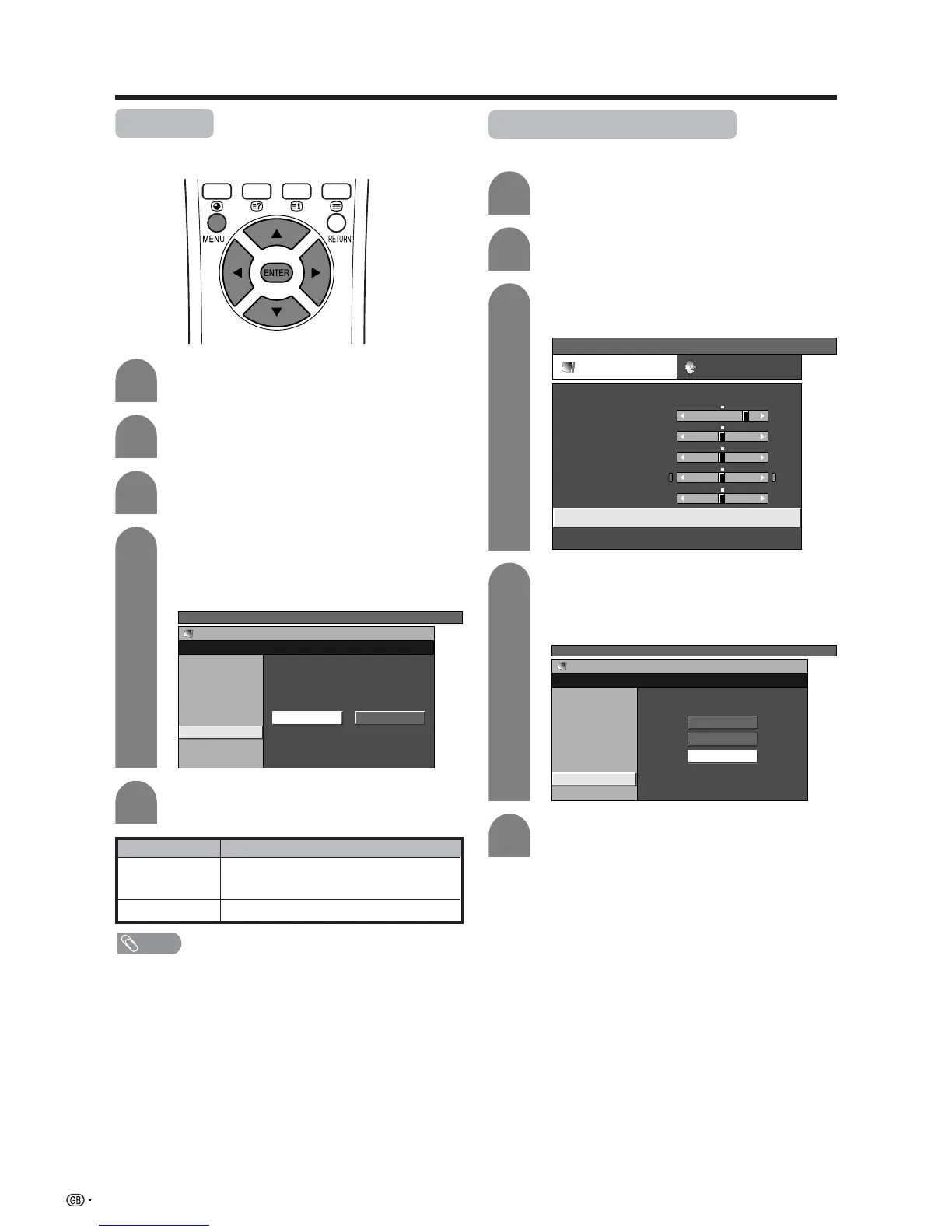
I/P setting
Adjusting the image and input signal can give you a
more beautiful picture.
Press a/b to select “I/P Setting”, and then
press ENTER.
• Some items may be greyed out. They are not
selectable.
Press c/d to select “Interlace” or
“Progressive”, and then press ENTER.
4
5
Selected item
Interlace
Progressive
Description
Use this setting when you cannot get a clear
picture with Progressive. (Especially suitable for
media with special effects like game software.)
Normally, you should select this setting.
Press MENU and the TV MENU screen
displays.
1
2
Press c/d to select “Picture”.
• Picture menu displays.
3
Press a/b to select “Advanced”, and then
press ENTER.
TV MENU
Picture
Advanced [USER]
C. M. S.
Colour Temp
Black
Interlace Progressive
Monochrome
Film Mode
I/P Setting
DNR
NOTE
• The I/P Setting is set to Progressive when Film Mode is “On”.
DNR (Digital Noise Reduction)
Produces a clearer video image.
Press a/b to select “DNR”, and then press
ENTER.
• Some items may be greyed out. They are not
selectable.
Press a/b to select the desired level, and
then press ENTER.
4
5
Press MENU and the TV MENU screen
displays.
1
2
Press c/d to select “Picture”.
• Picture menu displays.
3
Press a/b to select “Advanced”, and then
press ENTER.
TV MENU
Picture Audio
USER
Contrast
Brightness
Colour
Tint
Sharpness
Advanced
Reset
[+30]
[0]
[0]
[0]
[0]
0
–30
–30
–30
–10
+40
+30
+30
+30
+10
TV MENU
Picture
Advanced [USER]
C. M. S.
Colour Temp
Black
Monochrome
Film Mode
I/P Setting
DNR
Off
High
Low














 To Next Page