59
1
2
3
4
Cool climate
TV MENU
Option
Audio Out
Input Select
Cool Climate
Colour System
[Off]
[Fixed]
[AUTO]
TV MENU
Option
Cool Climate
OffOn
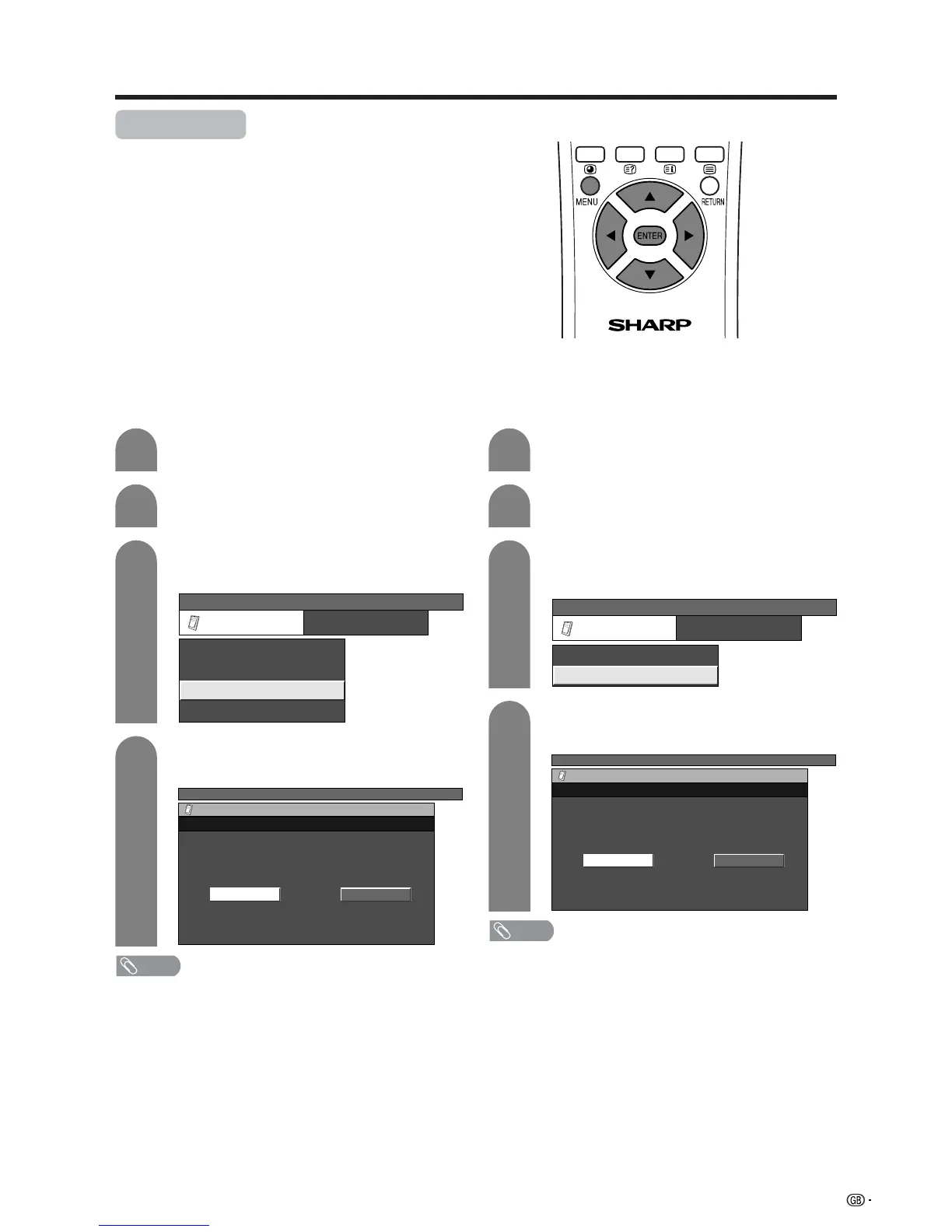
Useful adjustment settings
Improves LCD response when viewing fast-moving
images. The effect is greater at low room temperatures
(at or below 15˚C/59°F).
Press MENU and the TV MENU screen
displays.
Press c/d to select “Option”.
• Option menu displays.
Press a/b to select “Cool Climate”, and then
press ENTER.
4
PC MENU
Option
Cool Climate
OffOn
Press c/d to select “On”, and then press
ENTER.
NOTE
• Cool climate may cause image noise. If this occurs turn
the function “Off”.
1
2
3
Press MENU and the PC MENU screen
displays.
Press c/d to select “Option”.
• Option menu displays.
Press a/b to select “Cool Climate”, and then
press ENTER.
PC MENU
Option
Cool Climate
Audio Out
[Off]
[Fixed]
AV input mode PC input mode
Press c/d to select “On”, and then press
ENTER.
NOTE
• Cool climate may cause image noise. If this occurs turn
the function “Off”.














 To Next Page