32
Basic adjustment settings
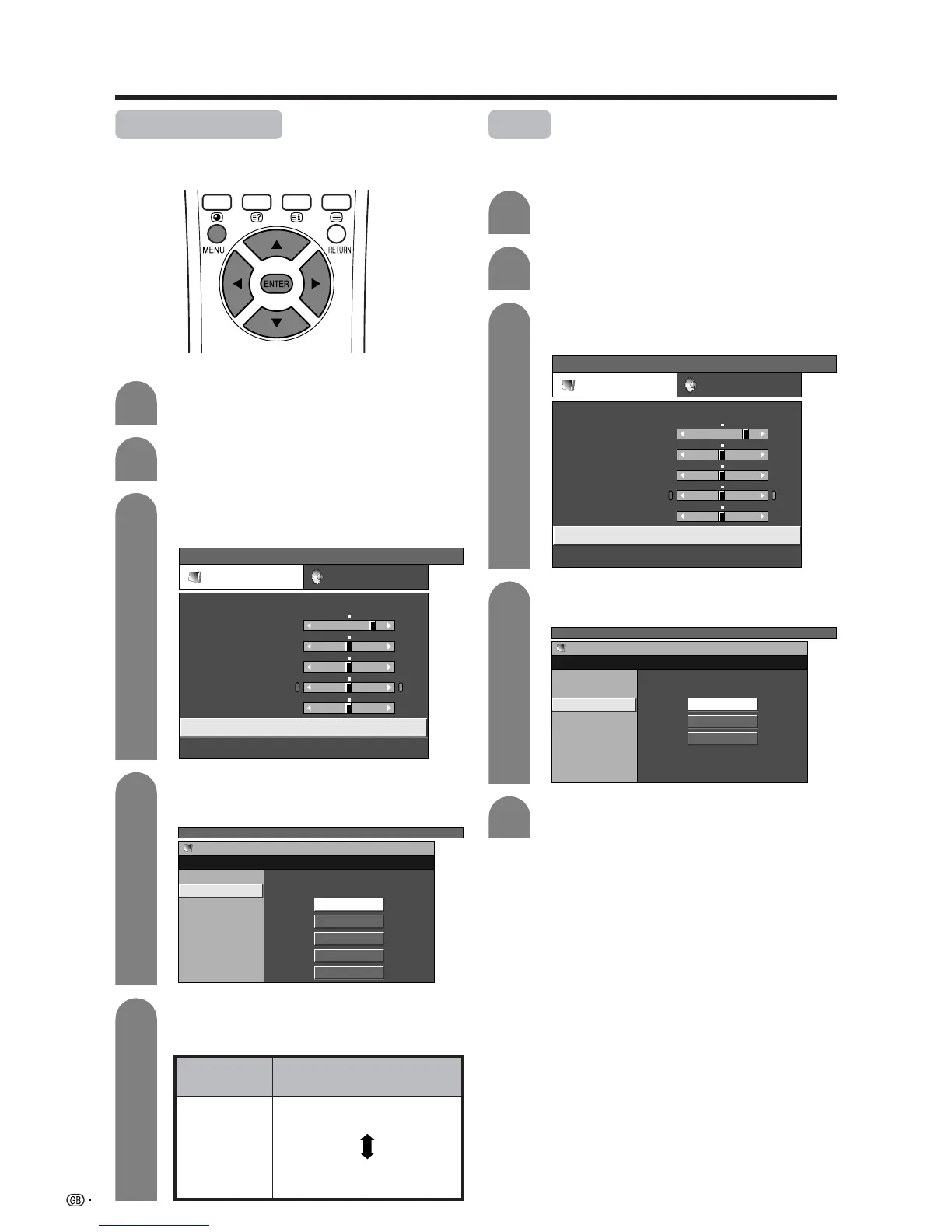
Colour temperature
Adjusts the colour temperature to give the best white
image.
4
5
Press a/b to select “Colour Temp”, and then
press ENTER.
Description
White with Bluish tone
White with Reddish tone
Selected item
High
Mid-High
Mid
Mid-Low
Low
Press MENU and the TV MENU screen
displays.
1
2
Press c/d to select “Picture”.
• Picture menu displays.
3
Press a/b to select “Advanced”, and then
press ENTER.
TV MENU
Picture Audio
USER
Contrast
Brightness
Colour
Tint
Sharpness
Advanced
Reset
[+30]
[0]
[0]
[0]
[0]
0
–30
–30
–30
–10
+40
+30
+30
+30
+10
TV MENU
Picture
Advanced [USER]
C. M. S.
Colour Temp
Black
Monochrome
Film Mode
I/P Setting
DNR
High
Mid-High
Mid
Mid-Low
Low
Black
Allows you to select a level for automatic adjustment
of a black areas of the image to suit viewing conditions.
4
5
Press a/b to select the desired level, and
then press ENTER.
Press a/b to select “Black”, and then press
ENTER.
Press a/b to select the desired level, and
then press ENTER.
TV MENU
Picture
Advanced [USER]
C. M. S.
Colour Temp
Black
Monochrome
Film Mode
I/P Setting
DNR
Off
High
Low
Press MENU and the TV MENU screen
displays.
1
2
Press c/d to select “Picture”.
• Picture menu displays.
3
Press a/b to select “Advanced”, and then
press ENTER.
TV MENU
Picture Audio
USER
Contrast
Brightness
Colour
Tint
Sharpness
Advanced
Reset
[+30]
[0]
[0]
[0]
[0]
0
–30
–30
–30
–10
+40
+30
+30
+30
+10














 To Next Page