33
Basic adjustment settings
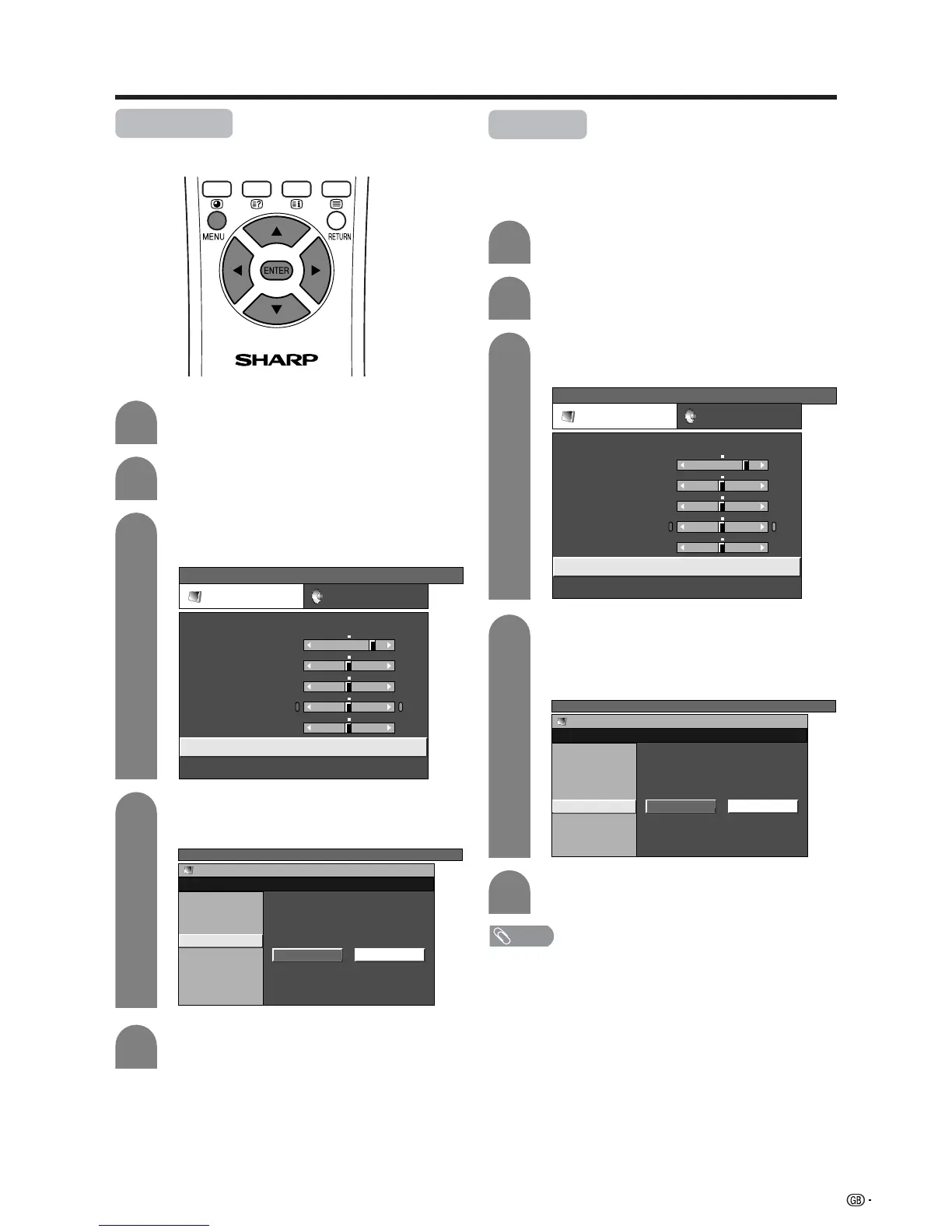
Monochrome
For viewing a video in monochrome.
Press a/b to select “Monochrome”, and
then press ENTER.
4
Press c/d to select “On”, and then press
ENTER.
5
Press MENU and the TV MENU screen
displays.
1
2
Press c/d to select “Picture”.
• Picture menu displays.
3
Press a/b to select “Advanced”, and then
press ENTER.
TV MENU
Picture Audio
USER
Contrast
Brightness
Colour
Tint
Sharpness
Advanced
Reset
[+30]
[0]
[0]
[0]
[0]
0
–30
–30
–30
–10
+40
+30
+30
+30
+10
TV MENU
Picture
Advanced [USER]
C. M. S.
Colour Temp
Black
On Off
Monochrome
Film Mode
I/P Setting
DNR
Film mode
Automatically detects a film-based source (originally
encoded at 24 frames/second), analyses it then
recreates each still film frame for high-definition picture
quality.
NOTE
• Set the Film Mode to “On” manually to detect a film-based
source (originally encoded 24 frames/second) when input
source has vertical frequency of 50 Hz (e.g. PAL, SECAM
etc.) .
Press a/b to select “Film Mode”, and then
press ENTER.
• Some items may be greyed out. They are not
selectable.
Press c/d to select “On”, and then press
ENTER.
Press MENU and the TV MENU screen
displays.
Press c/d to select “Picture”.
• Picture menu displays.
Press a/b to select “Advanced”, and then
press ENTER.
1
2
Press c/d to select “Picture”.
• Picture menu displays.
3
Press a/b to select “Advanced”, and then
press ENTER.
TV MENU
Picture Audio
USER
Contrast
Brightness
Colour
Tint
Sharpness
Advanced
Reset
[+30]
[0]
[0]
[0]
[0]
0
–30
–30
–30
–10
+40
+30
+30
+30
+10
4
5
TV MENU
Picture
Advanced [USER]
C. M. S.
Colour Temp
Black
On Off
Monochrome
Film Mode
I/P Setting
DNR














 To Next Page