64
Useful features
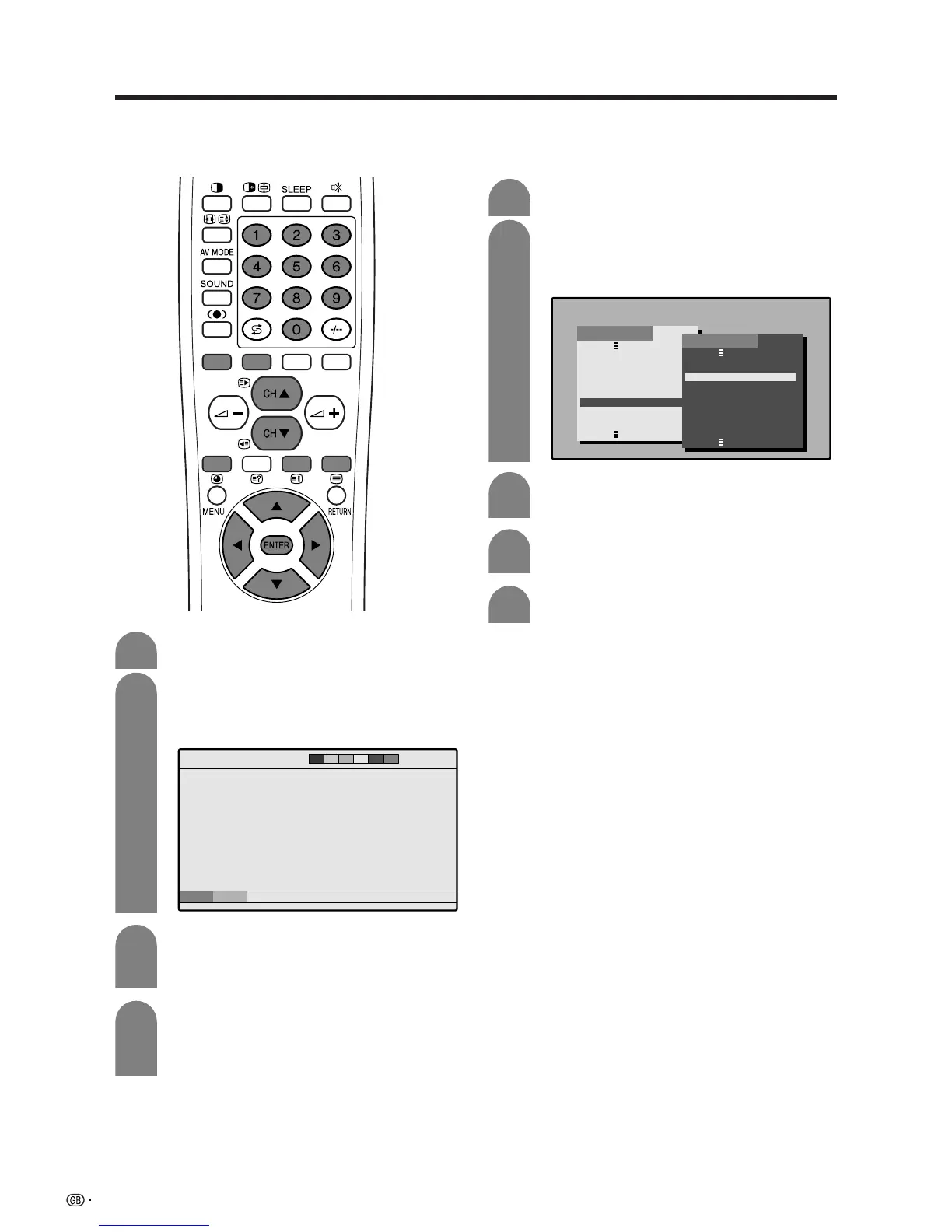
TOP Overview screen
203 203TEXT 01:44:37
–+
0005 ‹‹ 02 03 04 05 06
Subpage screen
BLOCK PAGES
TV PROGRAMS
COLOR BAR
WEATHER
NEWS
MOVIE
LOCAL
SPORTS
BLOCK 1
BLOCK 2
BLOCK 3
GROUP PAGES
FOOT BALL
BASKETBALL
TENNIS
SKI
JUDO
SWIM
GROUP 1
GROUP 2
GROUP 3
GROUP 4
INDEX
Displaying Subpages
You can display several subpages as they are
transmitted.
Press m to display Teletext.
Press j to display the subpage as shown
below.
1
2
3
Select the desired subpage by using c/d/
RED/GREEN.
• 0 – 9 directly selects the desired subpage.
Press j to exit the subpage screen.
• If you press CH
aa
aa
a/CH
bb
bb
b(w/x), the present
page will change to the next/previous page and
simultaneously exit the subpage screen.
Displaying TOP Overview
When receiving TOP Teletext, you can read a TOP text
overview.
4
Press m to display Teletext.
Press l to display the TOP Overview as
shown below.
1
2
3
Select the desired block or group by using
a/b/c/d.
Press ENTER to display the selected block
or group pages.
Press l to exit the TOP Overview screen.
4
5














 To Next Page