SECTION 6 OPERATION
42
263-13228
6
LOCAL Operation
(1) Select the NORMAL mode using the setting mode/rotational speed settings/speed setting
set value on the LCD display. (See Section 6.6 "Software Operation" (4).)
(2) The "*" disappears after the monitor mode/speed display. (See Section 6.6 "Software
Operation" (1).)
(3) If the set low speed value did not exceed 80% rated speed, the pump monitor mode/
operation mode LCD switches from "NORMAL" to "ACC." and the pump starts to accelerate.
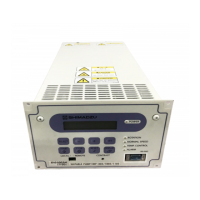
The NORMAL SPEED lamp (Fig. 2-1 (12)) goes off.
When the rotational speed reaches 80% rated speed, the NORMAL SPEED lamp lights and
the pump monitor mode/operation mode LCD switches from "ACC." to "NORMAL."
(4) If the set low speed value exceed 80% rated speed, the LCD display remains unchanged
and the pump accelerates.
(5) When the rated speed is reached, the pump stops accelerating and the pump speed is
maintained.
REMOTE Operation
(1) Cancel the "LOW SPEED" signal (See Table 6-3) inputted in the remote-control connector
(Fig. 2-2 (23)).
(2) If the set low speed value did not exceed 80% rated speed, the remote-control connector
"ACCELERATION" signal turns ON and (see Table 6-3) and the pump starts to accelerate.
The "NORMAL" signal turns OFF. When the rotational speed reaches 80% rated speed, the
remote-control connector "ACCELERATION" signal turns OFF and the "NORMAL" signal
turns ON (see Table 6-3).
(3) If the set low speed value exceed 80% rated speed, remote-control signals remain
unchanged and the pump accelerates.
(4) When the rated speed is reached, the pump stops accelerating and the pump speed is
maintained.



 To Next Page