6.6 Software Operation
43
Power Supply Unit
INSTRUCTION MANUAL
6
6.6 Software Operation
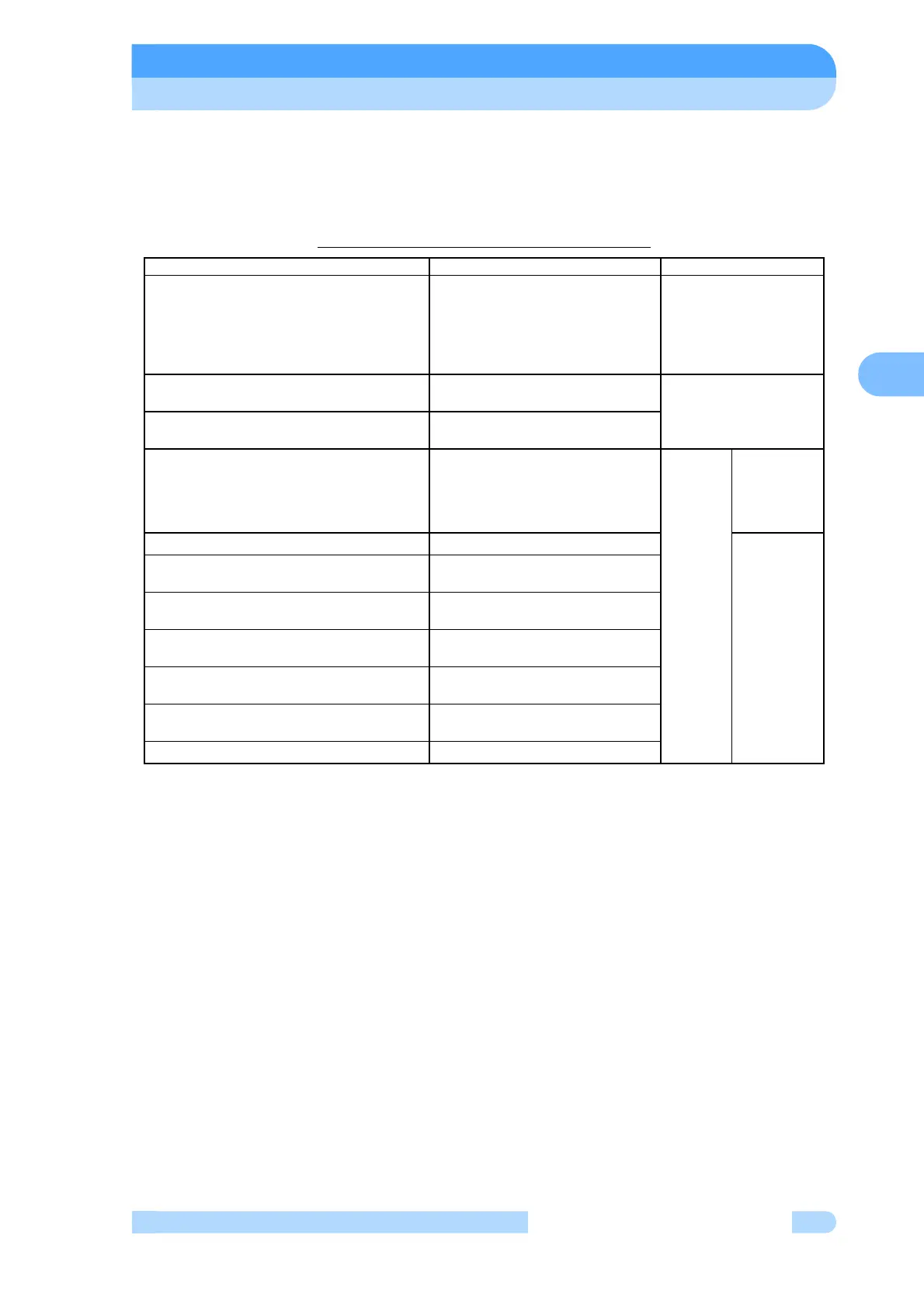
The software operation functions are listed in Table 6-1.
Table 6-1 Software Operation Functions
(Note 1) When during the low speed rotation (less than 50% of rated speed), or detected alarm
below, the monitor function do not operate.
Alarm code:46,47(rotational speed error), 51 to 55(excessive vibration of the magnetic
bearing), 66(magnetic bearing control error), 68,69(rotor is out of balance)
(see Table 7-6)
(Note 2) The warning output setting function is installed in some custom-specification
instruments; it is not available in all instruments. Modifications are required to install this
function in an instrument that does not incorporate it. Consult your Shimadzu
representative for details.
Function Description Reference flowchart
Operation mode
User memo
Operation status
Motor speed
Motor current
Magnetic bearing monitor (Note 1)
Monitors pump operation status (1) Monitor mode
Alarm and warning display
Displays details of alarms and
warnings.
(2) Alarm mode
Alarm and warning history and details
Display the alarm and warning
history.
Run time
Maintenance call time
Number of power failure touch-downs
Number of high-speed touch-downs
Number of magnetic bearing warnings
Resets times and counters.
Menu
mode
(3)Timer
User memo setting Inputs user memo.
(4)Setting
RS-232C setting
Sets the communication
environment.
RS-485 setting
Sets the communication
environment.
Rotational speed setting
Sets the pump speed display
format.
Remote-control signal setting
Sets the operations of the
remote-control signals.
Warning output setting (Note 2)
External output setting for
warnings
Default setting Reverts to the default settings.



 To Next Page