EasyManua.ls Logo

Shimadzu EI-D3203M - User Manual

Shimadzu EI-D3203M
123 pages
Print Icon
To Next Page IconTo Next Page
Loading...
263-13228I
Read the instruction manual thoroughly before you use the product.
Keep this instruction manual for future reference.
Semiconductor Equipment Division
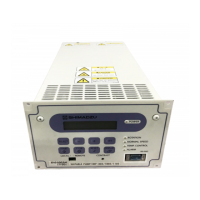
Power Supply Unit for Turbo Molecular Pump
Model:EI-D1003M
Model:EI-D1103M
Model:EI-D1303M
Model:EI-D2003M
Model:EI-D2203M
Model:EI-D2303M
Model:EI-D3203M
Model:EI-D3403M
Model:EI-D4203M
INSTRUCTION MANUAL

Table of Contents

Questions and Answers

  • J
    Jason HolmesAug 9, 2025
    Why is my Shimadzu EI-D3203M not turning on?
    • R
      Ralph HornAug 9, 2025
      The Shimadzu Power Supply might not be turning on due to several reasons: * The electrical power cable may not be properly connected. Ensure it is securely connected. * The electrical power may be outside the power supply unit’s range. Operate within the specified power range. * A fuse (F1, F2) might be blown. Replace the blown fuse. * The POWER switch may be faulty. In this case, replace the POWER switch and consult the nearest Shimadzu service company.
  • L
    ljenkinsAug 15, 2025
    What to do if Shimadzu EI-D3203M turbo molecular pump does not accelerate after pressing START?
    • M
      Mark MorrisAug 16, 2025
      If the turbo molecular pump does not accelerate after pressing the START switch on your Shimadzu Power Supply, it could be due to the REMOTE/LOCAL selection switch being in the REMOTE position. Set the REMOTE/LOCAL selection switch to the LOCAL position. Also, check if the power supply unit’s ALARM lamp is ON. If an alarm is indicated, correct the malfunction and reset the power supply unit.
  • A
    Alan RobinsonAug 21, 2025
    What to do if remote START signal is active but the Shimadzu Power Supply turbo molecular pump does not accelerate?
    • G
      Gregory VargasAug 21, 2025
      If the turbo molecular pump does not accelerate when the remote START signal is active on your Shimadzu Power Supply, ensure that the REMOTE/LOCAL selection switch is in the REMOTE position. Also, verify that the STOP signal is not active; if it is, deactivate it. Finally, check if the unit’s ALARM lamp is ON. If an alarm is indicated, correct the malfunction and reset the power supply unit.
  • M
    Michael HughesAug 27, 2025
    What to do if Shimadzu EI-D3203M Power Supply turbo molecular pump does not decelerate after pressing STOP?
    • B
      Brooke CraneAug 27, 2025
      If the turbo molecular pump does not decelerate after pressing the STOP switch on your Shimadzu Power Supply, the REMOTE/LOCAL selection switch might be in the REMOTE position. Set the selection switch to the LOCAL position.
  • R
    Richard OrtizSep 2, 2025
    What to do if remote STOP signal is activated but the Shimadzu EI-D3203M turbo molecular pump does not decelerate?
    • M
      Melissa WalkerSep 2, 2025
      If the turbo molecular pump does not decelerate when the remote STOP signal is activated on your Shimadzu Power Supply, the REMOTE/LOCAL selection switch might be in the LOCAL position. Set the selection switch to the REMOTE position.

Summary

Precautions and Safety

Installation Guidelines

Cable Handling Precautions

Provides precautions for safe installation, including cable handling and routing.

Identification and Function

Front Panel Controls and Indicators

Details the functions of the LCD, keys, lamps, and switches on the front panel.

Construction and Principle

Specifications

4.1 Power Supply Unit Specifications

Lists technical specifications for EI-Dxx03M models, including compatibility, communication, and power.

Installation Procedures

5.1 Power Supply Unit Installation

Covers location selection, rack mounting, and ensuring proper spacing for the unit.

5.2 Power Cable Connection

Provides instructions for connecting the power supply unit to the AC power source.

Operation Overview

Operation Procedures

Operation: Software and Remote Control

6.6 Software Operation

Explains the functions and operation of the power supply unit's software interface.

Troubleshooting Common Issues

7.1 Operation Issues

Troubleshooting steps for pump operation, acceleration, and deceleration problems.

Alarm and Warning Management

Alarm and Warning Tables

Lists alarm and warning codes, causes, and protective actions for troubleshooting.

Appendix A: Communications

A4. Serial Communications Protocol

Defines the message structure, timing, and checksum for serial communication.

A5. Table of Commands

Lists all available commands and answers for controlling and monitoring the power supply unit.

A6. Command Description

Explains the function and format of various commands and their corresponding answers.

Shimadzu EI-D3203M Specifications

General IconGeneral
Input Frequency50/60 Hz
Input Voltage100 to 240 VAC
Operating Temperature0 to 50 °C
Storage Temperature-20 to 85 °C
ProtectionOvercurrent, Overvoltage, Short Circuit

Related product manuals