Appendix A COMMUNICATIONS
A-2
263-13228
A
A1. GENERAL SPECIFICATION
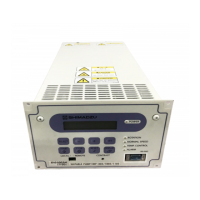
The EI-D03M series power supply units contain serial interfaces conforming to RS-232C and
RS-485 specifications. The following functions are available by connecting a computer with
communication capacity to these interfaces and creating the appropriate software.
The RS-232C and RS-485 interfaces can be used simultaneously, permitting simultaneous
access from two computers. Also, the RS-485 interface permits multi-drop connections, allowing
multiple power supplies to be connected to a single computer.
1. Checking current operation mode: The serial interfaces allow the user to check the mode
selection switch status (REMOTE/LOCAL). In REMOTE mode, the user can change the
operation mode to RS-232C or RS-485.
2. Operation: Operations equivalent to the START, STOP, and RESET switches are
available in the RS-232C or RS-485 operation mode. Also, the speed setting can be made
using the set value write function.
3. Checking turbo molecular pump run status: The serial interfaces allow the user to check
the current turbo molecular pump's running status (Normal rotation, Accelerating,
Decelerating, failure occurrence, etc.).
4. Reading parameters: The serial interfaces allow the user to read a variety of turbo
molecular pump parameters such as pump rotational speed and motor current which are
stored in the power supply unit.
5. Receiving events: The power supply unit can transmit status commands for events such
as failure occurrences, rotation start and stop, and attainment of normal rotation speed.
6. Reading history data: The serial interfaces allow the user to read the alarm history data
displayed in the LCD display history mode.
7. Reading and writing timer data: The serial interfaces allow the user to read the timer and
counter values displayed in the LCD display timer mode and to reset the counters.
8. Reading and writing settings data: The serial interfaces allow the user to read and change
settings in the LCD display setting mode.



 To Next Page