6.2 Start-up Preparation
35
Power Supply Unit
INSTRUCTION MANUAL
6
6.2 Start-up Preparation
Shift the REMOTE/LOCAL selection switch (Fig. 2-1 (15)) to either LOCAL or REMOTE mode.
See APPENDIX-A "COMMUNICATIONS" for serial interface connector.
6.2.1 Start-up Preparation Sequence in LOCAL Mode
(1) Feed the cooling water into the cooling line. (for cooling water method)
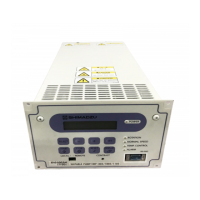
(2) Turn on the POWER switch (Fig. 2-2 (17)) of the power supply unit and check if the
POWER lamp (Fig. 2-1 (10)) lights. And the rotor of the turbo molecular pump is levitated
by the magnetic bearing.
(3) Evacuate the turbo molecular pump by using a backing vacuum pump.
(4) Start-up preparation is complete if the pressure in the turbo molecular pump reduces
below 200 Pa.
6.2.2 Start-up Preparation Sequence in REMOTE Mode
(1) Feed the cooling water into the cooling line. (for cooling water method)
(2) Turn on the POWER switch (Fig. 2-2 (17)) of the power supply unit and check that
"REMOTE" signal (see Table 6-3) from the remote-control connector (Fig. 2-2 (23)) is ON.
Under this condition, the rotor of the turbo molecular pump is levitated by the magnetic
bearing.
(3) Evacuate the turbo molecular pump by using a backing vacuum pump.
(4) Start-up preparation is complete if the pressure in the turbo molecular pump reduces below
200 Pa.
NOTICE
When turning the POWER switch for the power supply unit on or off, a "clunk" sound may be
heard from inside the pump. This sound is from the rotor inside the pump being levitated or de-
levitated. This is normal.
LOCAL
The pump can be started/stopped by pressing
START/STOP switch on the front panel of the
power supply unit.
REMOTE
the pump runs only according to input signal from
the remote-control connector (Fig. 2-2 (23)) or
serial interface connector (Fig. 2-2 (21), (22)).



 To Next Page