Original User Guide | Pedelec Shimano Steps E6000 Version 1 EN-37
5.4 Tips
5.4.1 Range
Various factors determine how far you can go with your battery:
When you go on a long trip it is worth taking a spare battery
or battery charger with you.
Rideprole: You need the most power in the highest ride prole
(Dynamic). The range becomes shorter.
Select the ride prole in line with the routes you ride. For
a leisurely tour with friends at the weekend, the “Relax”
assist level is the right choice. If you often cycle at greater
speed (such as to work), the “Dynamic” setting can inject the
necessary pace.
Assistmode: You consume the most battery power in the highest assist
mode. The range decreases, the higher the selected assist mode.
Vary the assist modes you use. If there is a tailwind when
going downhill or on the level, you can still go fast with a
lower assist mode.
Tyre pressure: If the tyre pressure is too low it is harder for the tyres to
rotate. The drive unit needs to provide more assistance and the range
decreases.
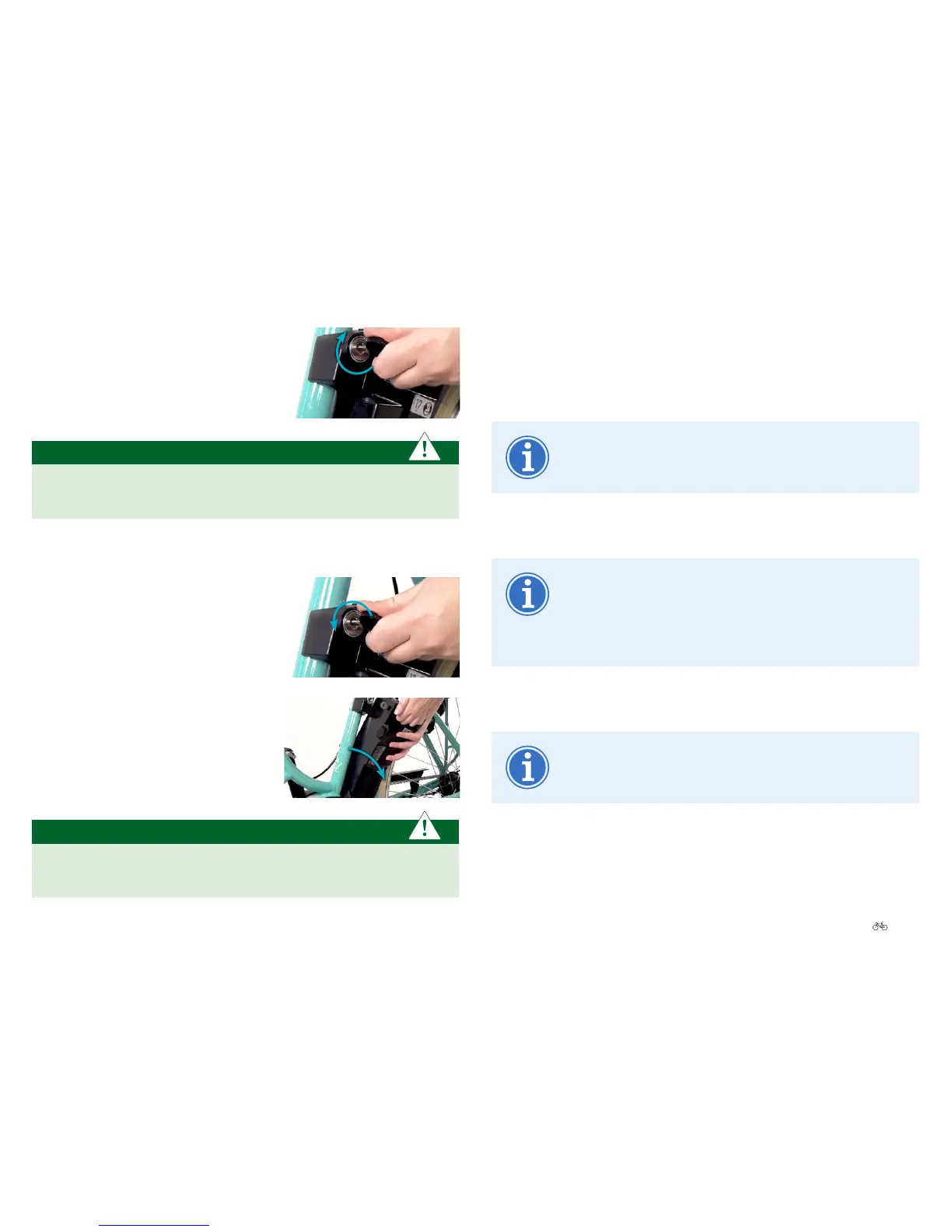
4. Turn the battery key clockwise. The
battery is now locked.
IMPORTANT
Therecommendationistoremovethekeynowandkeepitinasafe
placesoitdoesnotbreakoandisnotlost.
5.3.3 Unlockingandremovingthebattery
1. Grip the battery rmly, put the key into
the lock and turn anticlockwise. The
battery is unlocked.
2. Grip the battery and tilt it out of the
docking station on the side.
IMPORTANT
Holdthebatterytight so it does not fall. It can be damaged if you
drop it.




 To Next Page