Copyright © Shimmer 2017
Realtime Technologies Ltd Shimmer User Manual
All rights reserved Rev3p
10
For more information on the functionality of ShimmerCapture please refer to the Section4.1.2 of this
manual. For more information on the use of LogAndStream firmware please refer to the Section
5.1.1 of this manual.
2.5.2. Setting up a Shimmer data stream on Windows
ConsensysPRO is a host side application used to configure one or more Shimmers and stream data
from it. The application is available for Windows from the Shimmer User Resources or for download
from the Shimmer website. Follow the steps below for setting up a stream in ConsensysPRO.
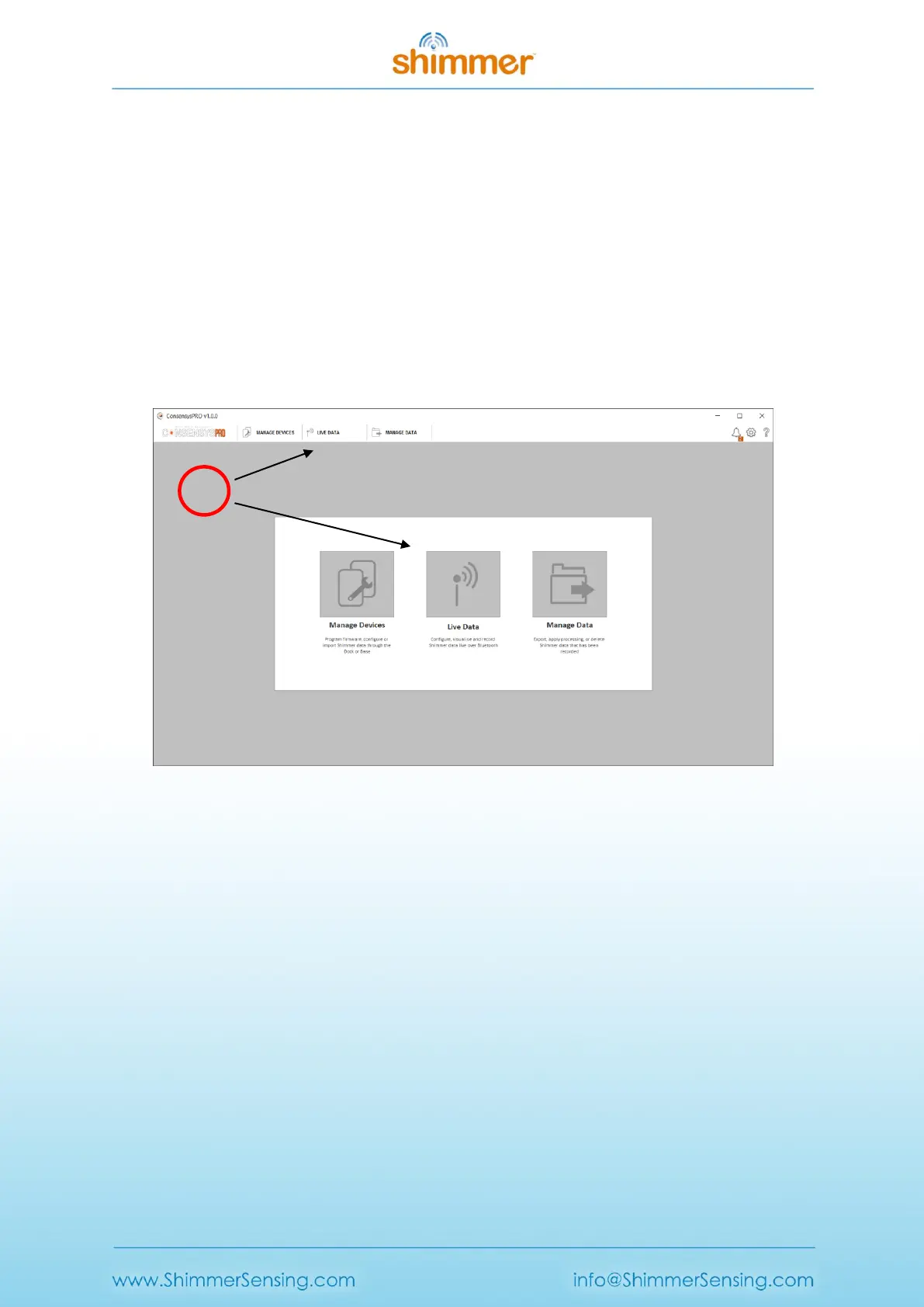
Navigate to the live data tab
When ConsensysPRO is launched press the Live Data button or tab as indicated below in Figure 2-11.
Figure 2-11 Navigating to setting up data stream in Consensys
Connect to a Shimmer
Ensure the Shimmer unit is powered on and running LogAndStream firmware (v0.8.0 or later), then
press one of the Connect buttons highlighted in Figure 2-12. The blue LED on the Shimmer will turn
continuously on when a successful connection has been made.



 To Next Page