Copyright © Shimmer 2017
Realtime Technologies Ltd Shimmer User Manual
All rights reserved Rev3p
24
If you experience difficulties accessing the microSD card, please consult the Shimmer Dock User
Guide which can be obtained from the folder \Documentation\Hardware User Guides in the Shimmer
User Resources distribution.
3.2.5. Programming a Shimmer
When a Shimmer is inserted in the Dock it can be programmed with pre-compiled firmware images
using a Bootstrap Loader application. For further information on programming Shimmers please
refer to section 5.2 of this document.
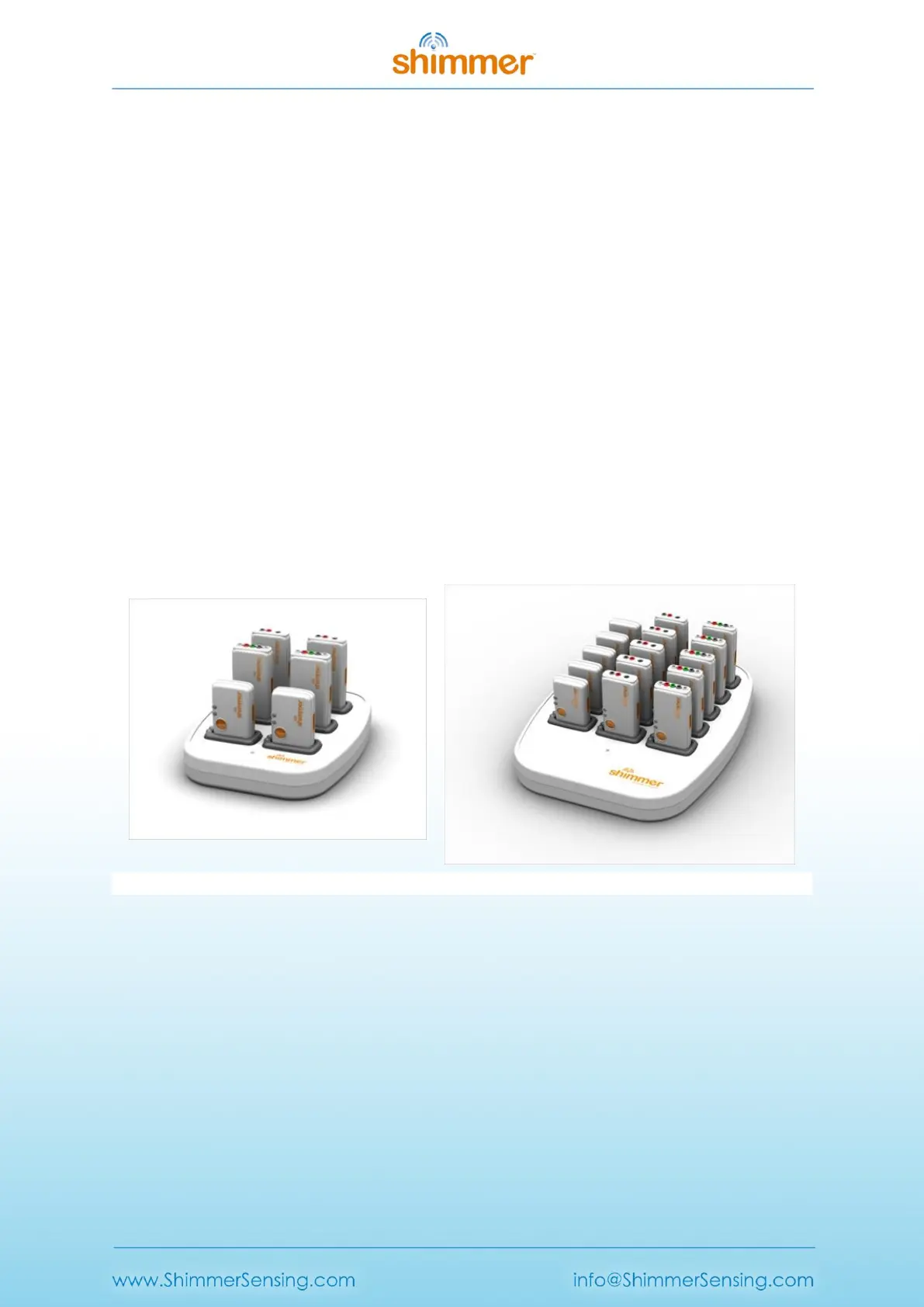
3.3. Consensys Base
Consensys Base hardware (referred to as the Base in this section) is a multi sensor management
system with an integrated software solution (see Consensys in section 4.1 for further information),
for the simple and effective management of all your Shimmer data. The Base allows users to easily
configure and capture data from up to 15 Shimmers simultaneously and provides ability to:
Charge Shimmers
Data download through MicroSD Card access
Program Shimmers
Configure Shimmers
3.3.1. Consensys power-up order
1. Undock all Shimmers from the Base.
2. Plug in the mains power supply and connect to the Base.
3. Connect the USB cable from a computer to the Base.
4. Wait for all drivers to install.
5. Dock Shimmers.
Figure 3-9 Consensys Base (Base6U and Base15U from L-R)



 To Next Page