Copyright © Shimmer 2017
Realtime Technologies Ltd Shimmer User Manual
All rights reserved Rev3p
15
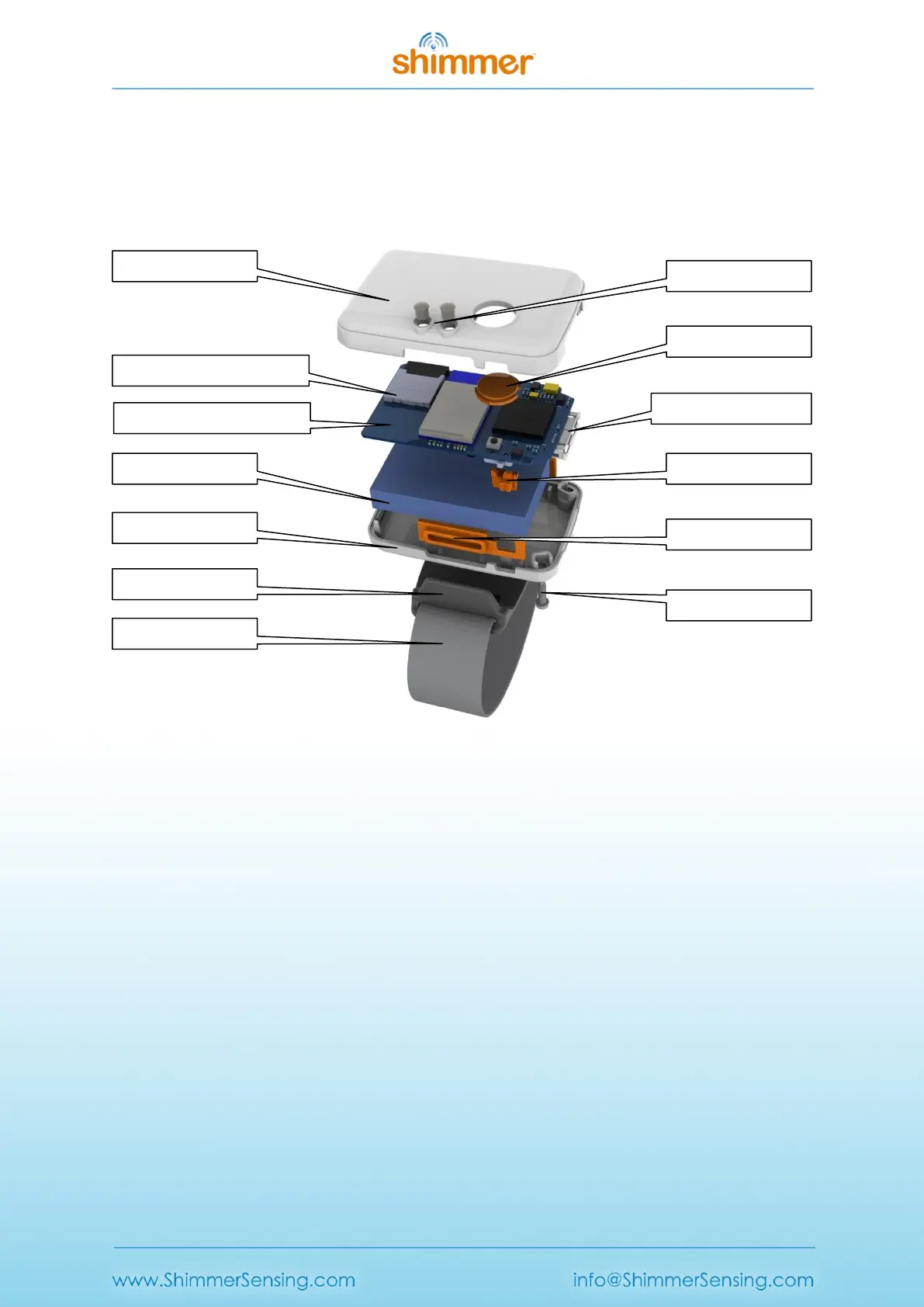
Figure 3-1 shows the individual components of the Shimmer3. To open the case, loosen the two
screws with a T-6 Torx screwdriver and open the case carefully by pulling up on the screw side and
carefully disengaging the tabs on the opposite side of the unit. Note the position of the PCB, wires,
button, slide-switch actuator (if present), and battery for re-assembly. For more detailed instructions
on assembly and disassembly, refer to Appendix C – Opening or assembling the Shimmer3 enclosure.
Figure 3-1 Shimmer3 Exploded view
3.1.1. Power switch
Shimmer units arrive from the factory programmed with LogAndStream firmware with power
switched off. To power-on, use the slide switch (highlighted in Figure 3-1).
The power-off feature on the Shimmer unit is intended for storage or transportation. If you wish to
leave a Shimmer in a low-power state without turning off the device, you should program the
Shimmer with the Sleep firmware (see Section 5.1.3).
3.1.2. Battery
Like many personal electronic devices, Shimmer is powered by a rechargeable Lithium Polymer
battery. The Shimmer battery is 3.7V, 450 mAh and contains a safety circuit board with over-current
protection, which can trigger if a component short is created by a faulty peripheral or if components
are bridged while the enclosure is open. The battery will return to normal operating condition after
the short is removed and the unit is placed back in a Dock.
The Shimmer operating life when using these batteries depends on a number of factors including
which, if any, radio is in use, which sensors are enabled and the rate at which data is being sampled



 To Next Page