Copyright © Shimmer 2017
Realtime Technologies Ltd Shimmer User Manual
All rights reserved Rev3p
45
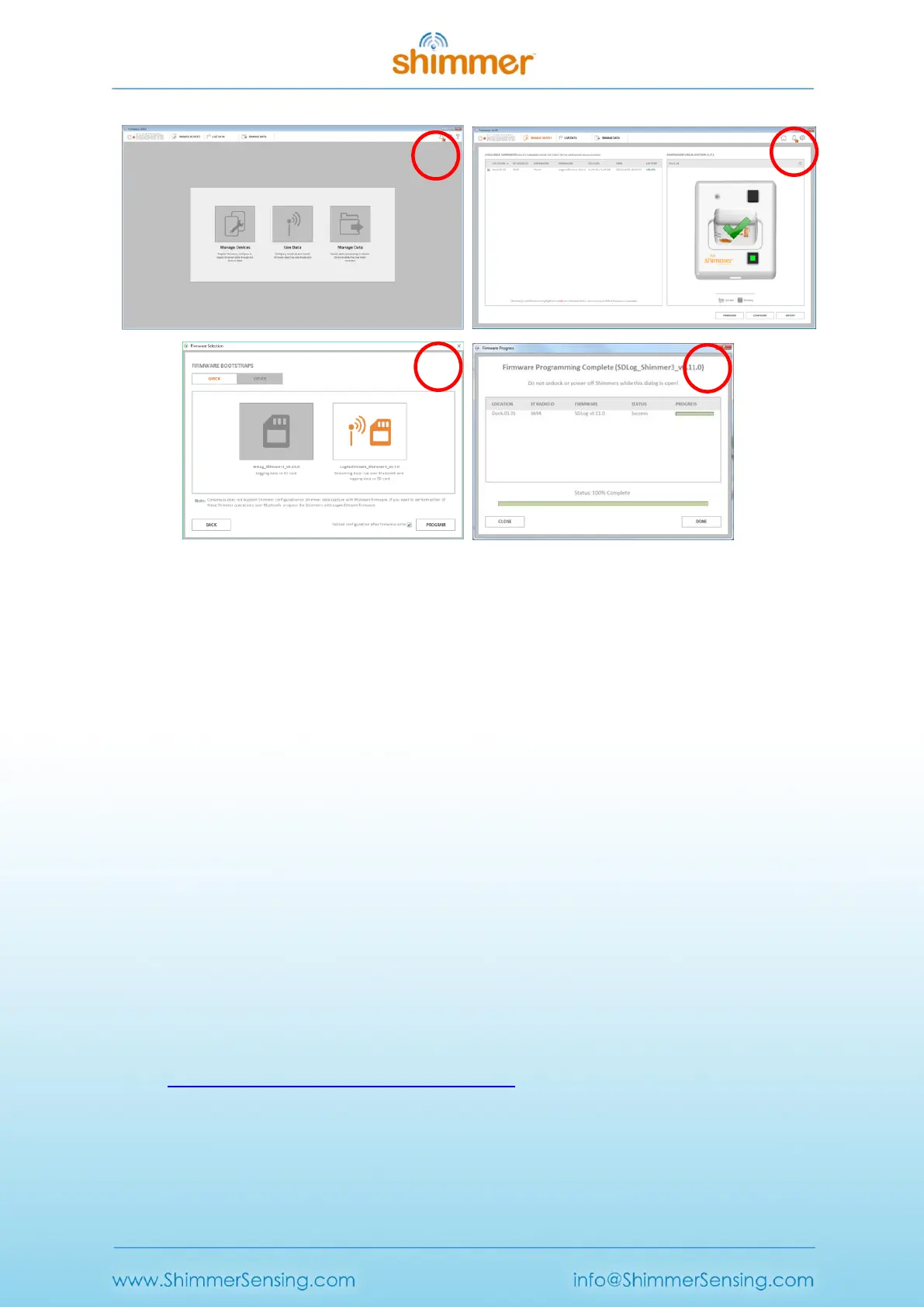
Programming firmware onto a Shimmer using Consensys is a four step process:
1. Launch Consensys and select the MANAGE DEVICES tab.
2. Insert your Shimmer (ensure it’s powered on) into a Dock or Consensys Base; select the
Shimmer from AVAILABLE SHIMMERS table or from the HARDWARE VISUALISATION graphic and
then press the FIRMWARE button.
3. Select one of Shimmer’s precompiled firmware images provided on the QUICK tab or you
may choose to load a firmware image (a file with a .txt extension) from your PC into
Consensys on the OTHER tab. Press the PROGRAM button to start programming the
Shimmer with the selected firmware.
4. Progress indicators highlight the status of the firmware programming. When programming is
complete, the progress bar will be filled to 100% and the DONE button will be enabled. See
expected Shimmer LED behaviour for provided firmware images in section 5.1.
5.2.2. Programming under Linux
Programming of the Shimmer3 in Linux requires a number of prerequisites to be completed; these
are listed below. Steps 1 to 4 need only be run once for installation purposes.
1. Obtain the latest version of the MSP430 Tools library (actively maintained at
https://code.launchpad.net/python-msp430-tools) using Bazaar by using the following
command line:
bzr branch lp:python-msp430-tools
Figure 5-2 Shimmer3 firmware programming using Consensys



 To Next Page