Copyright © Shimmer 2017
Realtime Technologies Ltd Shimmer User Manual
All rights reserved Rev3p
2
2. Quickstart
The Support > Getting Started section of the Shimmer website contains step-by-step instructions for
new Shimmer users to help with quickly going from delivery of hardware to streaming data over
Bluetooth to a Windows PC or an Android device. It is highly recommended for new customers to
refer to those instructions.
This Quickstart guide is aimed at those who do not have access to the online instructions and its
purpose is to allow those users to swiftly get up and running with their Shimmer sensing platform on
both a Windows OS and Linux OS. For a more in depth understanding of the Shimmer platform
please refer to the later sections of this User Manual.
Shimmer units are shipped pre-programmed with the LogAndStream firmware program which
allows for Shimmer configuration and data capture over Bluetooth as well as capturing data onto the
SD card of the Shimmer. This Quickstart guide assumes the device has been programmed with
LogAndStream v0.8.0 or later.
2.1. Powering On/Off the Shimmer
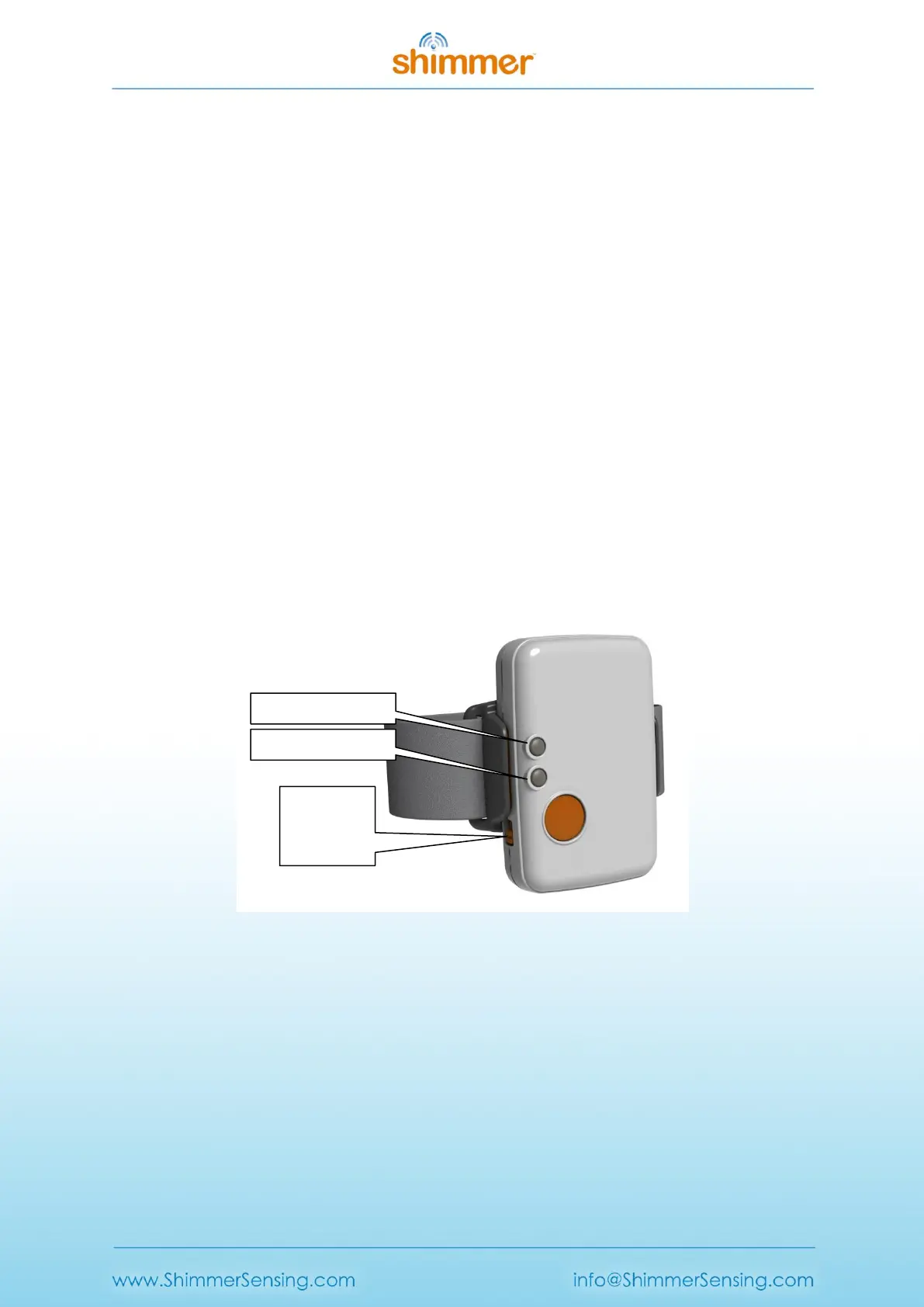
Use the slide switch to turn the Shimmer On/Off, as shown in Figure 2-1. Some applications may use
the user push-button to switch between suspend and active modes; details of this functionality can
be found in the appropriate application manual.
Figure 2-1 Shimmer3 in enclosure
2.2. LogAndStream LED Indication
There are two LED locations on the Shimmer3, as shown in Figure 2-1; location A has three LEDs,
coloured red, yellow and green, whilst location B has two LEDs, coloured blue and green. These LEDs
are used to indicate the state of the device, according to the firmware that is programmed on it.
Figure 2-2 and Figure 2-3 provide a summarised translation of LED behaviour when LogAndStream is
running on the Shimmer (for a full LogAndStream LED translation table refer to Section 5.1.1). The
relative size of the LED symbols in the figures denotes how long the LED of the relevant colour is on
or off for, in each case.



 To Next Page