8014865/ZUJ3/2018-11-29 • © SICK AG • Subject to change without notice 49
CongurationOverview
13 CongurationOverview
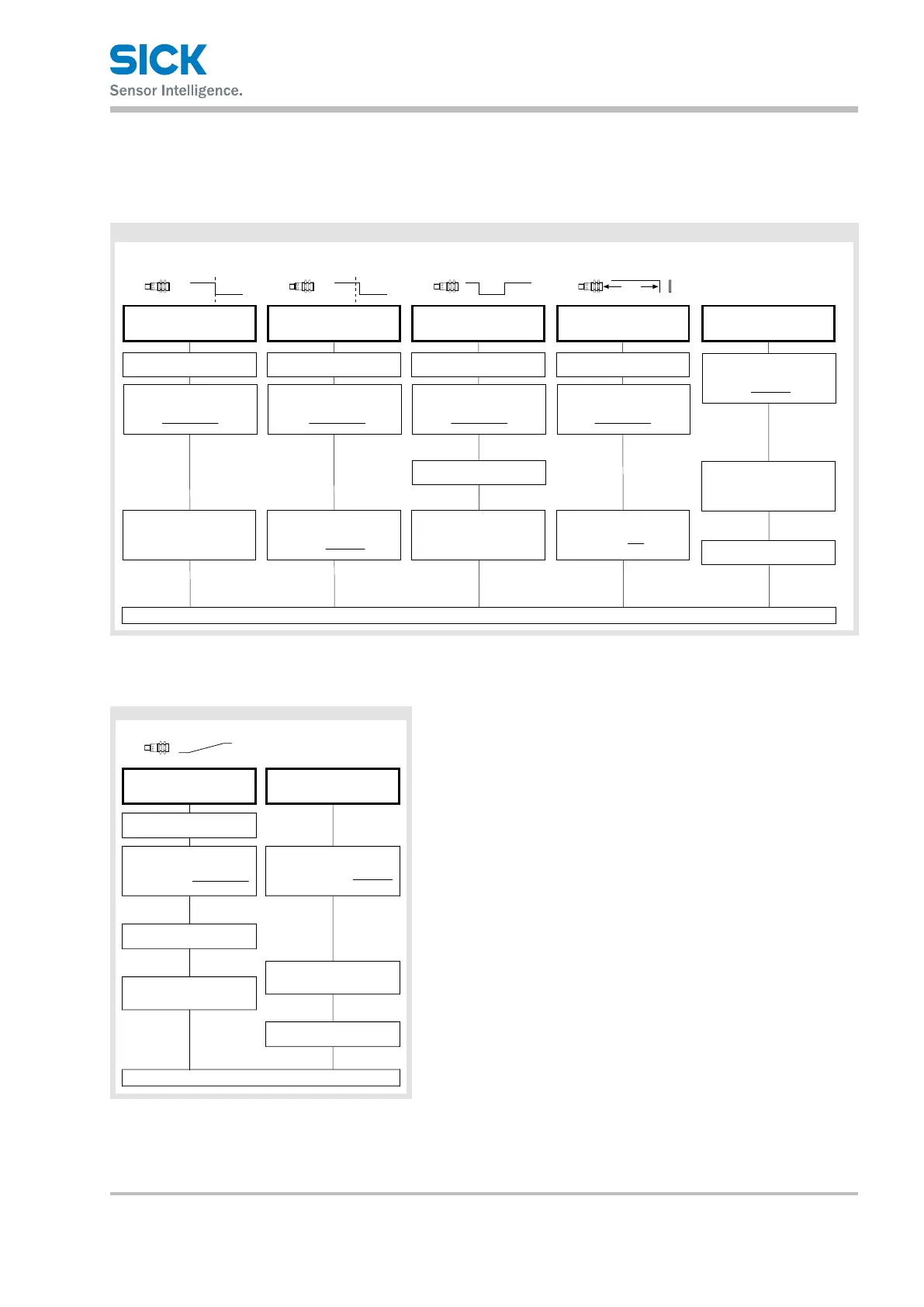
13.1 Congurationoverviewforsensorswithswitchingoutputs
Position object at
Apply L+ at MF for approx.
3 s until both LEDs flash
simultaneously
Teach-in switching point
(DtO= Distance to Object) –
method A
Both LEDs: flash
alternately
Apply L+ at MF for approx. 1 s
Teach-in switching point
(DtO= Distance to Object + 8%) –
method B
Both LEDs:
Apply L+ at MF for approx.
3 s until both LEDs flash
again alternately
Teach-in switching window
Both LEDs:
Both LEDs:
Teach-in background (ObSB
mode = Object between Sensor
and Background)
Both LEDs:
85 %
Set normally closed/
normally open contact
Green LED: flashes
on: normally open
off: normally closed
Wait approx. 10 s
Normal operation mode
Teach-in switching output
flash
alternately
flash
alternately
flash
alternately
Apply L+ at MF for approx. 1 s
Apply L+ at MF for approx. 10 s
until both LEDs stop flashing
To change the setting, apply
L+ at MF for approx. 1 s
1
1 211 1
Apply L+ at MF for approx.
3 s until both LEDs flash
simultaneously
Apply L+ at MF for approx.
3 s until both LEDs flash
simultaneously
Apply L+ at MF for approx.
3 s until both LEDs flash
simultaneously
Apply L+ at MF for approx.
13 s until both LEDs flash
alternately
Green LED: stops flashing
Orange LED:
Orange LED: switches status
flash
alternately
Position object at 1 Position object at 1
Position object at 2
Position background at 1
Default setting: Normally open contact, switching point (DtO) at maximum operating range
13.2 Congurationoverviewforsensorswithanalogoutputs
Teach-in analog output scaling
Position object at
Apply L+ at MF for approx. 3 s until
both LEDs flash simultaneously
Apply L+ at MF for approx. 1 s
Set rising/falling
output characteristics
Apply L+ at MF for approx. 13 s
until both LEDs flash alternately
flashes
on: rising,
off: falling output
characteristics
Green LED:
Orange LED:
To change the setting, apply
L+ at MF for approx. 1 s
Wait approx. 10 s
Normal operation mode
Teach-in analog output
Orange LED: switches status
Green LED: stops flashing
flash
alternately
Both LEDs:
Position object at
flash
alternately
Both LEDs:
Default setting: Rising output
characteristics from min. to max.
operating range


 To Next Page