Connecting
7.5 Connecting PROFINET
PN/BACnet LINK
Operating Instructions, 10/2017, A5E39895543-AA
57
Connecting PROFINET
Connecting PROFINET
Connecting PROFINET
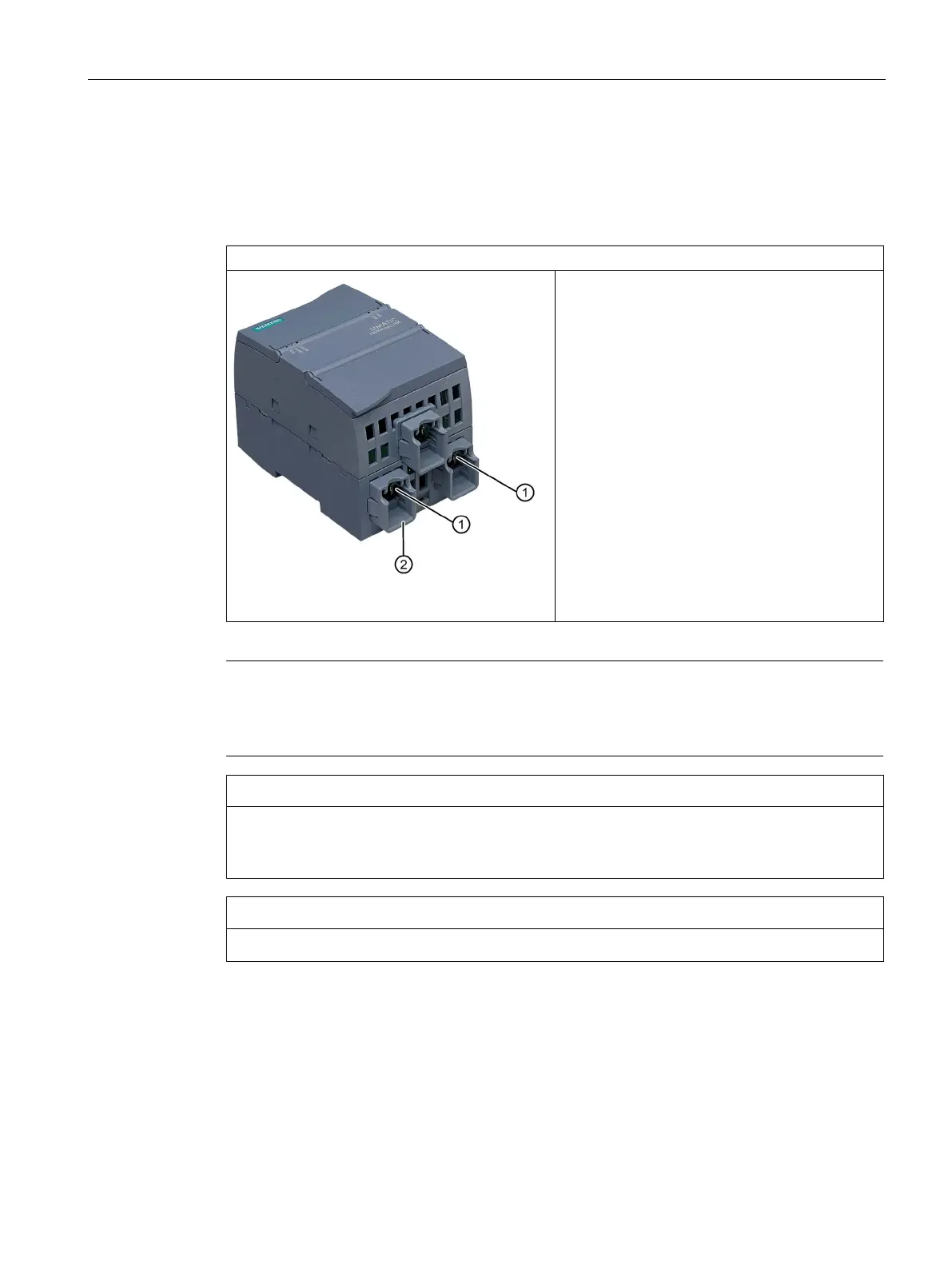
Connect Ethernet cable according to PROFINET
specification to higher-level controller and / or the
next PROFINET node
①.
Use a shielded Ethernet cable with shielded con-
nector for the connection.
We recommend RJ45 connectors from the Sie-
mens FastConnect system as connectors for the
Ethernet cabling.
Always apply the shields of the PROFINET
Ethernet cable at both ends.
Note
To increase the mechanical stability, optimized retaining collars
② for the two Ethernet
connectors are installed on the bottom part of the housing of the PN/BACnet LINK in the
delivery state. These retaining collars are intend
ed for the Siemens FastConnect connectors.
Make sure you observe the minimum bending radius of the Ethernet cable; otherwise the
shield effect of the cable shield may be impaired. There is also the risk that the cable shield
breaks.
EMC stability is only guaranteed with shielded PROFINET cables.










 To Next Page