Configuring / Programming
9.2 TIA Portal Devices & Networks
PN/BACnet LINK
Operating Instructions, 10/2017, A5E39895543-AA
61
TIA Portal Devices & Networks
TIA Portal: Devices & networks
Follow these steps:
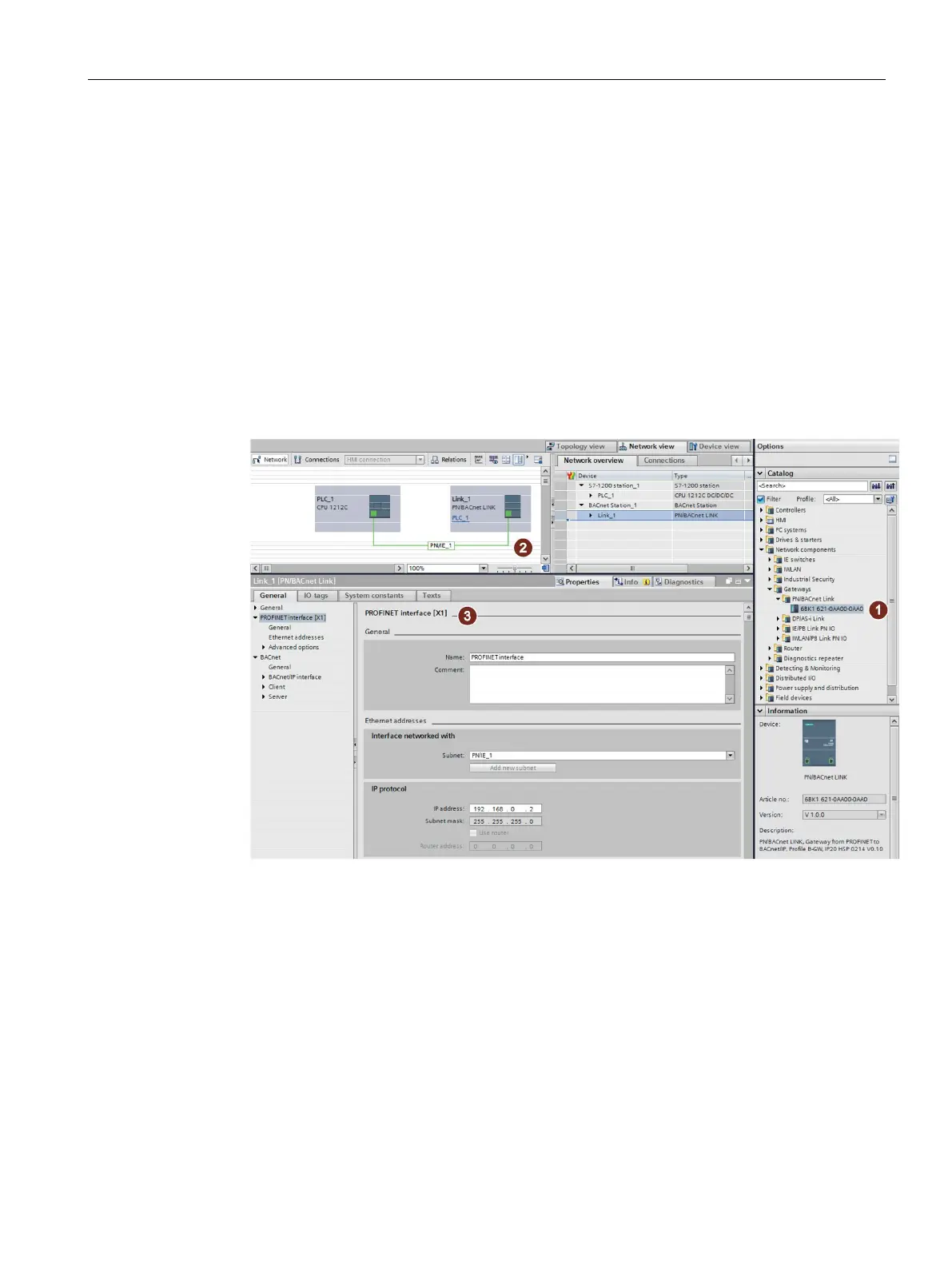
1. Select the PN/BACnet LINK with its specific article number from the HW catalog
①. The
PN/BACnet LINK appears in the "Devices & networks" window.
2. Connect the CPU and PN/BACnet LINK with a PROFINET connection.
CPU and PN/BACnet LINK are connected in the "Devices & networks" window with a
green PN line
②.
3. Assign the parameters of the PROFINET interface of the PN/BACnet LINK
③ according
to the configuration of your PROFINET network.
Figure 9-1 TIA Portal Devices & Networks










 To Next Page