Configuring / Programming
9.5 Configure BACnet client
PN/BACnet LINK
Operating Instructions, 10/2017, A5E39895543-AA
71
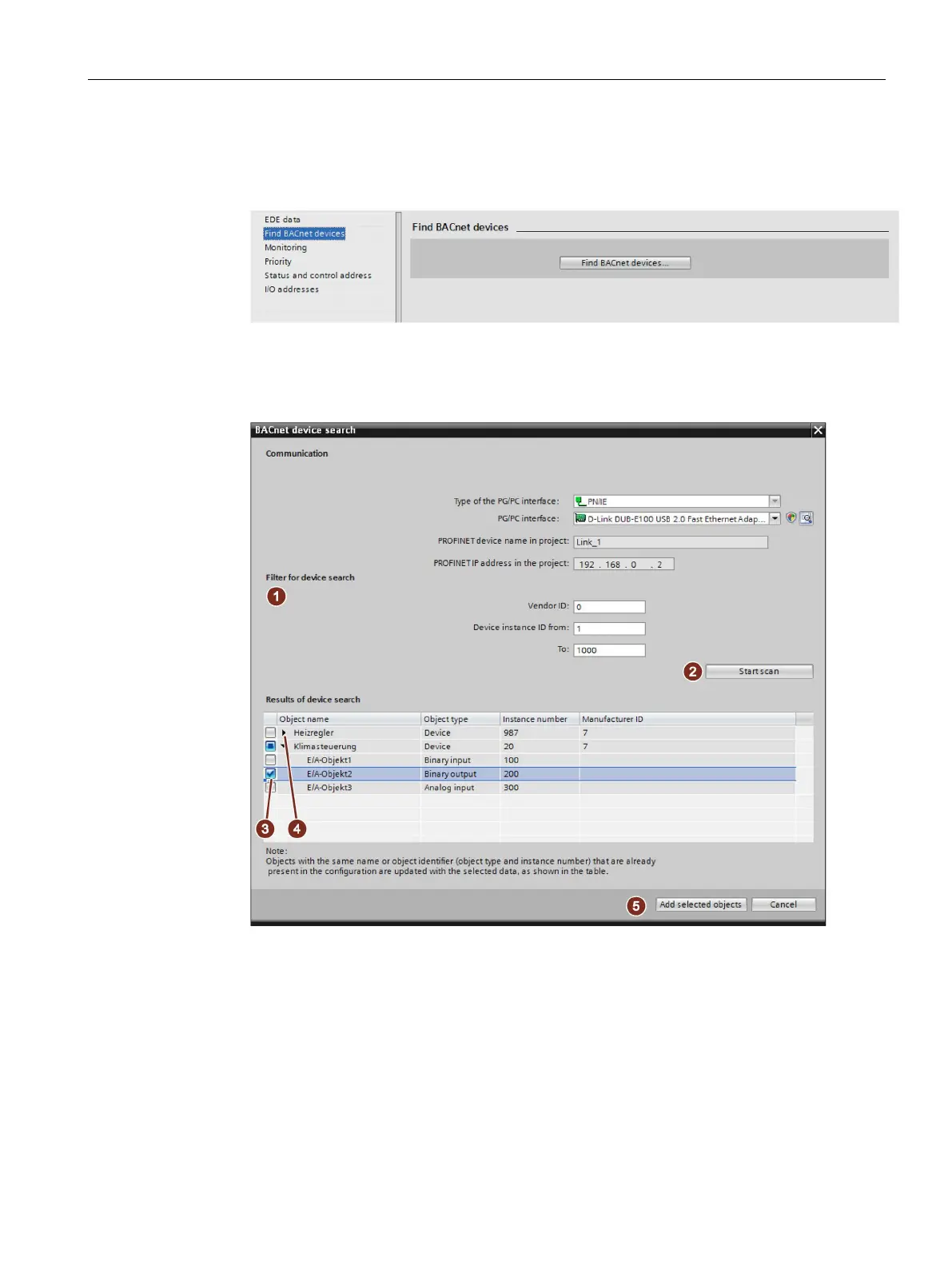
1. By clicking on the "Find BACnet devices..." button, the corresponding dialog opens.
Figure 9-13 Find BACnet device
2. You can use a filter ① to limit and refine searches in the BACnet/IP network. You can
specify a vendor ID and a value range in which the device instance IDs should lie.
Figure 9-14 Find BACnet devices - filter and search result
3. To start the search, click on the "Start device search" button ②. While the search is
running, the text "Find BACnet devices..." is displayed. The results of the search are
shown in the "Result of the device search" table.










 To Next Page