Connecting
7.6 Connecting BACnet bus
PN/BACnet LINK
58 Operating Instructions, 10/2017, A5E39895543-AA
The Ethernet switch installed in the PN/BACnet LINK is only in operation after run-up of the
PN/BACnet LINK. A restart of the PN/BACnet LINK interrupts the Ethernet switch function.
Existing Ethernet connections over the switch are interrupted for the duration of the
PN/BACnet LINK startup. This can result in critical plant states.
Connecting BACnet
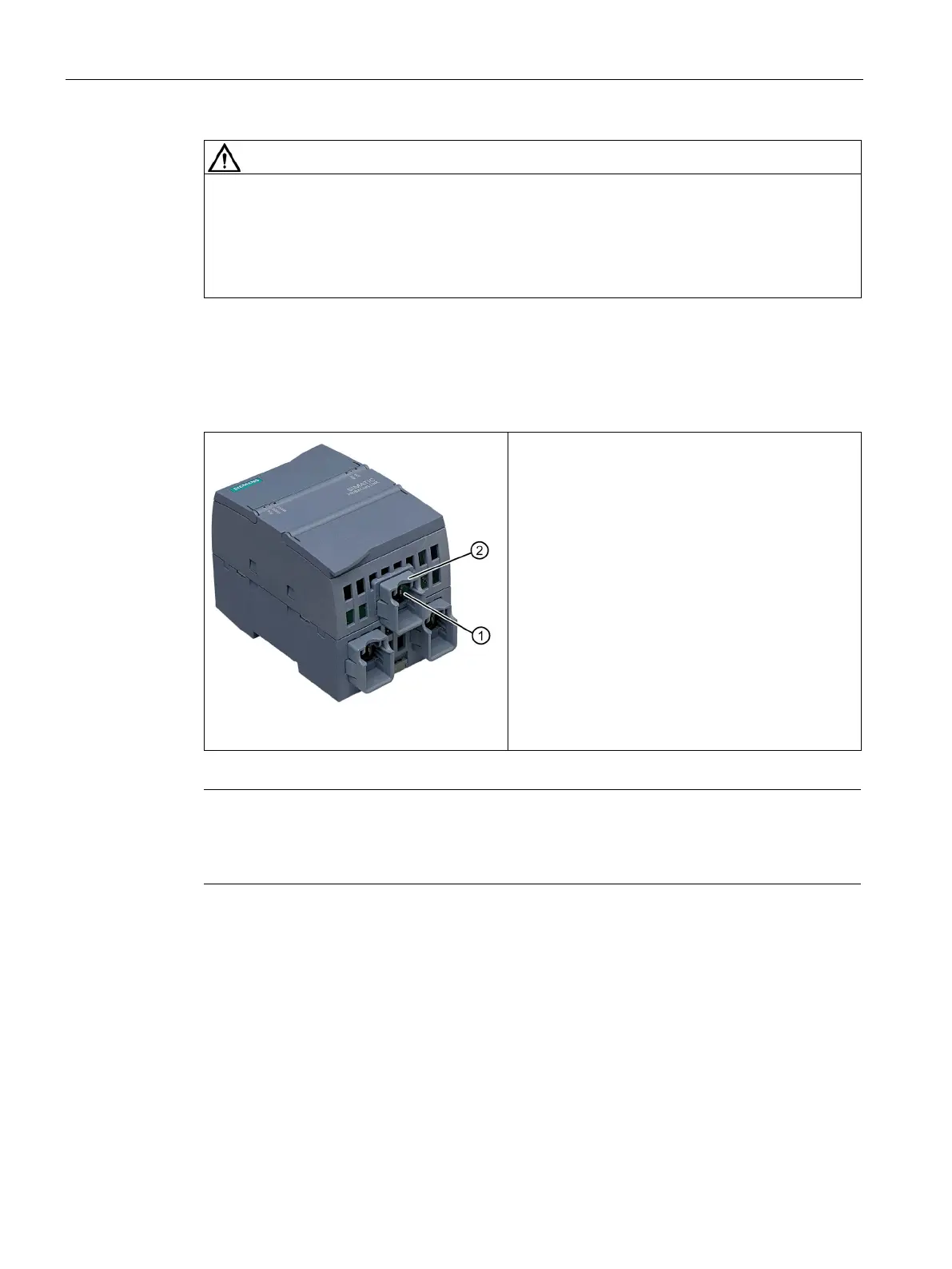
The PN/BACnet LINK is connected to the BACnet
bus using an Ethernet cable with an RJ45 connector
①. Use a shielded Ethernet cable (CAT5e) with a
shielded connector.
Note
To increase the mechanical stability, a retaining collar
② for the BACnet connector is
installed on the bottom part of the
housing of the PN/BACnet LINK in the delivery state. This
retaining collar is intended for the Siemens FastConnect connectors.










 To Next Page