CN-Series Hardware Installation and Maintenance Guide Attaching and Removing the Bezel
Attaching and Removing the Bezel
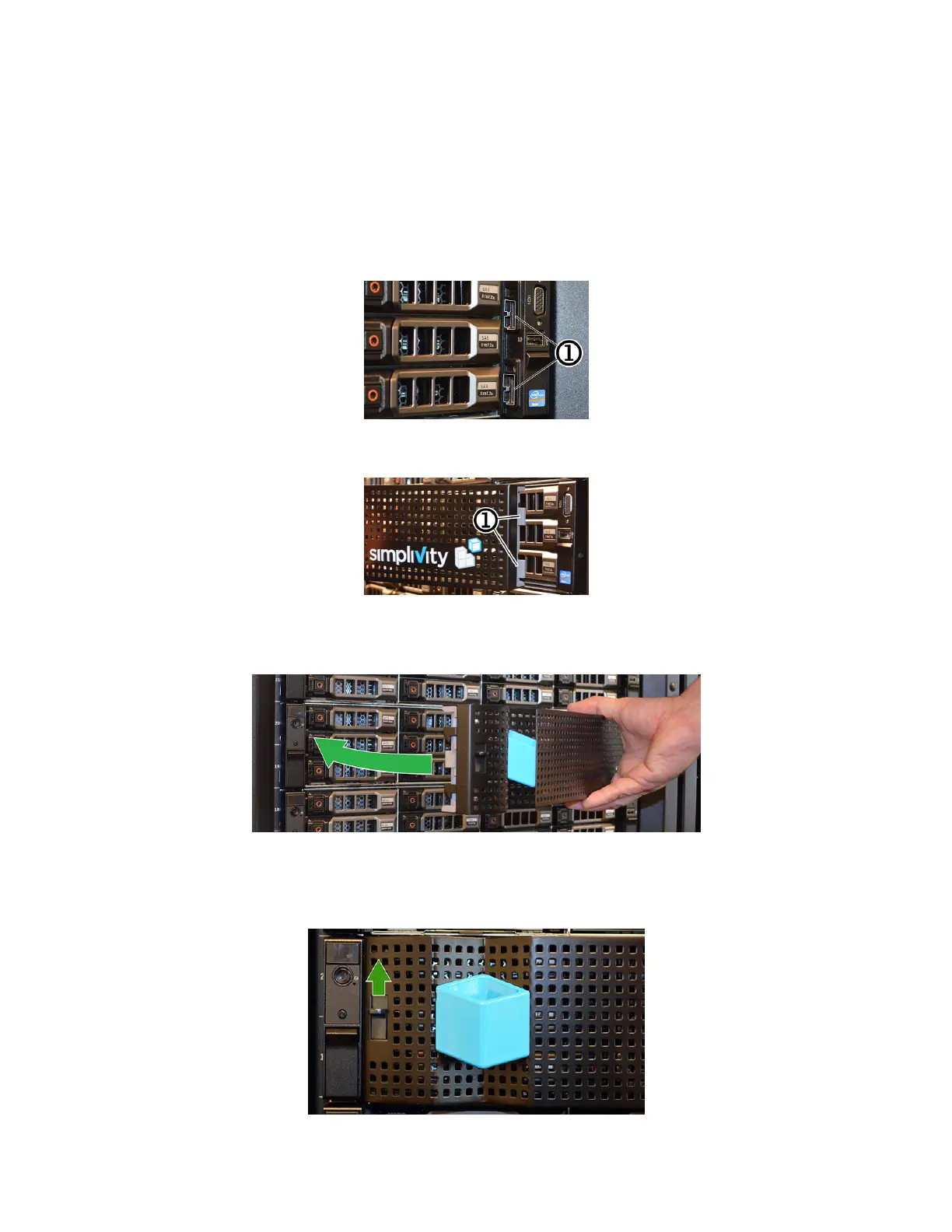
Attach the bezel to ensure proper airflow and prevent accidental removal of drives. The bezel provides
physical security for the drives in the front panel.
To attach the bezel:
1. Identify the front panel mounting lugs on the right side of the system.
2. Insert the bezel tabs into the front panel mounting lugs.
3. Rotate the left side of the bezel inward toward the front panel and push firmly until you hear the latch
click and engage.
To remove the bezel:
1. Hold the blue cube handle to remove the bezel and push up on the release latch.
31



 To Next Page