CN-Series Hardware Installation and Maintenance Guide Installing a Power Supply
• You have read the guidelines for maintaining power supplies.
• You have read the guidelines for protecting hardware from electrostatic discharge.
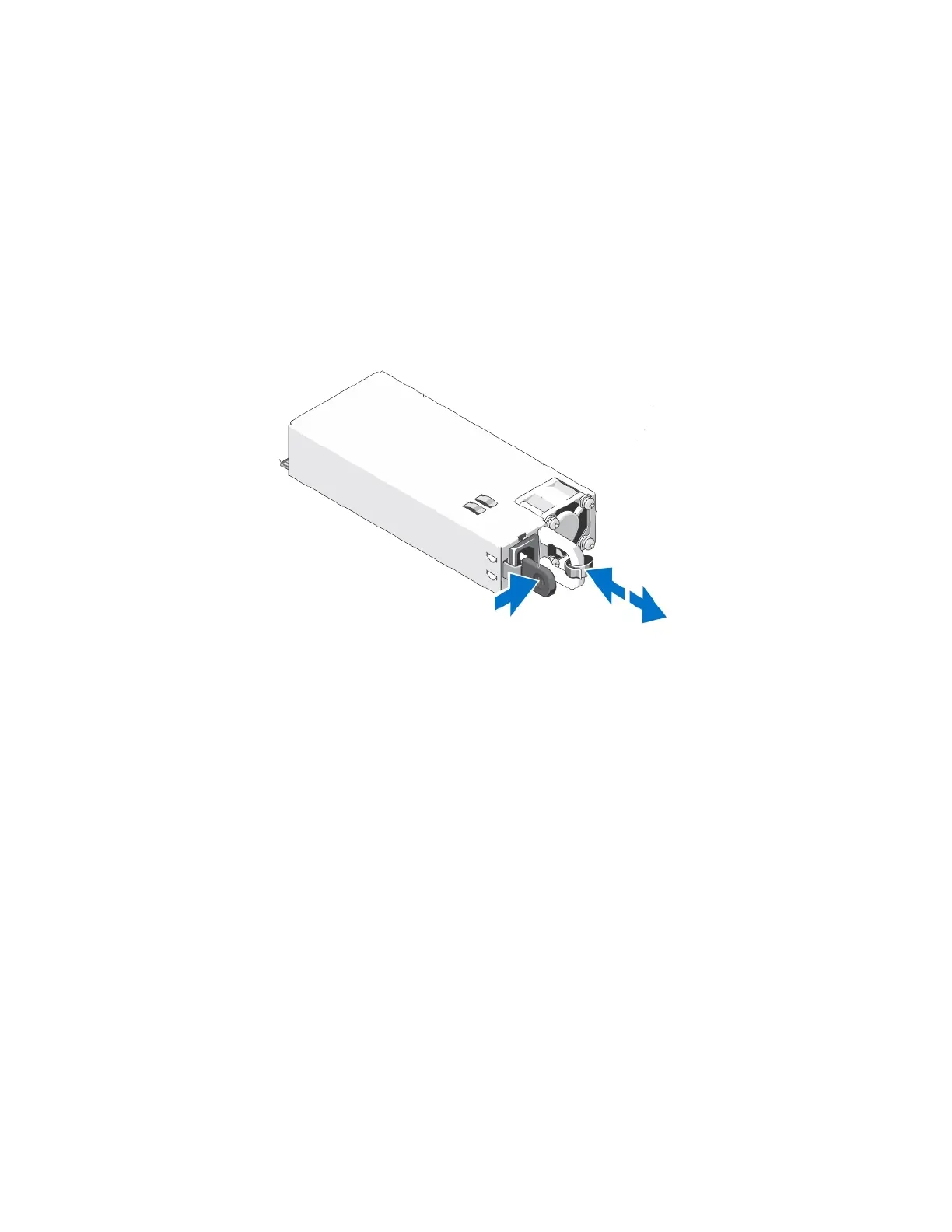
To remove a power supply:
1. Identify the failed power supply.
2. Disconnect the power cable from the power supply.
3. Grasp the power supply handle and the orange release latch and press the release latch to the right.
4. Gently pull the power supply from the slot.
Related Topics
Protecting Sensitive Hardware from ESD on page 16
Guidelines for Maintaining Power Supplies on page 53
Power Supply Monitoring on page 42
Installing a Power Supply on page 54
Installing a Power Supply
You install a power supply to replace a failed or failing power supply.
Before You Begin
• You have obtained a replacement power supply of the same type and wattage.
• You have read the guidelines for maintaining power supplies.
• You have read the guidelines for protecting hardware from electrostatic discharge.
To install a power supply:
54



 To Next Page