CN-Series Hardware Installation and Maintenance Guide Network Interface Monitoring
Reverting an Accelerator Card to its Backup Firmware
After upgrading the system software or rebooting an OmniCube, the Accelerator card firmware might fail to
load, temporarily preventing the card from communicating with the OmniCube. You can try to correct this
problem by shutting down and restarting the OmniCube, which prompts the Accelerator card to fail over to
its backup firmware.
To revert an Accelerator card to its backup firmware:
1. In your vSphere Client, locate the OmniCube with the problem Accelerator card.
2. Shut down and power off OmniCube, as explained in the OmniCube for vSphere Client Help.
3. Wait three minutes until both LEDs have stopped glowing, which indicates that the capacitors on the
Accelerator card have fully discharged.
4. Power on the OmniCube.
5. Wait for the OmniCube to fully boot and reconnect to your vSphere Client.
6. Verify that both LEDs on the Accelerator card are glowing steady green.
7. Verify that there are no error conditions reported for the OmniCube in your vSphere Client.
If both LEDs on the Accelerator card are not glowing steady green or the OmniCube fails to return to normal
operation, contact SimpliVity Customer Service.
Related Topics
Accelerator Card is Not Detected on page 44
Network Interface Monitoring
The LEDs on the network interface cards (NIC) indicate when there is a problem with the NIC or one of its
ports. You can also view drive status in your vSphere Client. If a network interface fails, contact your
support provider to have it replaced.
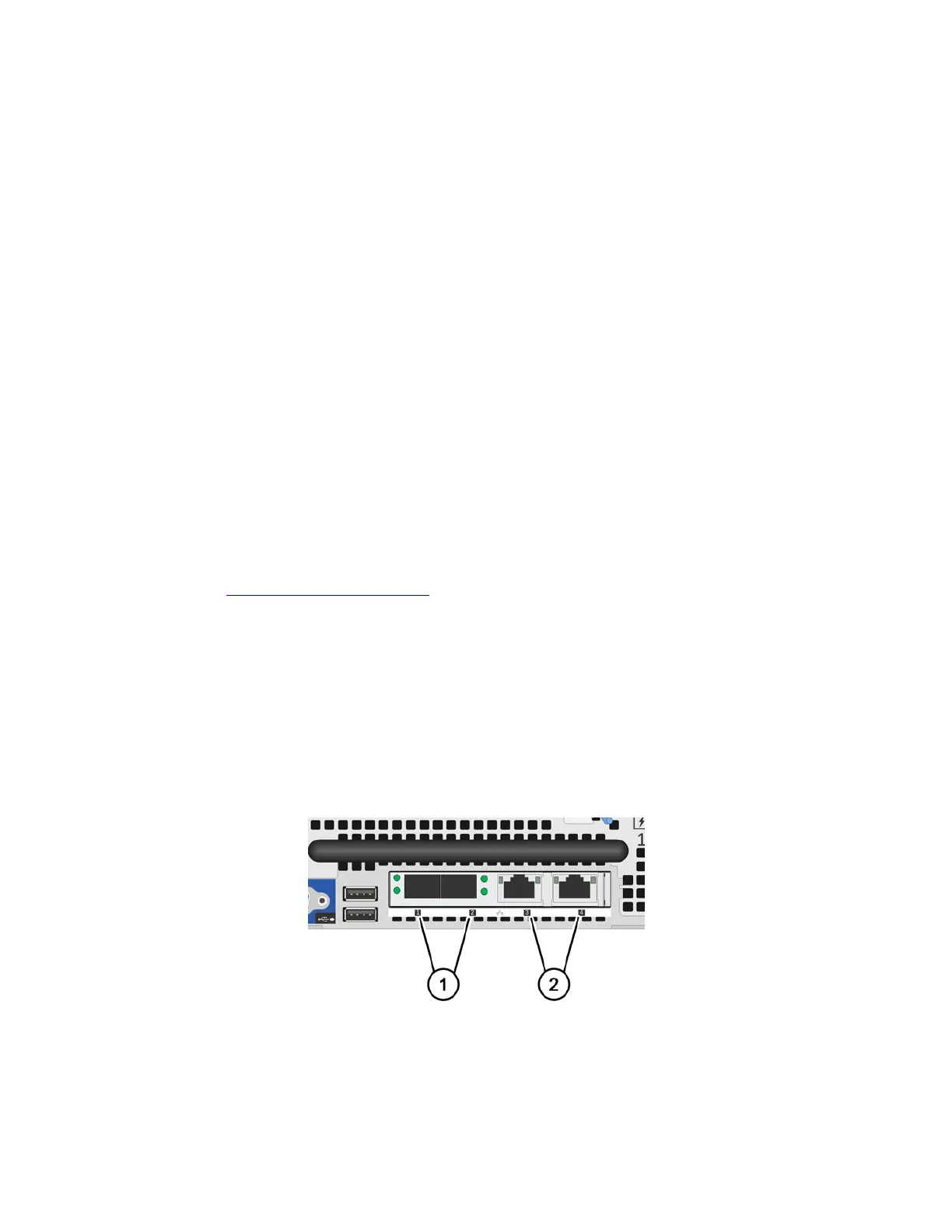
The image above displays the following interfaces:
• Network interfaces 1 and 2 are 10GbE (Callout 1).
• Network interfaces 3 and 4 are 1GbE (Callout 2).
45



 To Next Page