CN-Series Hardware Installation and Maintenance Guide Viewing events or alarms in the vSphere Client
Callout Description
example, voltage is out of range or a power supply or voltage regulator fails.
6
PCIe indicator. The indicator flashes amber if a PCIe card experiences an error.
Viewing events or alarms in the vSphere Client
You can use the vSphere Client to view the events or alarms for a CN-Series system to see the overall
health of the system.
To view events and alarms:
1. In your vSphere Client, expand the datacenter that contains the CN-Series system.
2. Select the CN-Series system.
3. Select the Task & Events tab to display events or select the Alarms tab to display alarms for the selected
system.
Drive Monitoring
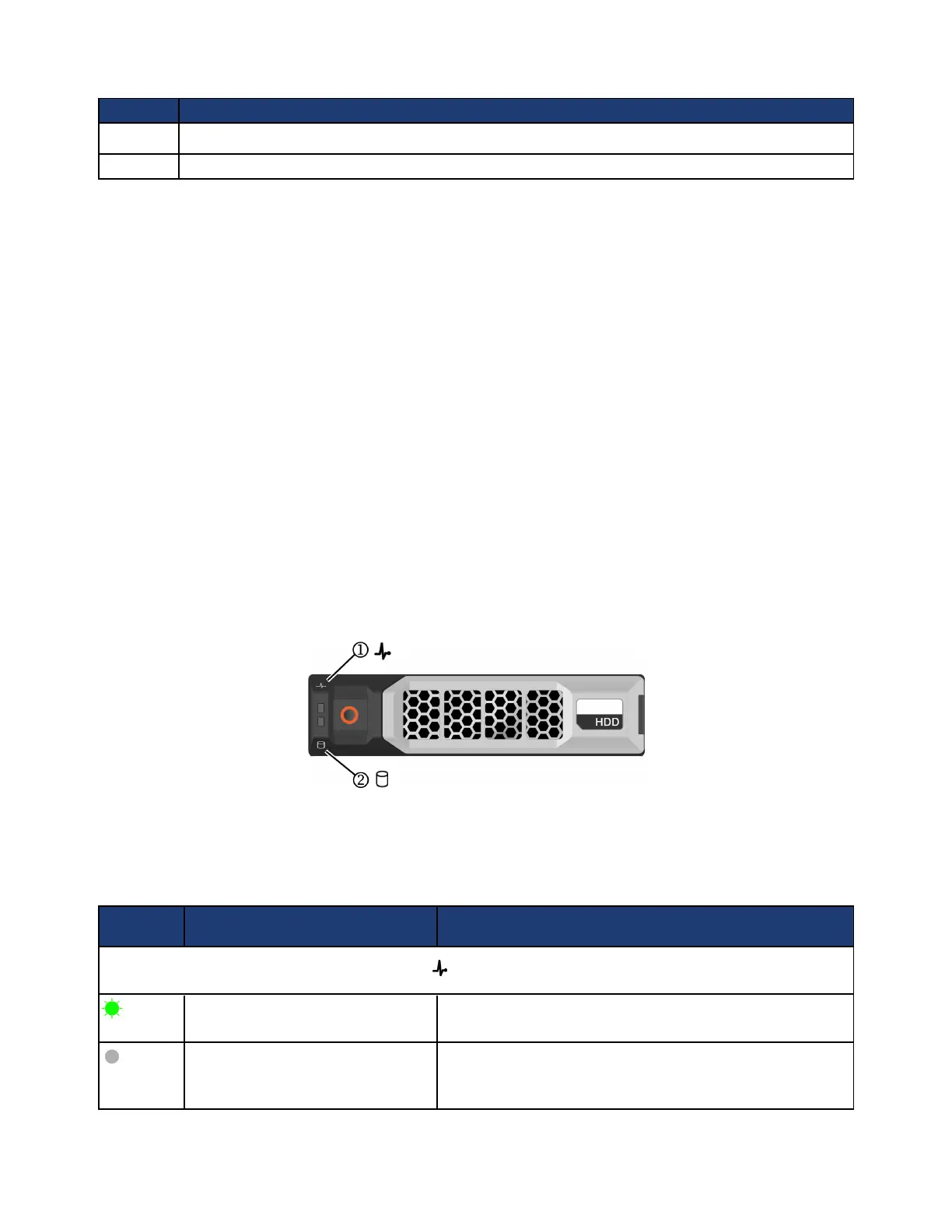
The LEDs on the front of each drive indicate when there is a problem, such as a failed or failing drive. You
can also view drive status in your vSphere Client. If a drive fails or is failing, contact your support provider
to obtain a replacement drive of the same type, size, and speed.
The following image shows the front of a single hard disk drive (HDD) in a CN-Series system.
Note: The LEDs are in the same location and use the same icon, even if the drive is oriented
vertically as in the CN-5000.
The following table describes the drive LEDs and LEDsignal information.
LED Pattern Status Description
Drive Status LED ( , callout 1 in the image above)
Flashes green two times per second Identifying the drive or preparing the drive for removal
Off
Drive ready for removal, or all drives are initializing. The drive
status LED remains off while the drives are initializing after
the CN-Series system is turned on. Do not remove a drive
40



 To Next Page