CN-Series Hardware Installation and Maintenance Guide Switch-Connected Storage Network Configuration
Switch-Connected Storage Network Configuration
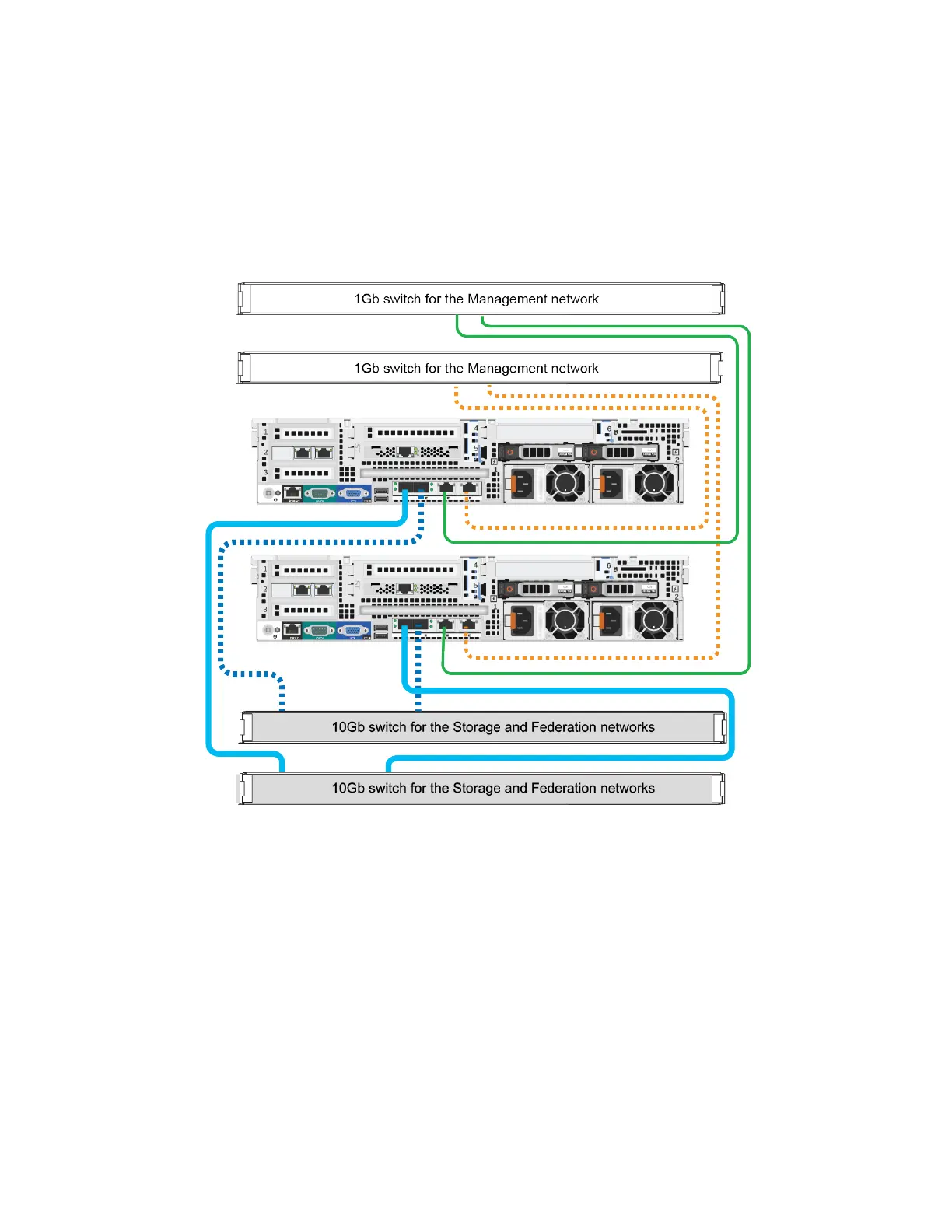
The following image shows a minimum two-OmniCube network configuration that uses redundant
connections to 10GbE switches for the Storage and Federation networks, and redundant connections to 1GbE
switches for the Management network.
Note: This network configuration requires additional cables not supplied in the shipping carton.
Guidelines for this network configuration:
• For each system, use two SFP+ Direct Attach cables (or Fiber Optic cables) to connect the 10GbE
network interfaces to different 10GbE switches.
• For each system, use two network cables to connect the 1GbE network interfaces to different 1GbE
switches.
Related Topics
Obtaining Hardware That is Not Supplied on page 20
59



 To Next Page