CN-Series Hardware Installation and Maintenance Guide CN-Series Hardware Components
Callout Component Description
1 Power button Controls power to the CN-Series system and indicates whether there is power present.
If the indicator is green, the CN-Series system is receiving power.
2 Diagnostic
indicators
Shows CN-Series system hardware error conditions.
3 System
identification
button
Enables you to find a CN-Series system within a rack.
Push the system identification button on the front panel or the back panel. The
system identification buttons on the front panel and the back panel flash blue until
you push one of the buttons again.
4 Retention latches Locks the CN-Series system enclosure in the rack, push to slide the enclosure out.
5 USB connector USB 2.0-compliant connector. Enables you to connect a USB device such as a
keyboard as part of a KVM, for local administration. You can also insert a flash drive
when upgrading system software.
6 Video input Enables you to connect a monitor as part of a KVM for local administration.
7 Storage 3.5" disk drives with power (top) and activity (bottom) LED indicators. Labels
indicate the type (SAS or SATA) and capacity of each drive. For rotational drives,
the rotation speed (rpm) is indicated. The CN-2000 and CN-3000 have 12 drives. The
CN-2200 has 10 drives.
For the CN-2000 or CN-3000, the drives are numbered from 0 to 11, top to bottom,
and left to right. Drives 0 to 3 are SSDs and drives 4 to 11 are HDDs.
For the CN-2200, the drives are numbered from 0 to 9, top to bottom, and left to
right. Drives 0 and 1 are SSDs and drives 2 to 9 are HDDs. Drives 10 and 11 are
empty.
If you pull the CN-Series system enclosure from the rack, the drive numbering
scheme is described on a label attached to the top of the enclosure.
8 Service tab (pull-
out)
Provides identification information that might be required during a technical support
session.
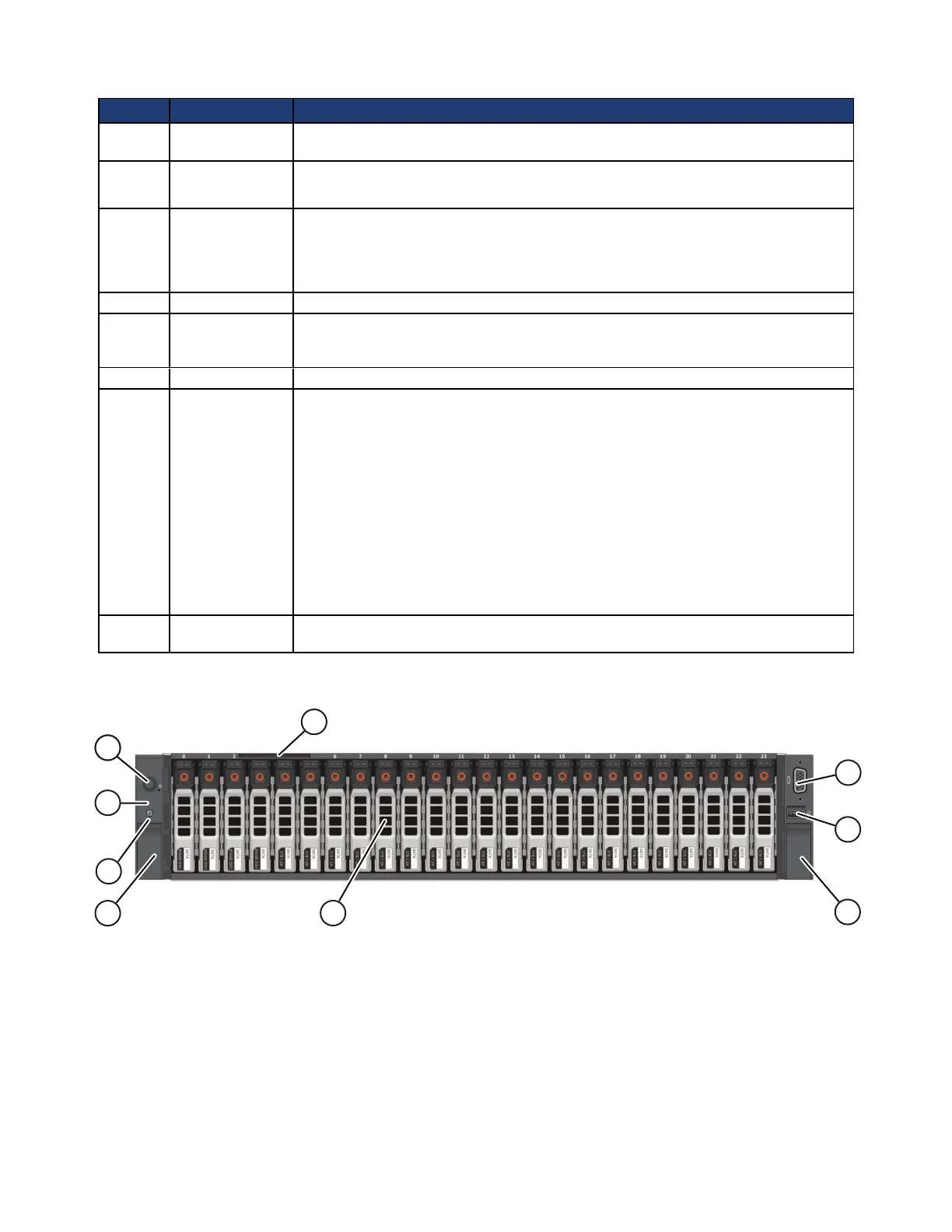
The following image shows the front panel of a CN-5000 with the bezel removed.
The following table describes the components of the CN-5000 front panel.
9



 To Next Page