Applicationswith
straight
stitching
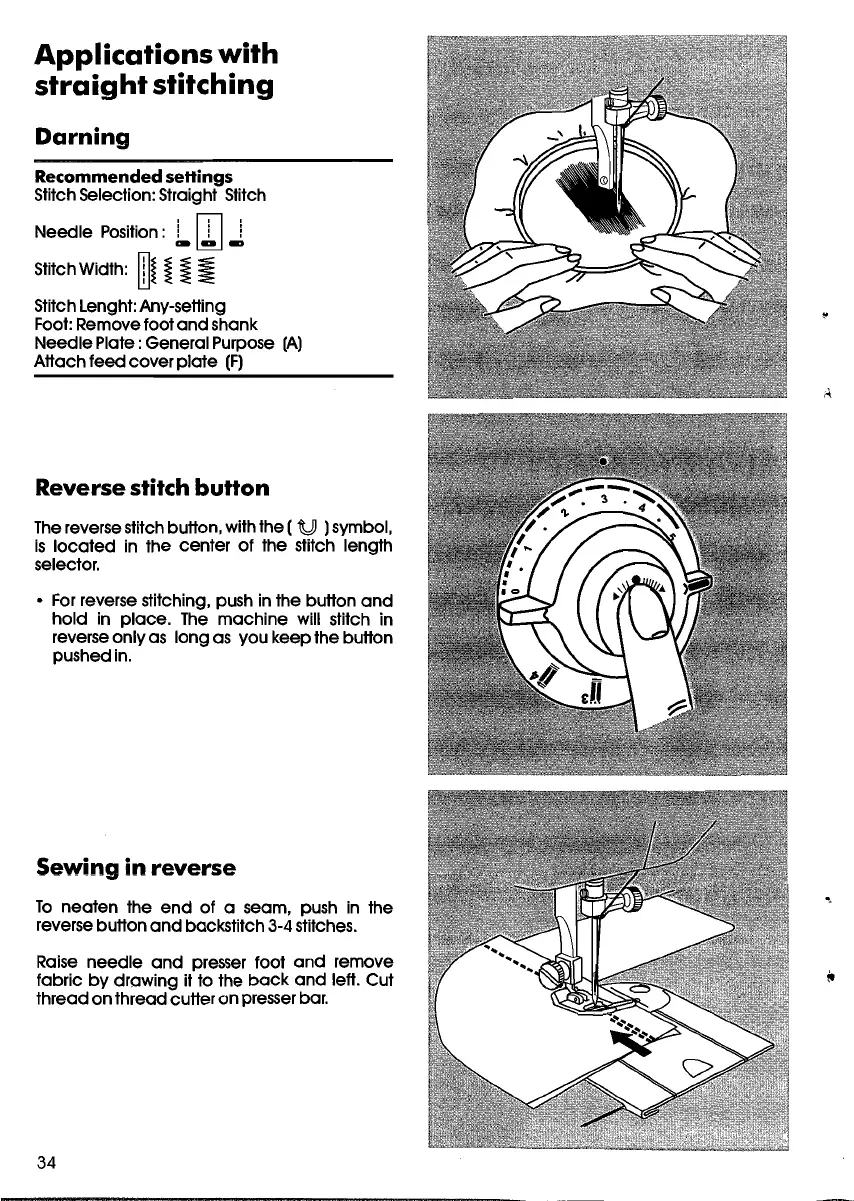
Darning
Recommended se"ings
Stitch5election: Straight Stitch
Needle Position:
i Ifl i
ca~.,
StitchWidth:
rn~
~
~
~
StitchLenght:Any-setting
Foot:Removefoot
and
shank
NeedlePlate:General Purpose IA)
Attach feed cover plate
(F)
Reverse stitch
button
lhe
reversestitchbutton, withthe ( t!J )symbol,
ls
located
in the center of the stitch length
selector.
• Forreverse stitching, push in the button
and
hold in place.
lhe
machine will stitch in
reverseonly as long as vou keep the button
pushedin.
Sewing
in
reverse
lo
neaten the
end
of a seam, push in the
reversebutton
and
backstitch 3-4stitches.
Raise needle
and
presser foot
and
remove
fabric by drowing it to the
bock
and
left. Cut
thread on thread cutter on presserbar.
34
-,









 To Next Page