Pattern
groups selection
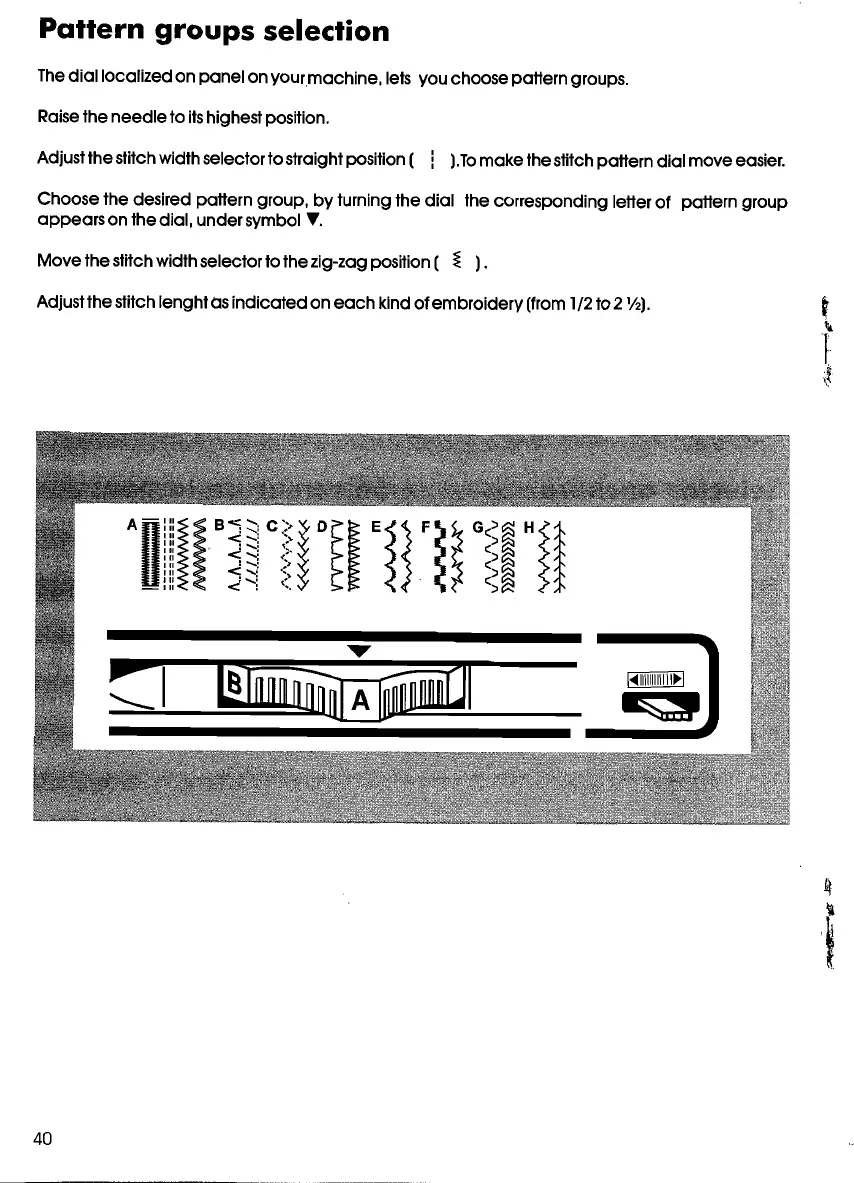
The
diallocalized
on
panel
on
yourmachine,
lets vou choosepottern groups.
Raisethe
needle
to itshighestposition.
Adjust the stitch width selectorto straightposition (
! ).To
make
the stitch pottern
dia
I
move
easier.
Choose
the desired pottern group,
by
tuming the
dial
the corresponding lelter of pottern
group
appears
on the dial,
under
symbol T.
Move
the stitch widthselectorto the zig-zag position (
~
).
Adjust the stitch lenghtos
indicated
on
each
kind of
embroidery
(from 1/2 to 2
1/
2).
40










 To Next Page