80
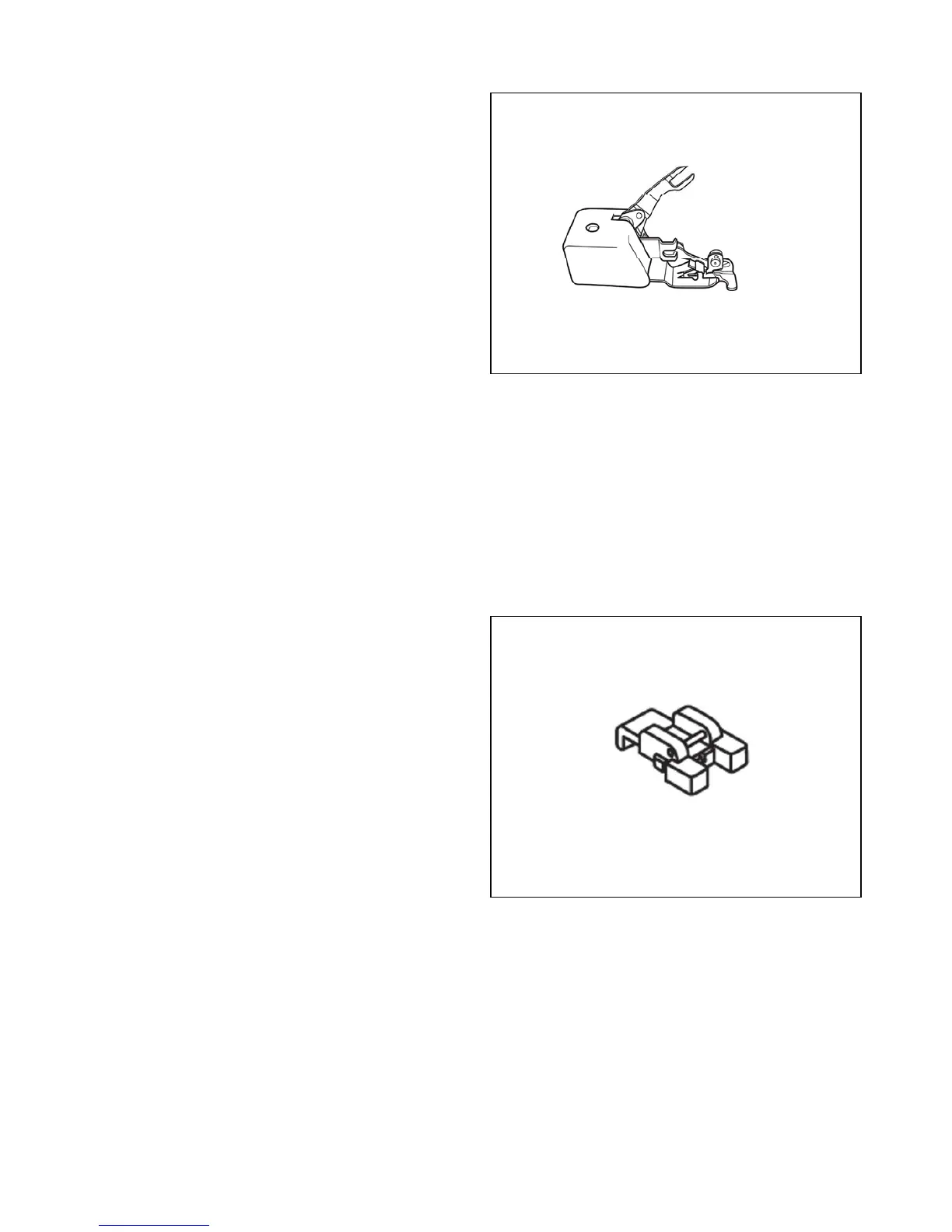
SIDE CUTTER
This foot is used to trim excess material while sewing.
$WWDFKWKH6LGH&XWWHUPDNLQJVXUHWKHDWWDFKPHQW¶V³DUP´
¿WVDURXQGWKHQHHGOHEDUWKXPEVFUHZ7LJKWHQWKHVKDQN
thumb screw, securing the foot.
6HWWKHPDFKLQHWR=LJ=DJVWLWFKRU2YHUHGJHVWLWFK
6ORZO\WXUQWKHKDQGZKHHOWRZDUGV\RXWKHQHHGOHVKRXOG
JRRYHUWKHVWLWFK¿QJHURQWKHIRRW,IWKHQHHGOHLVKLWWLQJ
WKHPHWDOVWLWFK¿QJHU RUPHWDOVLGHWKHQZLGHQRUQDUURZ
the stitch width. Never use a straight stitch.
&XWDò´ZLGHE\ ´GHHSQRWFKDWWKHWRSHGJHRI\RXU
fabric.
3ODFHWKHIDEULF29(5WKH¿UVWPHWDOSODWIRUPRQWKHULJKW
DQGWKHQ81'(5 WKHVHFRQGPHWDOSODWIRUP RQWKHOHIW,I
the foot is not cutting, it is usually because the material is
QRWSODFHG29(5WKH¿UVWPHWDOSODWIRUP
6HZVORZO\DQGJHQWO\JXLGHWKHIDEULF7KH6LGH&XWWHU
ZRUNVEHVWLIQRPRUHWKDQò´LVEHLQJWULPPHG
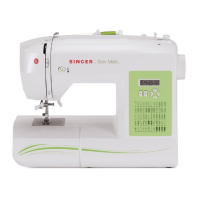
BUTTON SEWING FOOT
2SWLRQDO3XUFKDVH
7KH%XWWRQ6HZLQJ)RRWLVXVHGWRHDVLO\DWWDFKEXWWRQVE\
machine. The foot securely holds the button in place, while
still providing a clear view of the stitching area.
6QDSRQWKH%XWWRQ6HZLQJ)RRW/RZHUWKHIHHGGRJV
2. Position the button under the presser foot and lower the
foot, holding the button in place.
6HOHFW D=LJ=DJ6WLWFKRU WKH%XWWRQ6HZLQJ6WLWFK$GMXVW
the stitch width so that the left swing of the stitch drops into
the left hole in the button, and the right swing of the stitch
drops into the right hole of the button.
4. With the needle threaded and the button positioned on the
right side of your fabric under the foot, stitch 5-8 ZigZag
6WLWFKHVWRVHFXUHWKHEXWWRQ7RWLHRIIVHOHFWD6WUDLJKW
6WLWFK DQG DGMXVW WKH QHHGOH SRVLWLRQ 6WLWFK ZLGWK VHWWLQJ
so that the needle drops into the left hole of the button.
6WLWFKLQSODFH¿YHWLPHVWRVHFXUHWKHWKUHDG


 To Next Page