Sirona Dental Systems GmbH 10 Operation light, tumbler filling, cuspidor flushing, purge
Operating Instructions C4
+
10.5 Purge / Auto Purge function (purging the water paths)
59 06 313 D 3382
D 3382.201.01.13.02
55
Auto Purge (APURGE) function
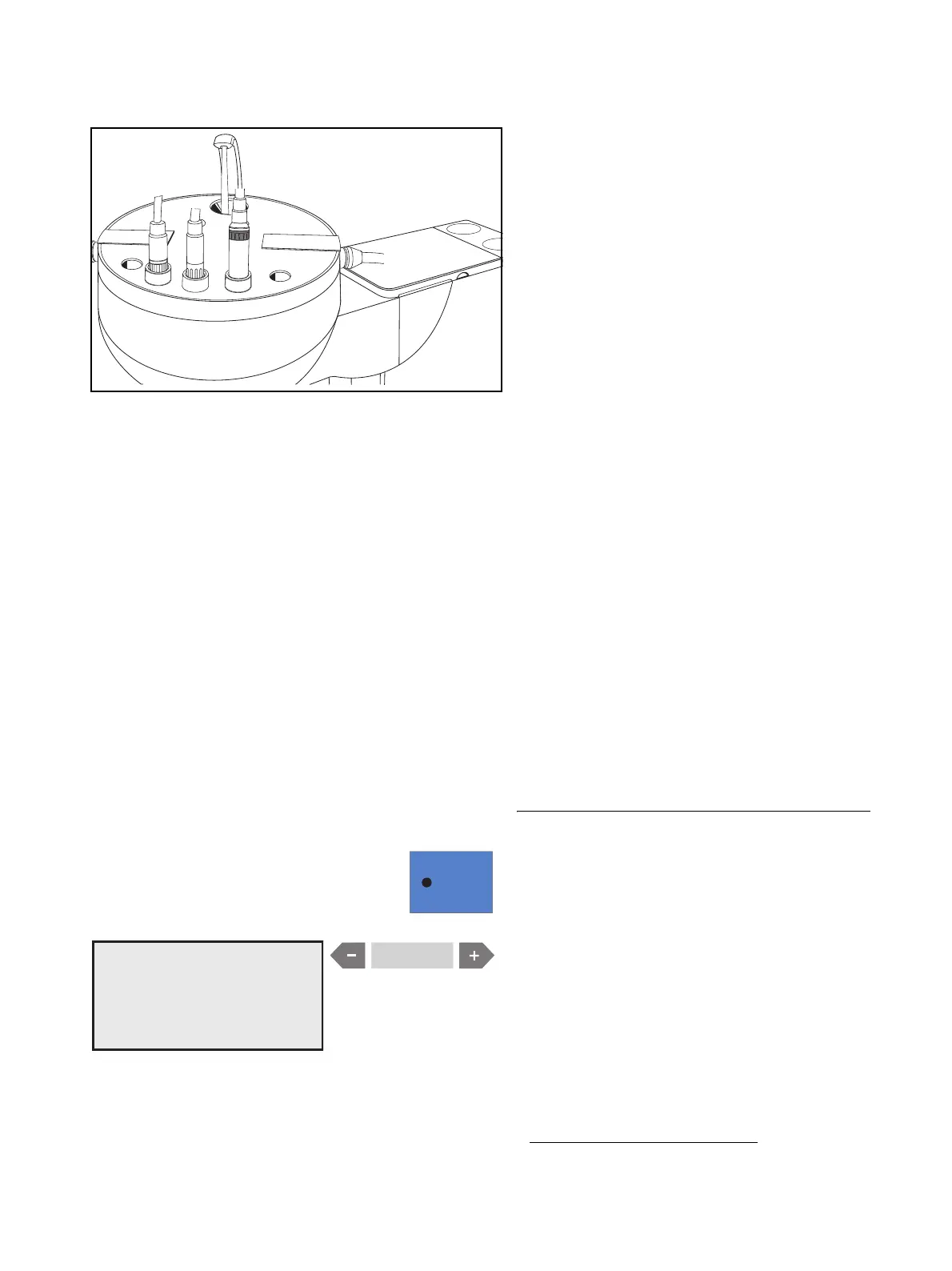
The Auto Purge function offers possibility of automated
purging of all water carrying instruments in the dentist
element, of the assistant Sprayvit and of the tumbler fill-
ing unit.
All of the instruments inserted in the sanitation bowl will
be purged when APURGE is activated. If the instru-
ments remain in the sanitation bowl after the treatment
center is switched off, the purging process will automat-
ically be started again the next time the treatment center
is switched on.
We recommend the APURGE function in the following
cases:
• APURGE function before beginning and at the end
of the work day:
A complete purge cycle is performed following acti-
vation. The instruments remain in the sanitation
bowl and the treatment center can be switched off.
On the next day, the APURGE function is automati-
cally performed again on all of the instruments re-
maining in the sanitation bowl as well as on the tum-
bler filling unit immediately after the treatment center
is switched on.
Then you can prepare the treatment center for daily
practice operation.
• APURGE function after longer periods of disuse:
A complete purge cycle is performed following acti-
vation. The instruments remain in the sanitation
bowl and the treatment center can be switched off.
Now you can switch on the treatment center briefly
every day and then switch it off again after the purg-
ing process.
Setting the APURGE function
Activate the selection dialog box by pressing quick set-
ting key 1 (> 3 s) when all of the instruments are depos-
ited in their holders.
You will be prompted to choose between PURGE/
APURGE and SANITATION
1
.
Select APURGE with the
– or + key. APURGE must
flash.
1
SELECT MODE
PURGE / APURGE / SAN
SELECT MODE
PURGE / APURGE / SAN
1. The SANITATION function is described in the instructions
“Care and Cleaning by the Practice Team”.



 To Next Page