Sirona Dental Systems GmbH 14 SIVISION 3
Operating Instructions C4
+
14.7 SIROCAM 3 / SIROCAM C integrated in the dentist element (PC)
59 06 313 D 3382
D 3382.201.01.13.02
85
14.7 SIROCAM 3 / SIROCAM C integrated in the dentist element (PC)
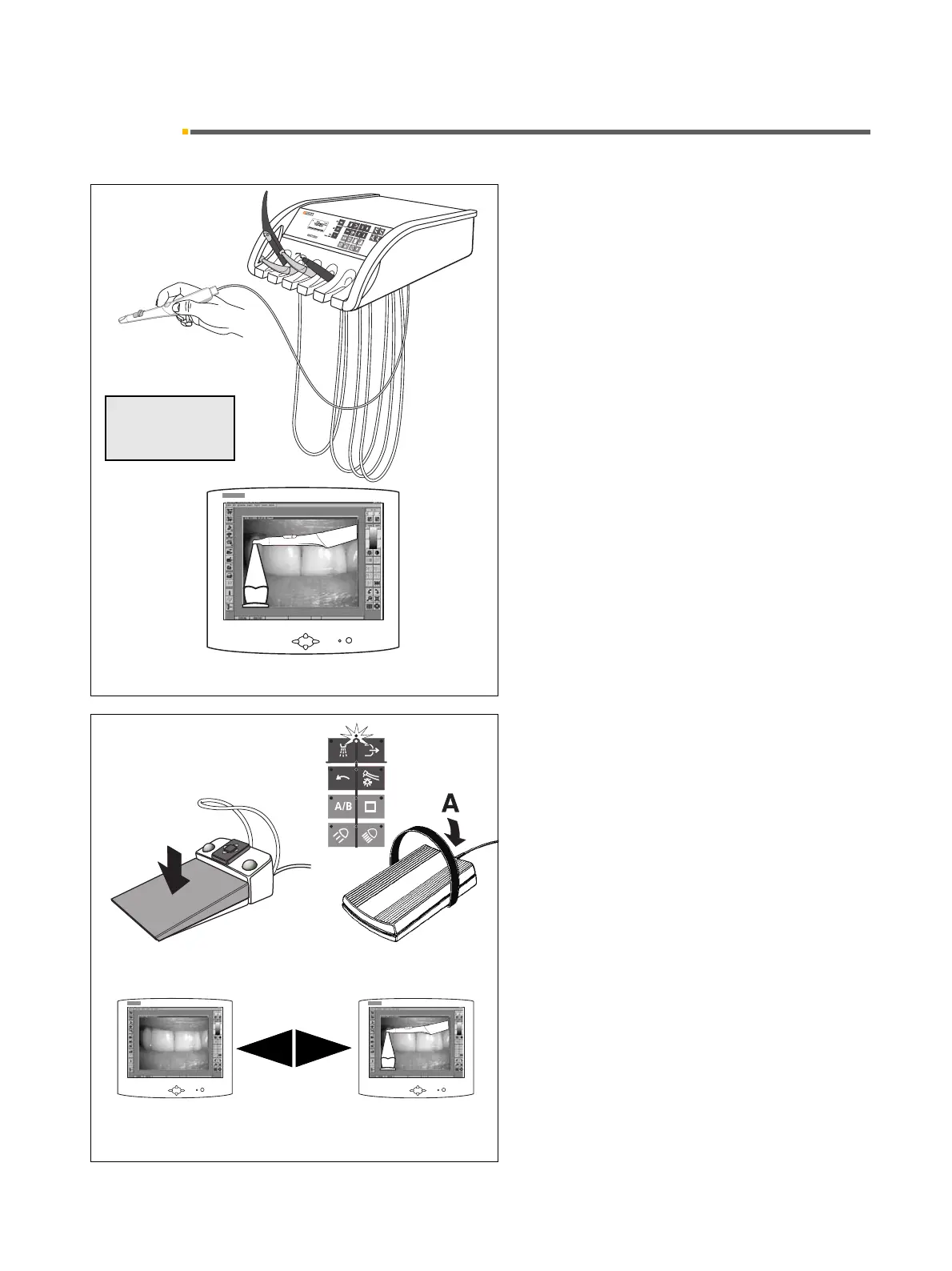
Operation in PC mode using
a PC connection and SIDEXIS/VIDEXIS
The monitor is controlled by the PC in this case.
The functional scope of the PC can be used in this mode.
If the camera is the active instrument, “VIDEOCAM”
and the operating mode “PC MODE” appear on the dis-
play.
Picking up the camera
• The LIVE IMAGE window opens.
TOGGLING BETWEEN STILL IMAGE AND LIVE
IMAGE
Foot switch C
+
or C
With camera picked up and cursor being in the instru-
ments key block.
With the C
+
foot switch:
Step on the foot pedal.
With the C foot switch:
Actuate the foot switch in direction A – cursor upward.
Toggling between a STILL IMAGE and a LIVE IMAGE.
A
VIDEOCAM
PC MODE
C
+
C



 To Next Page