14 SIVISION 3 Sirona Dental Systems GmbH
14.9 SIROCAM 3 / SIROCAM C integrated in the assistant element (PC) Operating Instructions C4
+
59 06 313 D 3382
94 D 3382.201.01.13.02
14.9 SIROCAM 3 / SIROCAM C integrated in the assistant element
(PC)
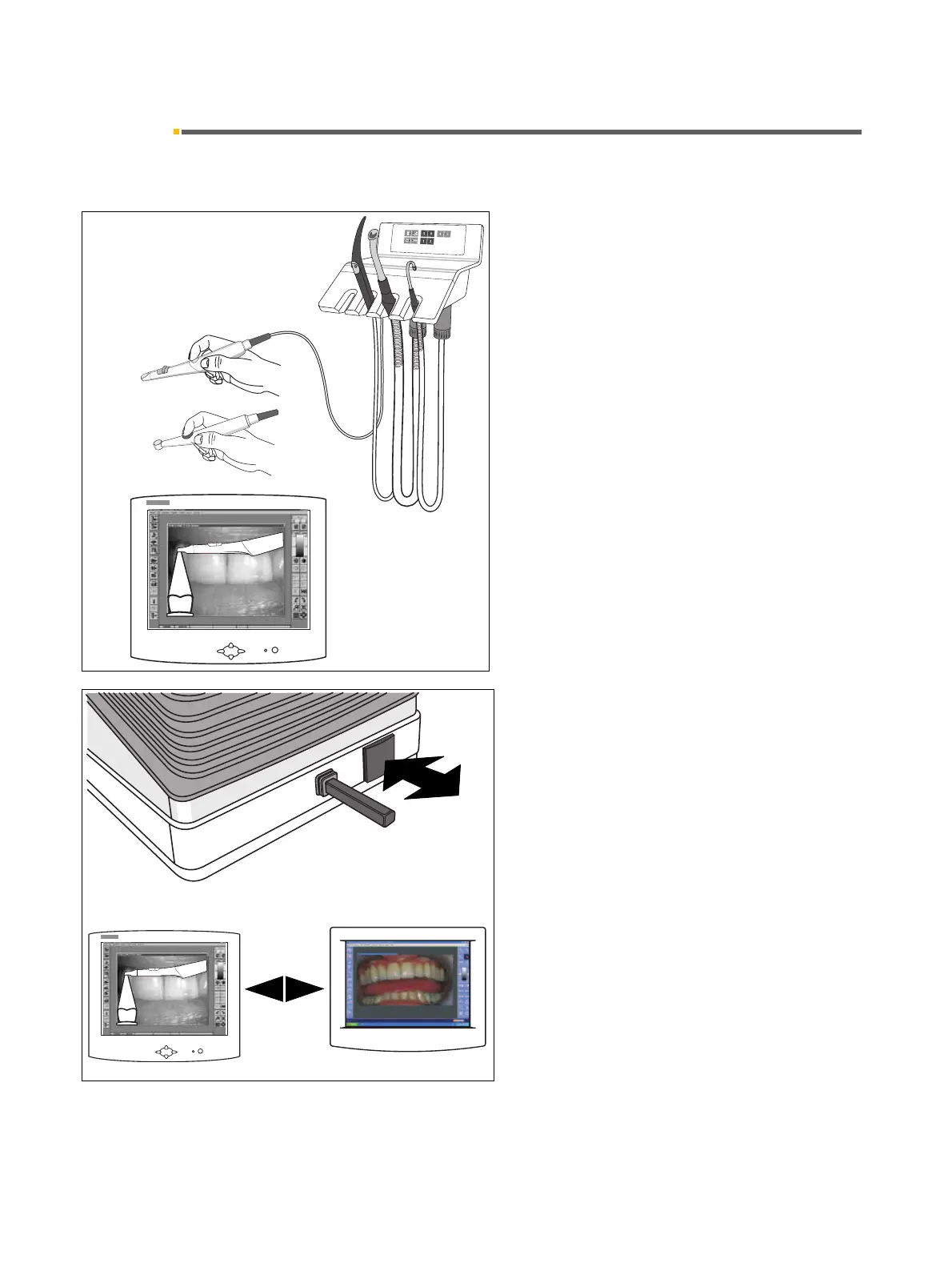
Operation in PC mode using a PC connection
and SIDEXIS/VIDEXIS
To use the PC mode, SIDEXIS/VIDEXIS must be open.
The PC mode must be activated on the PC! See section
14.10 “Switching between VIDEO mode and PC
mode”.
Picking up the camera
•A LIVE IMAGE opens.
TOGGLING BETWEEN LIVE IMAGE AND STILL
IMAGE
• Briefly touch the foot button when the camera has
been picked up.
• When you briefly touch the foot button again (< 1s),
a LIVE IMAGE reappears.
s
r
o
n
I
R
O
C
A
S
I
SIROCAM 3
SIROCAM C



 To Next Page