Sirona Dental Systems GmbH 14 SIVISION 3
Operating Instructions C4
+
14.6 SIROCAM 3 / SIROCAM C integrated in the dentist element (video)
59 06 313 D 3382
D 3382.201.01.13.02
83
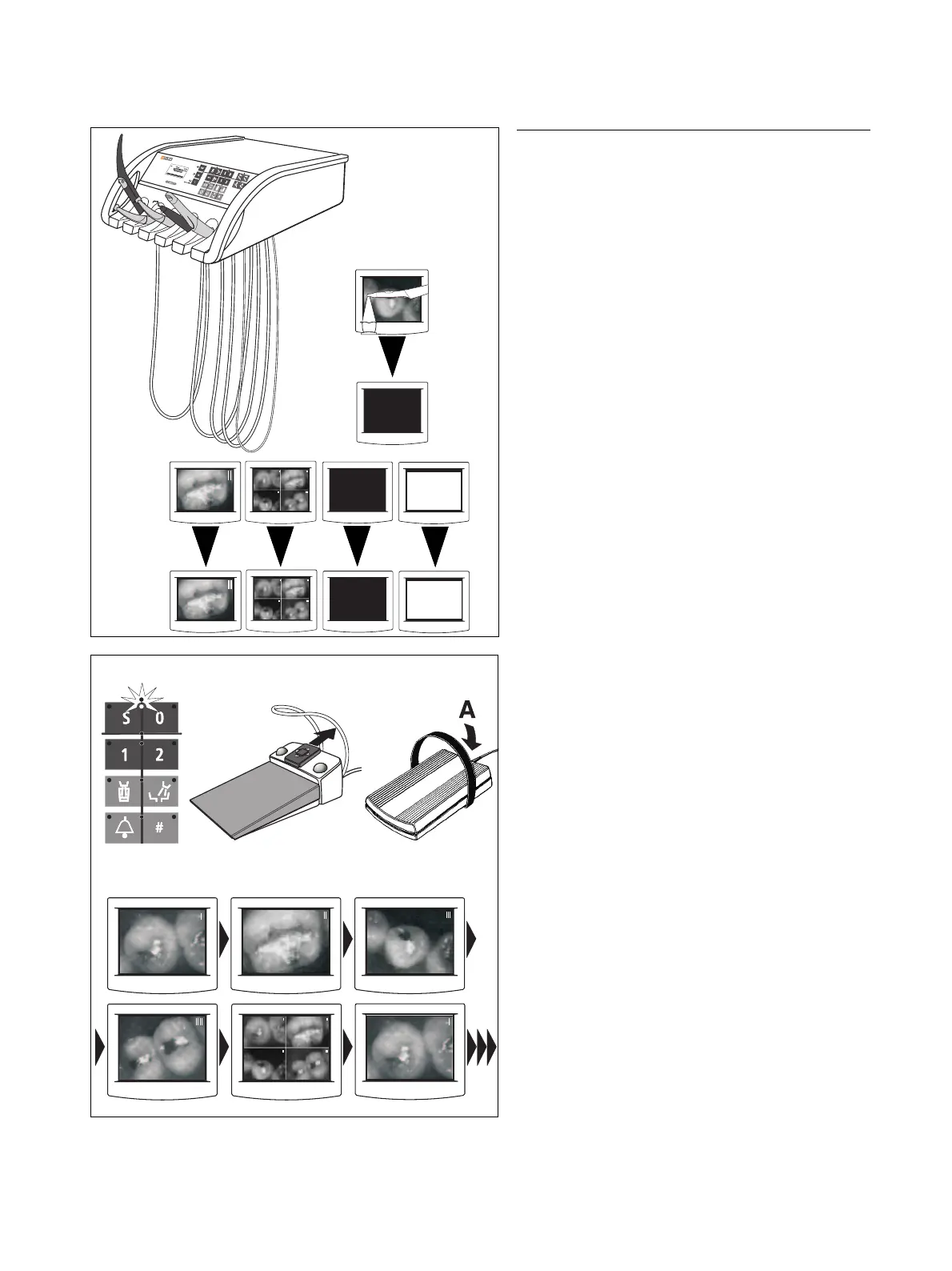
Placing back the camera
•If a LIVE IMAGE was displayed, a BLACK SCREEN
appears.
•A STILL IMAGE or QUAD IMAGE, BLACK
SCREEN or WHITE SCREEN remain displayed.
SWITCHING TO THE NEXT IMAGE WITH THE CUR-
SOR
Special function only with cursor:
The cursor is in the chair programs key block, level 1.
With the C
+
foot switch:
4-way foot control plate forward.
With the C foot switch:
Actuate the foot switch in direction A – cursor upward.
• Switching through the images:
STILL IMAGE I, STILL IMAGE II, STILL IMAGE III,
STILL IMAGE IIII, QUAD IMAGE, STILL IMAGE I,
STILL IMAGE II ...
C
+
C



 To Next Page