Sirona Dental Systems GmbH 14 SIVISION 3
Operating Instructions C4
+
14.7 SIROCAM 3 / SIROCAM C integrated in the dentist element (PC)
59 06 313 D 3382
D 3382.201.01.13.02
87
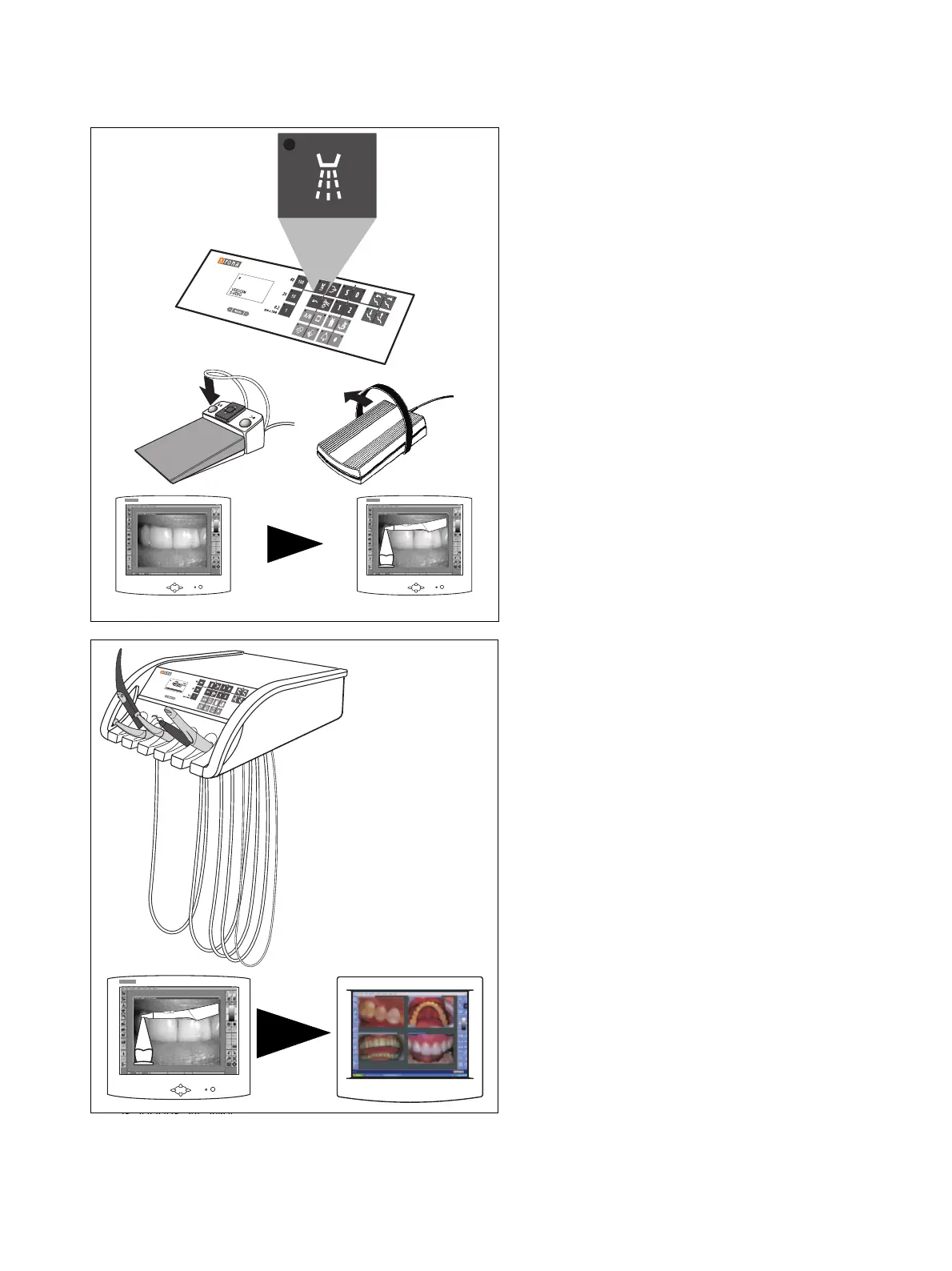
SAVING AN IMAGE
Key example: Spray ON / OFF key on the control
panel
For this purpose, a patient must be registered in
SIDEXIS/VIDEXIS.
Manually or by cursor (using the foot switch) with instru-
ments in place or camera picked up.
With C
+
foot switch also left foot switch button (only with
camera picked up).
• Save the STILL IMAGE.
With the camera picked up, a LIVE IMAGE appears.
Placing back the camera
• The LIVE IMAGE window closes.
The displayed STILL IMAGE or any saved images
remain open.
C
+
C



 To Next Page