Sirona Dental Systems GmbH 14 SIVISION 3
Operating Instructions C4
+
14.8 SIROCAM 3 / SIROCAM C integrated in the assistant element (video)
59 06 313 D 3382
D 3382.201.01.13.02
91
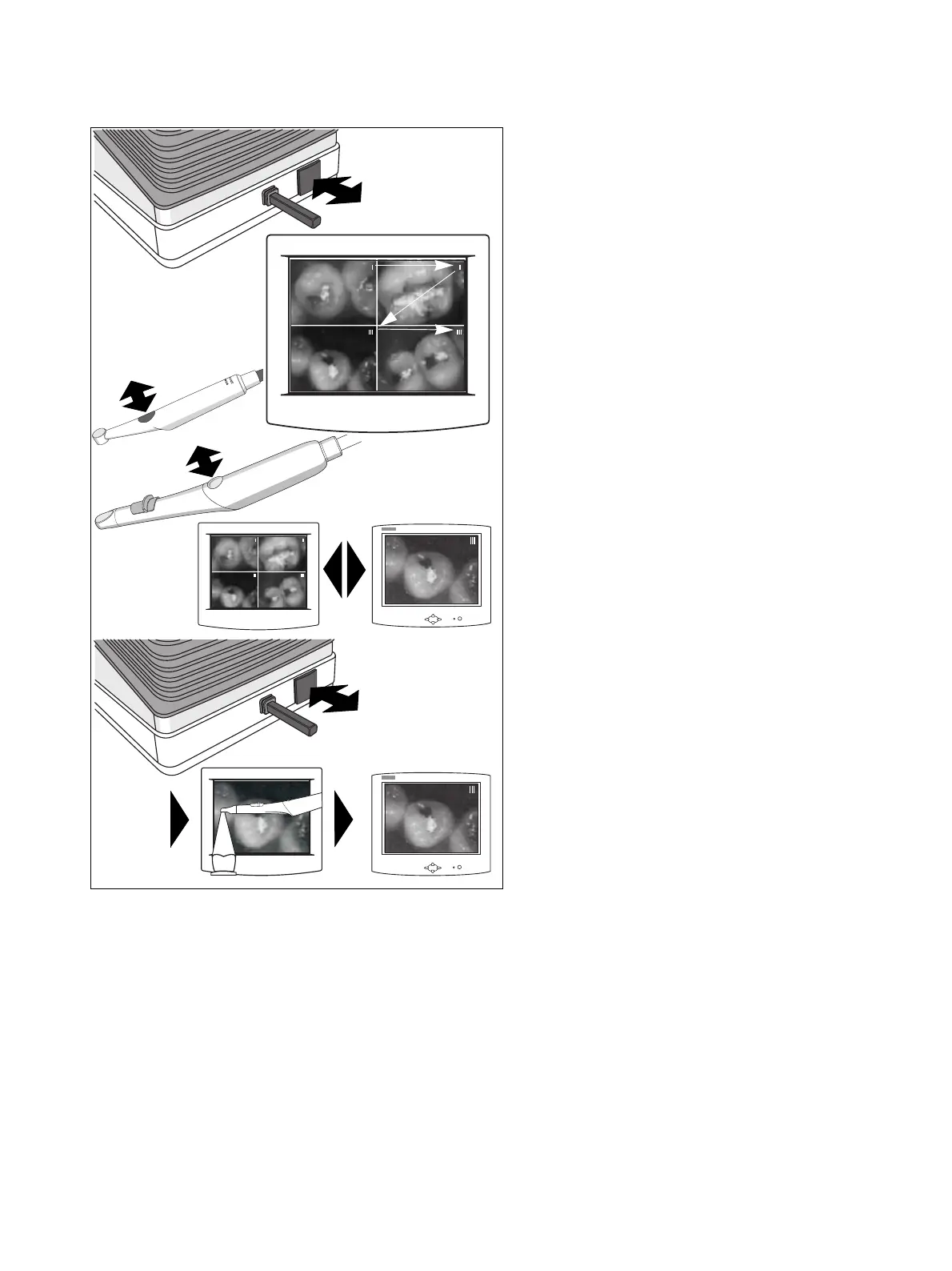
SELECTING / OVERWRITING IMAGES
• When a QUAD IMAGE is displayed with the camera
picked up, you can select a specific image from the
QUAD IMAGE by briefly touching the foot button.
The image number of the selected image appears in
the upper right corner of the image.
• When you briefly press the camera button, the se-
lected image is displayed on the screen as a single
STILL IMAGE. When you press the button again,
the view changes to the QUAD IMAGE, etc.
• When you briefly touch the foot button while the se-
lected single STILL IMAGE is displayed on the
screen, a LIVE IMAGE appears. It can be frozen by
touching the foot button again and overwrites the se-
lected single STILL IMAGE at this memory location.
SIROCAM 3
SIROCAM C



 To Next Page