13
SKOPE Reflex Underbench Fridge and Freezer
Electronic Controller
Service Manual
Service Mode The service mode can be run using the controller faceplate, but SKOPE strongly recommends
using the SCS Connect Field app. You will need a 9-digit PIN to enter the service mode via the
controller. If you don’t have one, contact SKOPE Customer Services to request a PIN.
Service mode includes:
Parameters
Allows you to access and edit individual controller parameters.
Reset
Returns the controller back to factory or default settings.
Manual test
Allows you to see the input values from the sensors, check the effects of output adjustments
to peripherals, and run preset test routines.
Statistics
Displays logged values and event counts for diagnostics and fine tuning.
About
Lists the properties of the refrigeration system and the controller, including fridge model codes,
and firmware, hardware and software versions.
Refer to Wellington Drive Technologies documentation for further information.
Apps
SCS Connect
Track App
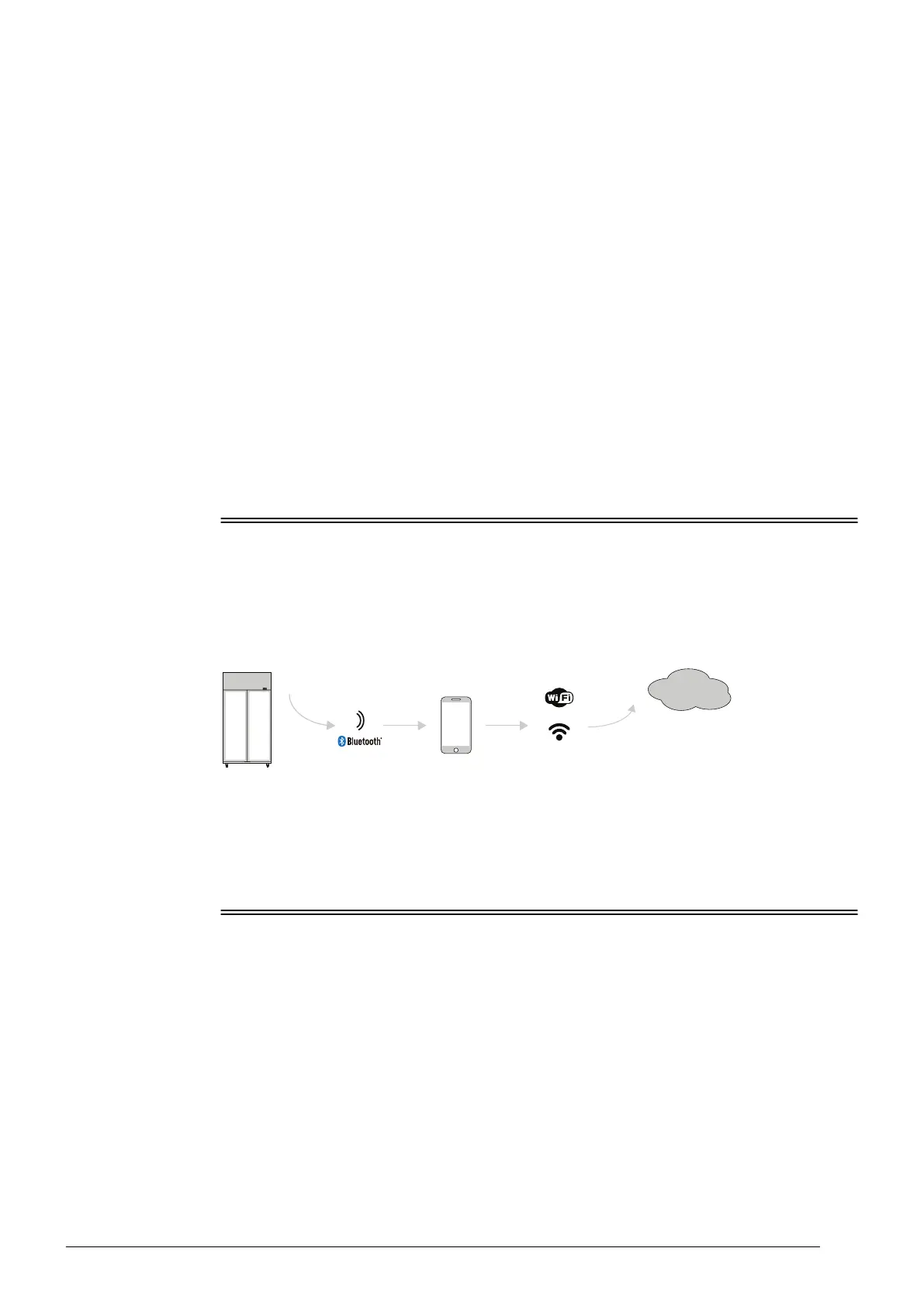
The Wellington Drive Track app for mobile devices transfers data from SKOPE equipment that
uses the SCS Connect controller to a cloud based server.
The app works automatically in the background. When the app detects a controller, it connects
via Bluetooth to receive data from the controller and send data to the cloud. If no mobile data
connection is available, the app stores data until a connection becomes available.
SKOPE-
connect App
The SKOPE-connect app is designed for end users only, and provides wireless access to the
controller from mobile devices with Bluetooth capability.
The app allows end users to adjust some electronic controller settings including energy saving
modes, opening and closing hours, and preset temperature set points for specific product.
SCS Connect Field App
Connecting The SCS Connect Field app gives authorised service technicians wireless access to the
controller from mobile devices with Bluetooth capability. The app provides data logging, alarm
notification, and control over inputs (probes, switches) and outputs (e.g. relays).


 To Next Page