43
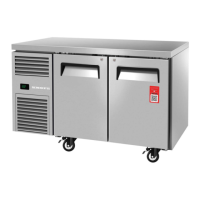
SKOPE Reflex Underbench Fridge and Freezer
Replacement Procedures
Service Manual
Electronic Controller
The electronic controller and electrics panel (including the light power supply) is matched to
the cabinet, and must be left with the cabinet when exchanging the cartridge. Replacement
spare part cartridges are not supplied with controller and electrics panel.
Different controller parameter sets are used across different models. Ensure the controller is
set up with the correct parameter set for the cabinet model (see Table 4, “Controller
parameters,” on page 16).
Controller
Location
The electronic controller is located on the electrics panel at the front of the refrigeration
cartridge.
Replacing the
Controller
Follow the steps below to replace the controller.
Note: Replacement spare part electronic controllers are not supplied with the parameter set
loaded. This must be loaded via the SCS Connect Field app after replacing the controller.
Internet access may be required.
Procedure 22: To check fuse resistance
1. Unplug the cabinet from the power supply (see page 24).
2. Unscrew and remove the front panel.
3. Unplug the defrost element plug from the top of the electrics box (yellow 4-way).
4. Use a multimeter to check for resistance across the defrost element plug connections. If open
circuit, replace the fuses.
Procedure 23: To access and remove the controller
1. Unplug the cabinet from the power supply (see page 24).
2. Remove the cartridge cover from the cabinet.
3. To remove the controller, press and hold the tabs on each side of the electronic controller to
unlock, and push the controller through the front of the controller box.
4. Unplug the electronic controller from the cartridge.


 To Next Page