58
Troubleshooting and Diagnostics
Service Manual
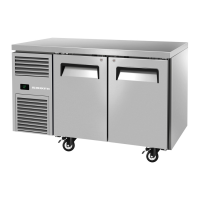
SKOPE Reflex Underbench Fridge and Freezer
9 Troubleshooting and Diagnostics
Electronic Controller
Alarms signal unexpected operational changes in the fridge. When an alarm is activated, use
the electronic controller app to help diagnose the problem, and service as necessary.
Cabinet and Refrigeration Cartridge
For problems with the cabinet and refrigeration cartridge use the following table.
Table 14: Cabinet and cartridge troubleshooting
Problem Possible Cause Recommended Action
• Cabinet not
operating
• No controller
display
• Loss of power supply • Check mains power supply.
• Loose plug • Check all plugs are connected correctly.
• Cabinet not
operating as usual
• Incorrect parameters
Wellington Drive: Reload the parameter set.
• Defrost cycle
incorrect length
• Fan not working • Loose plug • Check all plugs are connected correctly.
• Electronic controller is in “Night” mode
• Switch the light on while keeping the cabinet in night
mode by pressing the light button on the electronic
controller faceplate.
• Change the cabinet into ‘Day mode’ by pressing and
holding the light button on the electronic controller
faceplate, or holding the door open for 10 seconds.
• Lights not on
• Light switched off
• Switch the light on via the light button on the electronic
controller faceplate, or via the app.
• Failed LED light • Replace the light.
• Refrigeration system error (indicated by
the electronic controller)
• Diagnose and repair. If a system fault is found contact
SKOPE for information on how to proceed.
• Plug not connected properly • Check and clean the plugs.
• Power supply fault • Replace the light’s power supply.
• Light component
not working
• Plug not connected properly
• Check and clean the plug connection in the side light
channel, behind the loom cover.
• Faulty light • Replace the light.
• Segment of light
not working
• Faulty light • Replace the light.
• Excess noise
vibration
• Refrigeration pipes transferring vibration
into the cartridge
• Re-align the pipes to ensure they are not touching the
evaporator tub bottom surface, evaporator tub support
legs, plastic base, or condenser coil assembly.
• Excess
compressor noise
• Noise variation is usual as the variable
speed compressor speed changes
• Damaged mountings
• Check the mountings to ensure there is no damage to the
rubber, or the washers, nuts or screws.
• Compressor not
operating
• Compressor electrics
• Check all plug connections and ensure that the
compressor electrics are operating correctly.
• Make sure the compressor is supplied with consistent
voltage over 220 volts.
• Ensure the voltage does not drop at start-up. If the
voltage does drop, ensure the cartridge has a direct
power supply (not from a multi-box or extension cord)
• Failed compressor • Replace the compressor.


 To Next Page