45
SKOPE Reflex Underbench Fridge and Freezer
Replacement Procedures
Service Manual
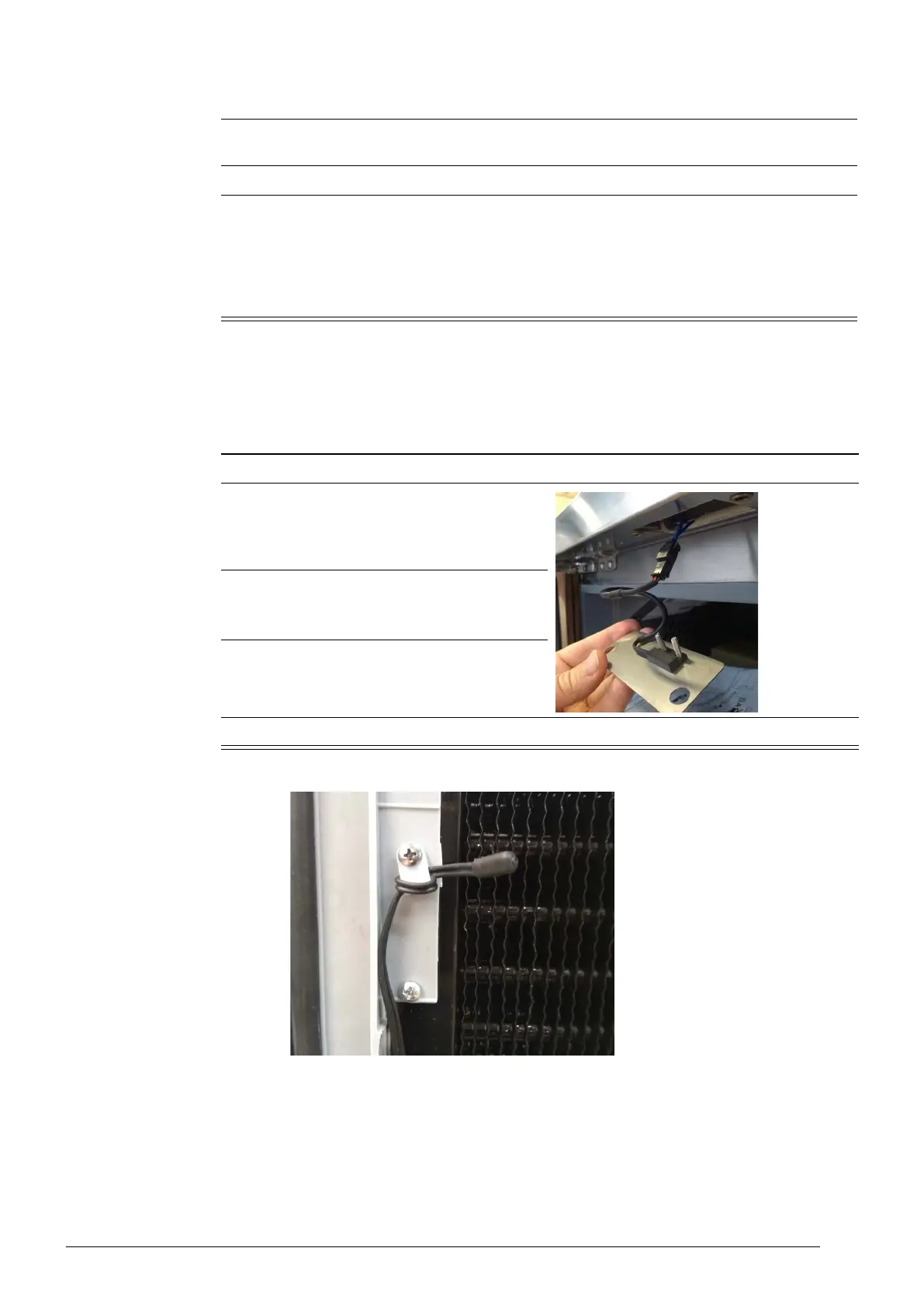
Door Switch The cabinet is fitted with a door switch above each door, which tells the electronic controller
when a door is opened. A small magnet on the top edge of the door activates the switch.
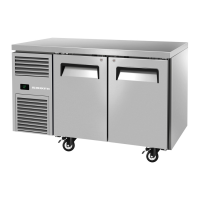
Control Probe The control probe is clipped to the inside of the evaporator assembly.
10. Power cycle the controller, reconnect via SCS Connect Field app and check that correct
parameter set has been applied (see Table 4, “Controller parameters,” on page 16).
11. Navigate to the SCS SETUP menu and select the model (as per the cabinet rating label).
12. Set up controller and cabinet links as required:
• Corporate
The service tech must link to the controller to the cabinet serial number in the SCS Connect
Field app.
• General Market
The owner must set up SKOPE-connect (if in use).
Procedure 24: To replace the controller (continued)
Procedure 25: To replace the door switch
1. Unplug the cabinet from the power supply.
2. Unscrew the 2 screws and remove the door
switch cover.
3. Unplug and replace the door switch.
4. Refit the cover.
5. Reconnect the cabinet to the power supply and check for correct operation.


 To Next Page