44
Replacement Procedures
Service Manual
SKOPE Reflex Underbench Fridge and Freezer
Procedure 24: To replace the controller
1. Disconnect the cabinet from the power supply and access the electronic controller (see
Procedure 23, on page 43).
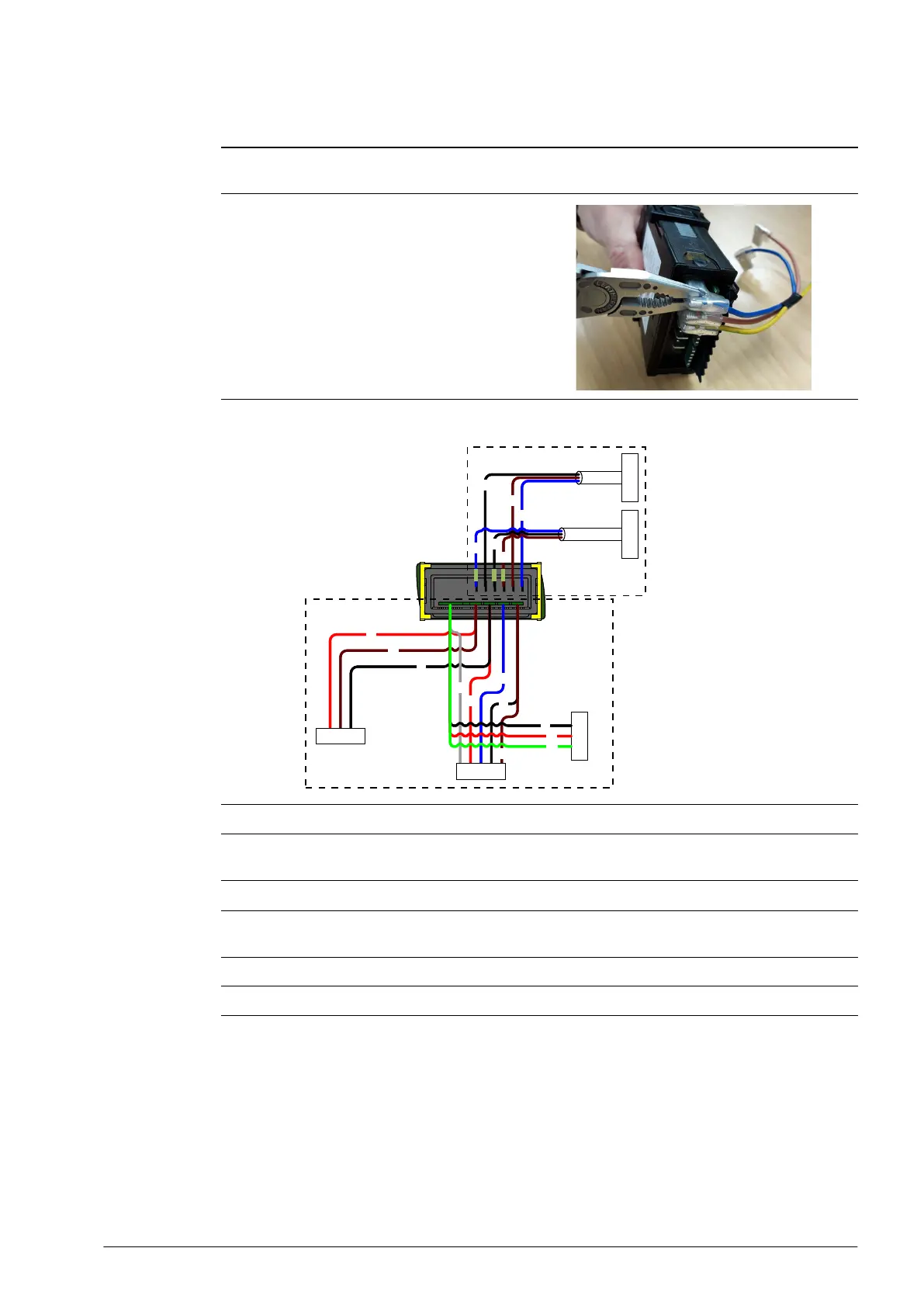
2. Use needle nose pliers to press in and unlock the
tabs, and gently remove the QC terminals at the
back of the controller.
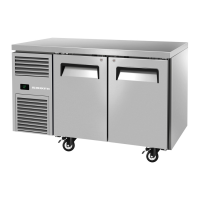
3. Fit the new replacement controller, and connect up the terminals at the back of the controller.
Connect low voltage terminals before high voltage terminals.
4. Reassemble, perform an electrical safety test, and reconnect to the power supply.
5. Use a mobile device to connect to the controller with the SCS Connect Field app (see
Procedure 2, “To connect to a controller,” on page 14).
6. Navigate to the LOAD PARAMETER FILE menu.
7. Select the appropriate parameter file from LOCAL. If not available in LOCAL, search for the
parameter file in SERVER (internet access required), and download to LOCAL.
8. Confirm correct file and WRITE TO SCS.
9. After WRITE TO SCS is complete, select MENU DISCONNECT to save parameter set on SCS.
PlugPlug
BK
BU
BN
BK
BU
BN
BK
BN
BU
RD
BK
RD
BN
Socket
WH
Plug
BK
RD
GN
Plug
UW0300008
UW0100029
UW0100030
PlugPlug
BK
BU
BN
BK
BU
BN
BK
BN
BU
RD
BK
RD
BN
Socket
WH
Plug
BK
RD
GN
Plug
Low voltage
High voltage


 To Next Page