Technical documentation
Description of outputs on the card (PCB)
• SD Card: Socket for inserting an optional SD memory card.
• LED: LED strip connector (used only in IPM-032.WM).
• Optional sub modules SM: a group of connectors for installing sub modules: modem/codecs.
• LAN2: for installing POE cards (in preparation).
• LAN3: for installing VoIP cards (in preparation).
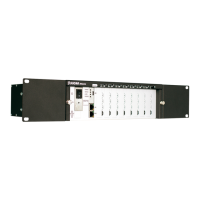
Controller format:
To remove items from the database and SRAM memory:
• Turn off the server.
• Fit the jumper to the HRESET pins.
• Turn on the server.
About 30 seconds after activation (all red LEDs on the front panel are lit), the server can be switched
off, the jumper removed and server switched on.
Next, perform backup recovery.
There is no need to upload firmware again because only the memory containing data is formatted.
Quick recovery of previous version of firmware:
To quickly return to the previous version of firmware:
• Turn off the server.
• Fit the jumper to the TBD pins.
• Turn on the server.
About 30 seconds after activation, an interrupted acoustic signal will be activated, the server can be
switched off and the jumper removed.
Backup recovery is not required with this action.
Notes on use of SD memory cards as a storage media.
• It is recommended not to use SD cards with a capacity of over 8 GB,
• There are 12 channels available when using an SD card,
• The number of channels available depends on the number of licences purchased.
Battery replacement 2032 3V.
• Note: risk of explosion in case of replacing the battery with an incorrect type of battery,
• dispose of used batteries according to the regulations in force.
22


 To Next Page