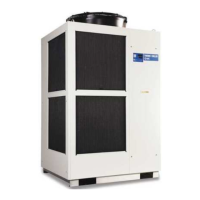
HRX-OM-X010
Table of Contents
HRZ Series
3.2 Installation ................................................................................................................ 3-3
3.2.1 Installation conditions .......................................................................................................... 3-4
3.2.2 Installation location and maintenance work area ................................................................ 3-5
3.3 Procedure for Installation ........................................................................................ 3-6
3.3.1 Installation ............................................................................................................................ 3-6
3.3.2 Procedure for system securing (1) ...................................................................................... 3-6
3.3.3 Procedure for system securing (2) ...................................................................................... 3-7
3.3.4 Wiring installation ................................................................................................................. 3-8
3.3.5 Procedures for wiring installation ....................................................................................... 3-11
3.3.6 Installation of circulating fluid and facility water piping ...................................................... 3-15
Chapter 4 System Startup and Shutdown ............................................. 4-1
4.1 Pre-check .................................................................................................................. 4-1
4.1.1 Installation condition ............................................................................................................ 4-1
4.1.2 Cable connection ................................................................................................................. 4-1
4.1.3 Installation of circulating fluid and facility water piping ........................................................ 4-1
4.1.4 Operating signal from your system ...................................................................................... 4-1
4.1.5 Check emergency off [EMO] switch .................................................................................... 4-1
4.2 Opening of Facility water Valve .............................................................................. 4-1
4.3 Supply of Circulating Fluid ...................................................................................... 4-2
4.3.1 Preparation of circulating fluid ............................................................................................. 4-2
4.3.2 Supply of circulating fluid ..................................................................................................... 4-3
4.4 Requirement for System Startup ............................................................................ 4-4
4.4.1 Turning ON power................................................................................................................ 4-4
4.4.2 Circulating fluid temperature setting .................................................................................... 4-5
4.5 System Startup and Shutdown ............................................................................... 4-5
4.5.1 System startup ..................................................................................................................... 4-5
4.5.2 System shutdown ................................................................................................................ 4-5
Chapter 5 System Operation ................................................................ 5-1
5.1 Operation Display Panel .......................................................................................... 5-1
5.2 Flow Chart of Operation Screen.............................................................................. 5-2
5.3 Operation Screen ..................................................................................................... 5-4
5.3.1 Model Indication screen ....................................................................................................... 5-4
5.3.2 Status screen 1 .................................................................................................................... 5-5
5.3.3 Status screen 2 .................................................................................................................... 5-6
5.3.4 Status screen 3 .................................................................................................................... 5-7
5.3.5 Status screen 4 .................................................................................................................... 5-8
5.3.6 Alarm Display screen ........................................................................................................... 5-9
5.3.7 Menu screen ........................................................................................................................ 5-9
5.3.8 Setting screen .................................................................................................................... 5-10


 To Next Page
 Loading...