- 14 -
No.SFOD-OMT0010-B
3.6 Parameters and Step data
When using for the first time or after changing the connected actuator, or when the settings of the
controller or connected actuator have been changed, it is necessary to review the set parameters and
step data.
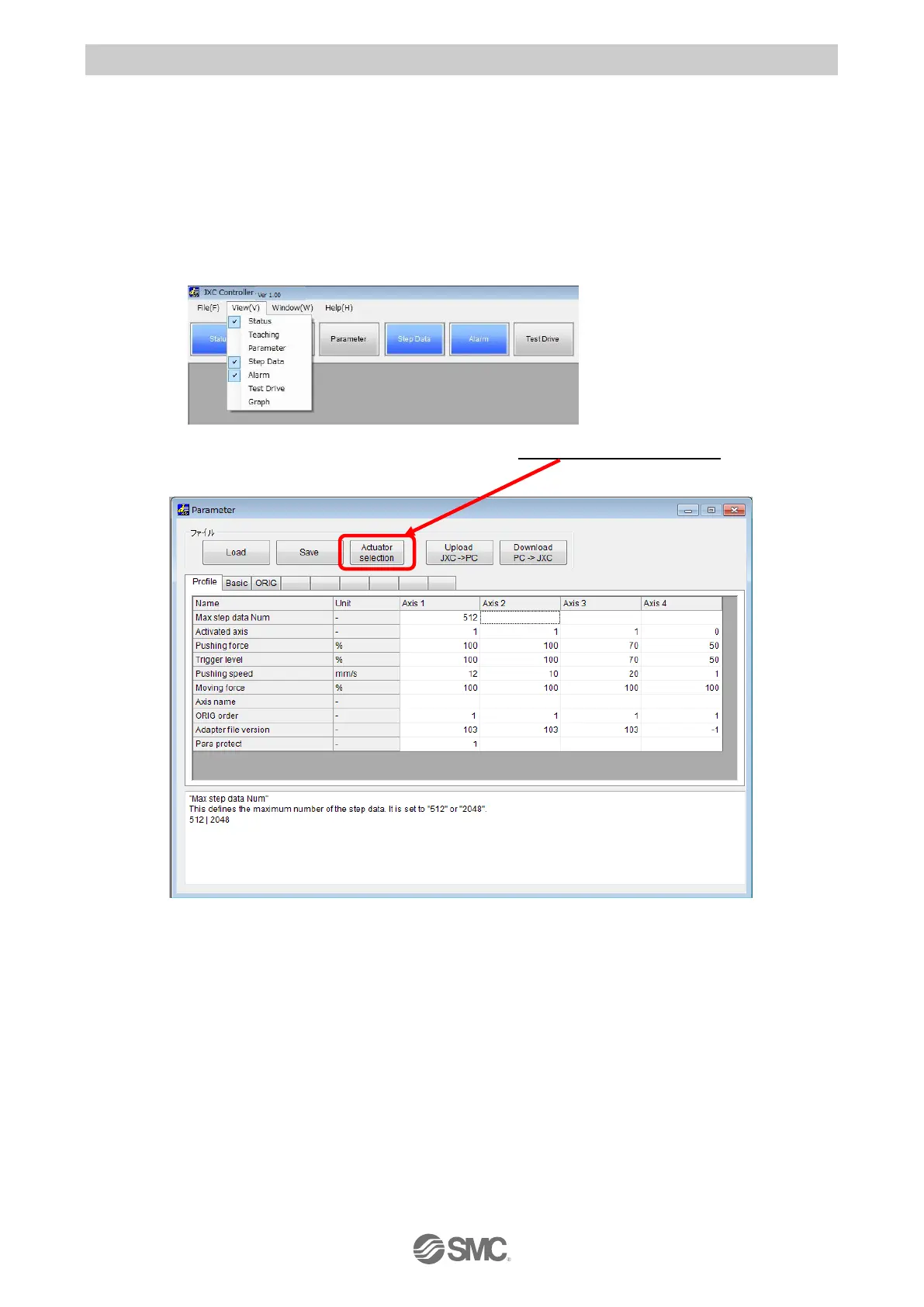
It is possible to display parameters and step data as shown below.
(1) Select the actuator
Select "View(V)" at the top of the main window, and check the parameters.
The Parameter window will be displayed.Select the "Actuator selection" button. The Actuator
selection window will be displayed.


 To Next Page
 Loading...