EasyManua.ls Logo

SMC Networks JXCP1 - User Manual

SMC Networks JXCP1
87 pages
Print Icon
To Next Page IconTo Next Page
Loading...
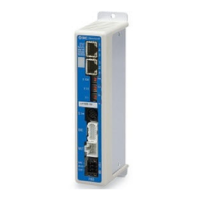
PRODUCT NAME
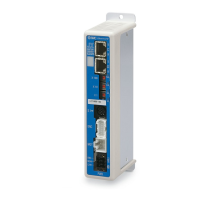
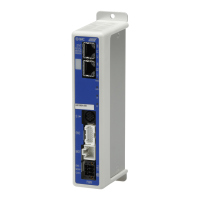
PROFINET Direct input type
Step Motor Controller
(Servo 24VDC)
Model / Series / Product Number
JXCP1
No.JXC-OMT0006-C

Table of Contents

Questions and Answers

  • G
    gabriella02Aug 16, 2025
    Why is the BF Red LED flashing on my SMC Networks JXCP1?
    • A
      Amy ThompsonAug 16, 2025
      If the BF Red LED on your SMC Networks Controller is flashing, it indicates that the PROFINET communication is abnormal (Bus Fault). To resolve this, ensure that the Device name is unique to prevent duplication.
  • T
    tuckerrachelAug 19, 2025
    What to do if the BF Red LED is ON on my SMC Networks JXCP1?
    • S
      Sara SnowAug 19, 2025
      If the BF Red LED is ON on your SMC Networks Controller, it means that communication data has not been received. Check and correct the wiring or connection of the communication cable, or replace the cable. Also, keep the communication and power cables away from any noise source, or consider covering them. Finally, ensure that the power supply and power supply cables are correctly connected, referring to the PLC Operation Manual.
  • M
    Michael BrownAug 22, 2025
    Why SMC Networks Controller does not operate at all?
    • T
      Timothy PenningtonAug 22, 2025
      If your SMC Networks Controller does not operate at all, the lock release may be faulty if there is no sound when it attempts to release. The lock brake may be broken. Also, external equipment may have failed. Unsuitable specification may be the cause. Refer to the controller operation manual and take appropriate measures. Take appropriate measures according to this manual.
  • P
    Patrick CombsAug 28, 2025
    How to fix SMC Networks JXCP1 actuator when it does not move to the correct position?
    • V
      Valerie SalazarAug 28, 2025
      If the actuator on your SMC Networks Controller does not move to the correct position, it could be due to an incorrect origin position. Take measures to make the actuator operate normally. Another reason might be incorrect parameters, so modify the parameters and test the operation. The specification may be unsuitable, take appropriate measures according to this manual.
  • K
    Kyle RodriguezAug 31, 2025
    Why does my SMC Networks JXCP1 Controller operation stop intermittently?
    • J
      Joshua GriffinAug 31, 2025
      If the operation of your SMC Networks Controller stops intermittently, it could be due to incorrect wiring. Ensure that the input/output of each signal is performed appropriately. It could also be due to electric noise. Also, incorrect parameters may be the cause, take appropriate measures according to this manual. Finally, a voltage drop could be the reason, if necessary, replace the power supply.
  • D
    Dawn FisherSep 3, 2025
    How to troubleshoot communication fault (JXC-W2) on SMC Networks JXCP1?
    • J
      Jill FreySep 3, 2025
      If you are experiencing a communication fault with your SMC Networks Controller (JXC-W2), first ensure that the USB driver of the communication unit is installed. The COM port allocated to the controller may be different for different PCs; check and confirm the COM port number with the controller connected to the PC. Also, confirm that the motor controller (JXC) = communications cable = communication unit = USB cable = PC is connected.
  • T
    Terri BarberSep 6, 2025
    Why is the LED OFF on my SMC Networks Controller?
    • A
      alexanderjessicaSep 6, 2025
      If the LED is OFF on your SMC Networks Controller, it may be due to a power fault. Use an appropriate voltage and power supply capacity in reference to the operation manual of the actuator and controller. Alternatively, there may be incorrect wiring. Please correct the wiring in reference to Controller Operation Manual.
  • S
    susan15Sep 9, 2025
    What does it mean if the SF Red LED is ON on my SMC Networks JXCP1 Controller?
    • G
      Gregory WrightSep 9, 2025
      If the SF Red LED is ON on your SMC Networks Controller, it indicates that an alarm has been generated. Please take appropriate countermeasures in accordance with alarm content in reference to the controller Operation Manual.
  • C
    Christian GarciaSep 12, 2025
    What to do if ALM is on on SMC Networks Controller?
    • G
      ginanelsonSep 12, 2025
      If the ALM is on on your SMC Networks Controller, it indicates that an alarm has been generated. Refer to the controller operation manual and take appropriate measures.
  • A
    Amy GayNov 24, 2025
    What to do if SMC Networks Controller actuator does not move correctly?
    • D
      David NelsonNov 24, 2025
      If your SMC Networks Controller actuator does not move correctly, it could be due to several reasons. First, ensure the wiring is correct so that the input/output of each signal is performed appropriately. Second, the specification may be unsuitable. Third, set the interval time between signals to more than twice the communication cycle time. Fourth, the data may not be stored correctly, input correct data (step data, parameter) again and confirm operation. Fifth, the speed may not be achieved, modify the values of the parameters and test the operation. Sixth, the operation pattern may not be suitable, modify the setting to make the moving distance longer or the acceleration larger. Seventh, the specification may be unsuitable. Eighth, there may be a voltage drop, if necessary, replace the...

Summary

Safety Instructions

Outlines of Product

Features

Overview of the controller's key capabilities and functionalities.

How to Order

Information on how to specify and order the controller and related accessories.

Product Configuration

Illustrates the system structure and components of the controller.

Startup Procedure

Step-by-step guide for initial installation, wiring, and setup.

Specifications

Basic Specifications

Detailed technical specifications of the JXCP1 controller.

Parts Description

Identification and explanation of the controller's physical components and connectors.

External Dimensions

Diagrams showing the physical size and mounting dimensions of the controller.

Mounting

Instructions and guidelines for physically installing the controller.

Initial Setting Method

GSDML File and Icons

Explains the need for GSDML files for PROFINET configuration.

GSDML File Installation

Step-by-step guide for installing GSDML files using setting software.

Adding Controller to PROFINET Network

Process of integrating the JXCP1 controller into a PROFINET network.

Device Name Registration

Steps to assign a device name and IP address to the controller.

External Connections

Power Supply Connector (PWR)

Details on connecting the power supply to the controller.

Motor;Encoder Connectors (MOT;ENC)

Information on connecting motor and encoder cables.

Serial I;O Connector (SI)

Details on connecting the teaching box or PC via the serial port.

PROFINET Connectors (P1, P2)

How to connect the controller to the PROFINET network.

Power Supply Plug Details

Power Supply Plug Specifications

Specifications of the power supply plug used for the controller.

Electrical Wiring Specifications

Guidelines for preparing electrical wiring for the power supply.

Power Supply Plug Wiring

Instructions for wiring the power supply plug and connecting to the controller.

LED Display

LED Status Explanation

Explains the status indicated by the controller's LEDs.

LED and Controller Status Mapping

Table mapping LED status to controller operational states.

Operation Methods

Method Overview

Introduction to the available modes for operating the actuator.

Operation by Step Number

How to operate the actuator using pre-defined step data.

Position;Speed Monitoring

How to monitor the actuator's current position and speed.

Operation by Numerical Instruction

How to control the actuator using direct numerical commands.

Memory Map

Memory Allocation Details

Details the mapping of input and output data in the controller's memory.

Settings and Data Entry

Step Data Configuration

Information on setting up step data for actuator movement.

Basic Parameters Configuration

Configuration of fundamental operating parameters for the controller and actuator.

Return to Origin Parameters

Settings related to the actuator's return-to-origin function.

Operations

Return to Origin Procedure

Procedure for establishing the actuator's origin position.

Positioning Operation

How to perform positioning movements using step data.

Pushing Operation

Details on performing pushing operations with force control.

Signal Response Time

Factors affecting the controller's signal processing and response delays.

Operation Interruption Methods

Different methods for safely stopping or interrupting actuator operation.

Operation Examples

Positioning Operation Examples

Example scenarios for performing positioning operations.

Pushing Operation Examples

Example scenarios for performing pushing operations.

Operation Instructions

Instruction Method Overview

Introduction to the operation instruction methods.

Step Number Operation Procedures

Detailed procedures and timing charts for step-based operation.

Numerical Instruction Procedures

Detailed procedures for operation using numerical instructions.

Options

Actuator Cables

Specifications for various lengths and types of actuator cables.

Controller Setup Kit

Details about the software and hardware kit for controller setup.

Power Supply Plug

Specifications and part numbers for the power supply plug.

Teaching Box

Information and specifications for the teaching box accessory.

Alarm for Motor Control

Alarm Group Signals

Classification of alarms and their corresponding output signals.

Reading PROFINET Diagnostics

Method for diagnosing PROFINET communication issues.

Alarms and Countermeasures

Comprehensive list of alarms and their solutions.

Wiring and Cable Precautions

General Precautions

Important safety and operational guidelines for handling wiring and cables.

Electric Actuator Precautions

Design and Selection

Precautions related to designing systems with electric actuators.

Mounting

Guidelines and warnings for mounting electric actuators.

Handling Precautions

General safety and handling advice for electric actuators.

Operating Environment

Recommended and hazardous environmental conditions for operation.

Maintenance Precautions

Precautions to be taken during product maintenance.

Actuator with Lock Precautions

Specific safety measures for actuators equipped with a locking mechanism.

Controller and Peripheral Precautions

Design and Selection

Precautions for designing systems involving controllers and peripheral devices.

Handling Precautions

Safety guidelines for handling the controller and related equipment.

Mounting Precautions

Guidelines for safely mounting the controller and peripheral devices.

Wiring Precautions

Precautions to follow during the wiring process.

Power Supply Precautions

Guidelines for selecting and connecting the power supply.

Grounding Precautions

Importance and methods for proper grounding.

Maintenance Precautions

Precautions for performing maintenance on the controller.

Troubleshooting

Troubleshooting Guide

A guide to identify and resolve common product failures.

Handling Sent;Received Data

Data Format Explanations

Examples and explanations for handling 1-byte, 2-byte, and 4-byte data.

Definitions and Terminology

Glossary of Terms

Definitions of key terms used in the operation manual.

SMC Networks JXCP1 Specifications

General IconGeneral
BrandSMC Networks
ModelJXCP1
CategoryController
LanguageEnglish

Related product manuals