125
Tools Tools Menu
z To change hide/show scales:
1. Select Tools from the Home screen.
2. Select Settings from the Tools and Setup menu.
3. Select Configure Scanner from the Settings menu.
4. Highlight either menu entry to make a selection:
– Show Graph Scale—to switch the scales on.
– Hide Graph Scale—to switch the scales off.
5. Select the Back icon or press the N/X button to return to the Settings menu.
Configure Units
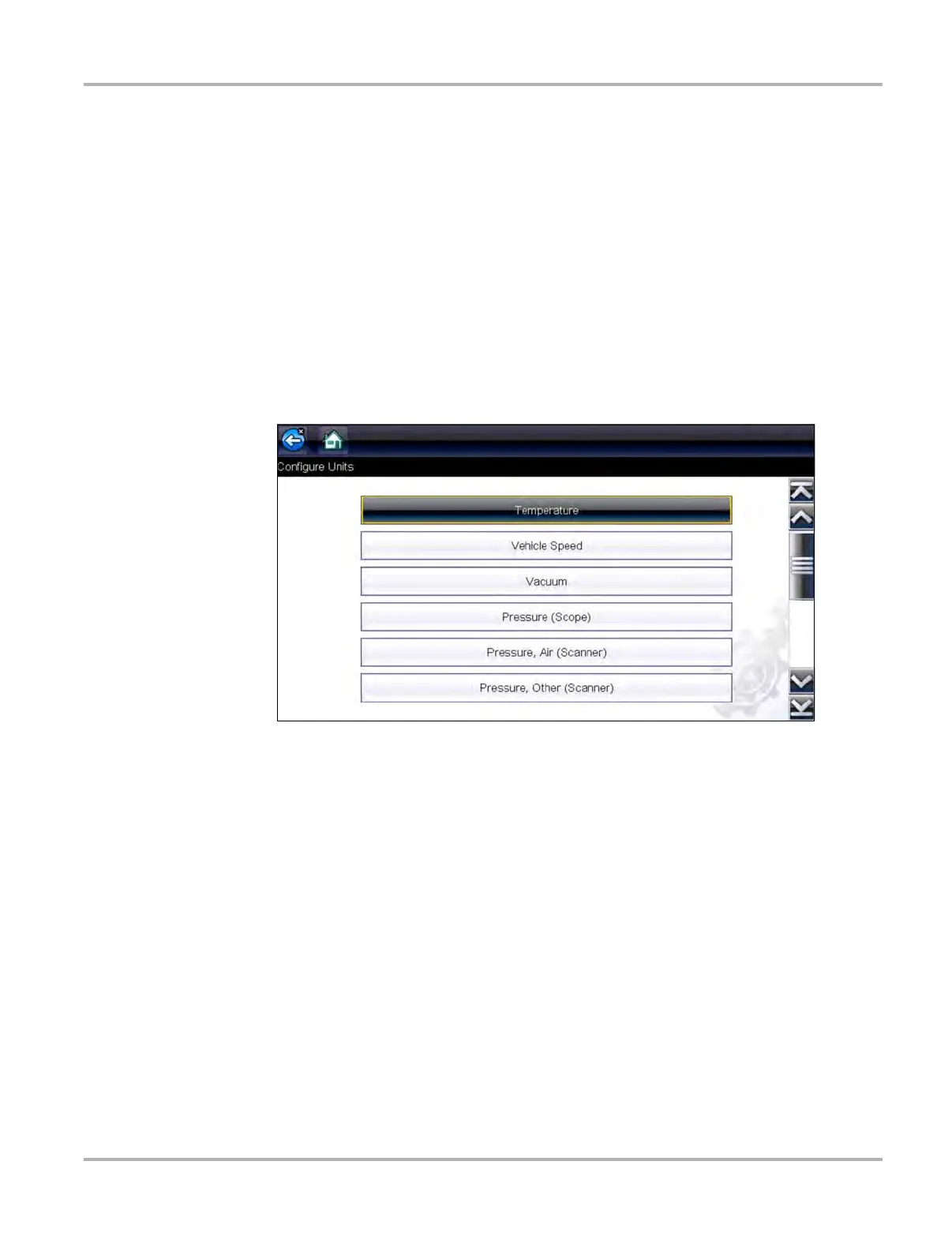
Selecting opens a dialog box that allows you to choose between US customary or metric units of
measure for temperature, vehicle speed, air pressure, and other pressures.
Figure 8-9 Configure units menu
z To change the units setup:
1. Select Tools from the Home screen to open the menu.
2. Select Configure Units to open the menu.
3. Select an item from the Configure Units menu.
4. Select a setting from the listed choices.
5. Select Back on the toolbar or press the N/X button to return to the options menu.


 To Next Page